Insurance Rating Engine
What an insurance rating engine is, the must-have features to look for, the benefits of centralizing pricing logic, and how to integrate it with your stack.
An insurance form builder lets teams create, manage, and deploy digital insurance forms - quotes, claims, applications - with logic, validation, and integrations.

An insurance form builder is a tool that allows insurers and other insurance businesses to create, manage, and deploy digital insurance forms without building every form from scratch. In practice, it is used to design everything from a simple insurance quote form to claims intake forms, policy application forms, renewal requests, and even consent forms.
Instead of relying on static PDFs, spreadsheets, or manual email exchanges, insurance teams can use a form builder to create structured, interactive custom forms that guide users through the right questions. This improves data collection, makes answers more consistent, and reduces friction for both internal teams and customers.
A good insurance form builder is not just about layout. It also supports business logic, validation, branding, workflow triggers, and connections with the wider platform or core system. In other words, it turns ordinary online forms into operational tools that support underwriting, service, and claims processes.
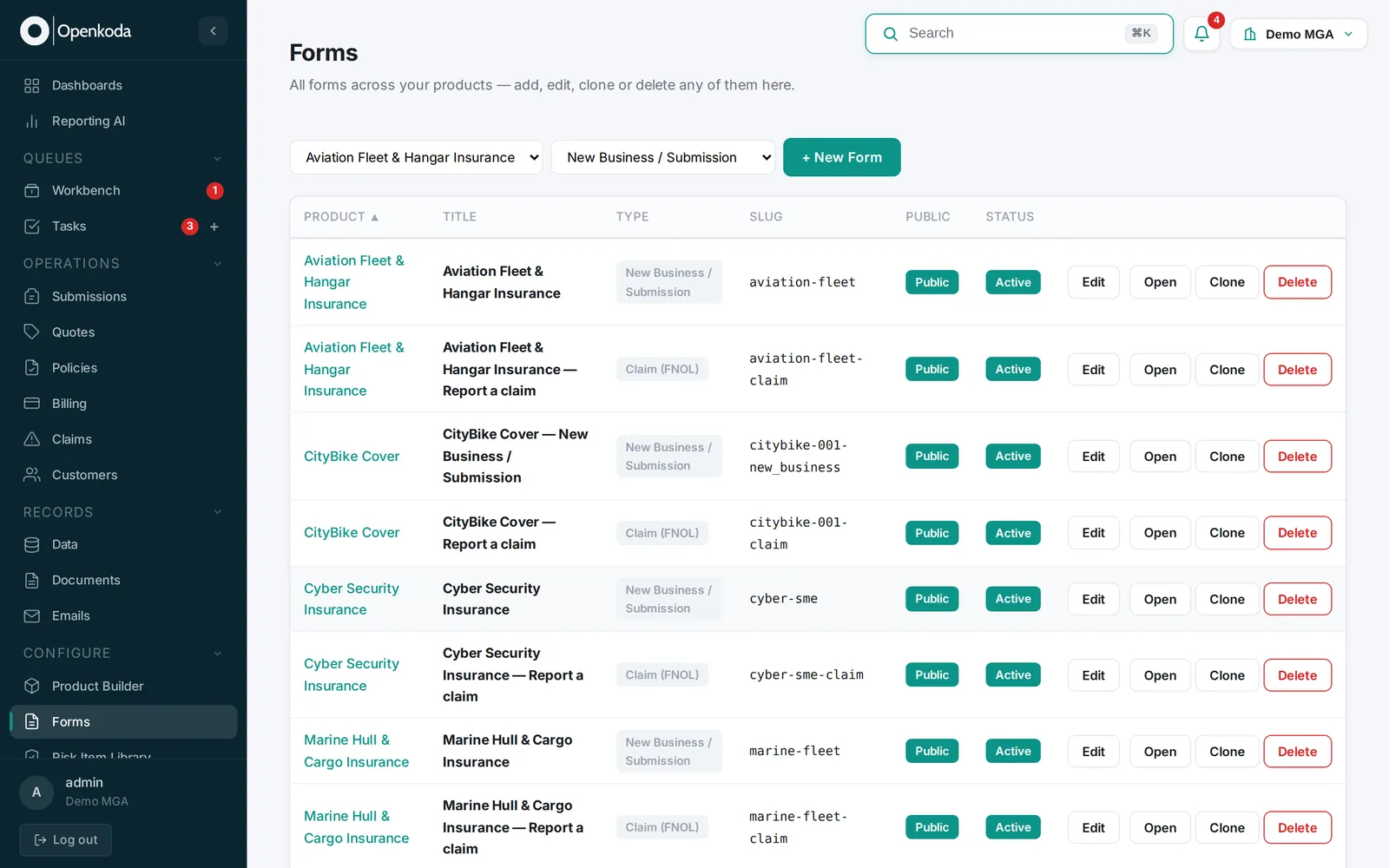
At a basic level, an insurance form builder lets users define fields, labels, logic, and actions through a visual interface.
A business user or product team can set up the fields needed for an insurance quote form, such as personal details, coverage preferences, insured item data, or risk-specific questions. They can then decide which fields are required, which answers trigger follow-up questions, and where the data should go after submission.
This is where the real value appears. The form does not simply collect data and sit in an inbox. It can support form creation with validation rules, automate routing, and connect form submissions to downstream workflows. For example, one insurance quote form may send data directly to underwriting, while another may trigger a claims review or create a new customer record.
Modern tools also make it possible to publish forms across different digital channels. An insurer may place an insurance quote form on a website, embed it in a partner journey, or make it available inside a customer portal. Strong solutions are also optimized for mobile devices, which matters because many users now start or complete insurance interactions on their phones.
In platforms built for insurance, form builders often go a step further.
Openkoda, for example, highlights the ability to create fully customizable insurance forms for quote requests, policy sign-ups, and claims, and embed them directly into a website or app.
Its broader platform also emphasizes modular features, embeddable quote forms, workflows, and seamless integrations, which is important when form submissions need to move quickly into real business processes.
The biggest advantage of digital insurance forms is not just convenience.
It is the ability to streamline data collection, improve accuracy, and make the customer journey feel more natural. A well-designed insurance quote form can shorten turnaround times and help insurance teams generate better-quality insurance quotes with less manual work.
Not all tools are equal, but strong solutions tend to include a similar core set of capabilities. These features help insurers move beyond simple form capture and build more useful digital experiences.
The short answer is: almost any organization that collects insurance-related information digitally.
Traditional insurers use these tools to support quote generation, onboarding, renewals, service requests, and claims reporting. For them, a strong insurance form builder reduces manual work and helps standardize how information enters the business. This matters especially for insurance providers operating across multiple lines of business, where forms often need to be updated quickly.
MGAs, brokers, and insurtechs also benefit. They often need flexible insurance quote form journeys that can be adjusted for niche products, distribution partners, or changing underwriting requirements. In these environments, speed matters. Teams want to launch new insurance forms without waiting through a long development cycle.
Embedded insurance players need it as well. If insurance is offered inside another digital journey, the form experience has to feel natural, branded, and easy to complete. That is why embeddable and customizable online forms are becoming more important across the wider insurance industry.
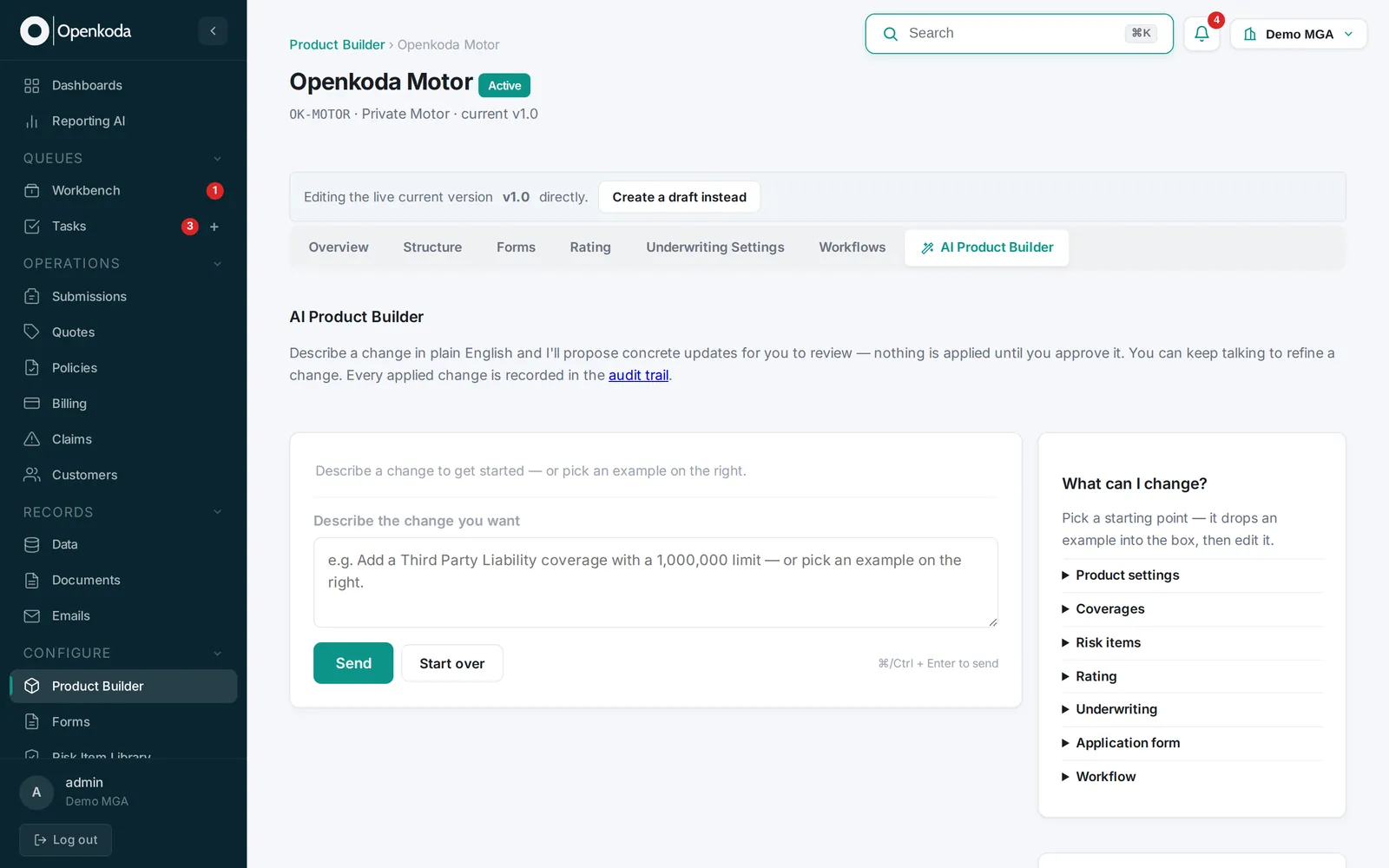
Choosing the right solution starts with one practical question: do you just need a basic no code form builder, or do you need a form tool that fits into a broader insurance platform and can evolve with your products, workflows, and compliance requirements?
Here are the main things to look for:
This is also where Openkoda is worth considering.
On its official site, Openkoda describes a way to design fully customizable insurance forms for quote requests, policy sign-ups, and claims, then embed them into a website or app.
It also positions its platform around modular architecture, pre-built templates, workflows, embeddable quote forms, and open customization, which is valuable for insurers that want more than a basic standalone no code form builder. In other words, it can support easy day-to-day form creation, while still giving teams the flexibility to build more advanced, insurance-specific processes over time.
What an insurance rating engine is, the must-have features to look for, the benefits of centralizing pricing logic, and how to integrate it with your stack.
What marine cargo insurance covers, who needs it, the main policy types (ICC A/B/C, single voyage, open cover), and key contract requirements.

An insurer owned by the businesses it covers, the forms it takes, and what separates a captive from simply retaining the risk.
Book a live, personalized demo with our product team - tell us your use case and see the platform work with your data. No commitment.