How to Automate Insurance Processes in Openkoda PAS
Automate a claim acknowledgment end to end: a Word template with placeholders, the email that carries it, and a workflow that fires when the claim form arrives.
Build a motor rating engine from four tables: derive the ages you do not store, combine the factors, add fees and tax, then price a real risk and reprice it.

Pricing is the part of an insurance product that changes most often and is trusted least when it changes. Somebody notices the young-driver book is running hot, and between noticing and repricing there is usually a spreadsheet, a developer, a release and a nervous week.
A rating engine worth configuring has to be good at four things, and only one of them is arithmetic:
This walkthrough builds a motor rating engine from scratch, four tables, one calculation and two charges, prices a real risk with it, and then reprices that same risk after a one-cell change.
Before you start, you will need: an account that can reach the Product Builder. The product here is cloned from a library template, so no existing motor product is needed.
There is a video version if you would rather watch it. The written steps below are the ones worth having open while you build your own.
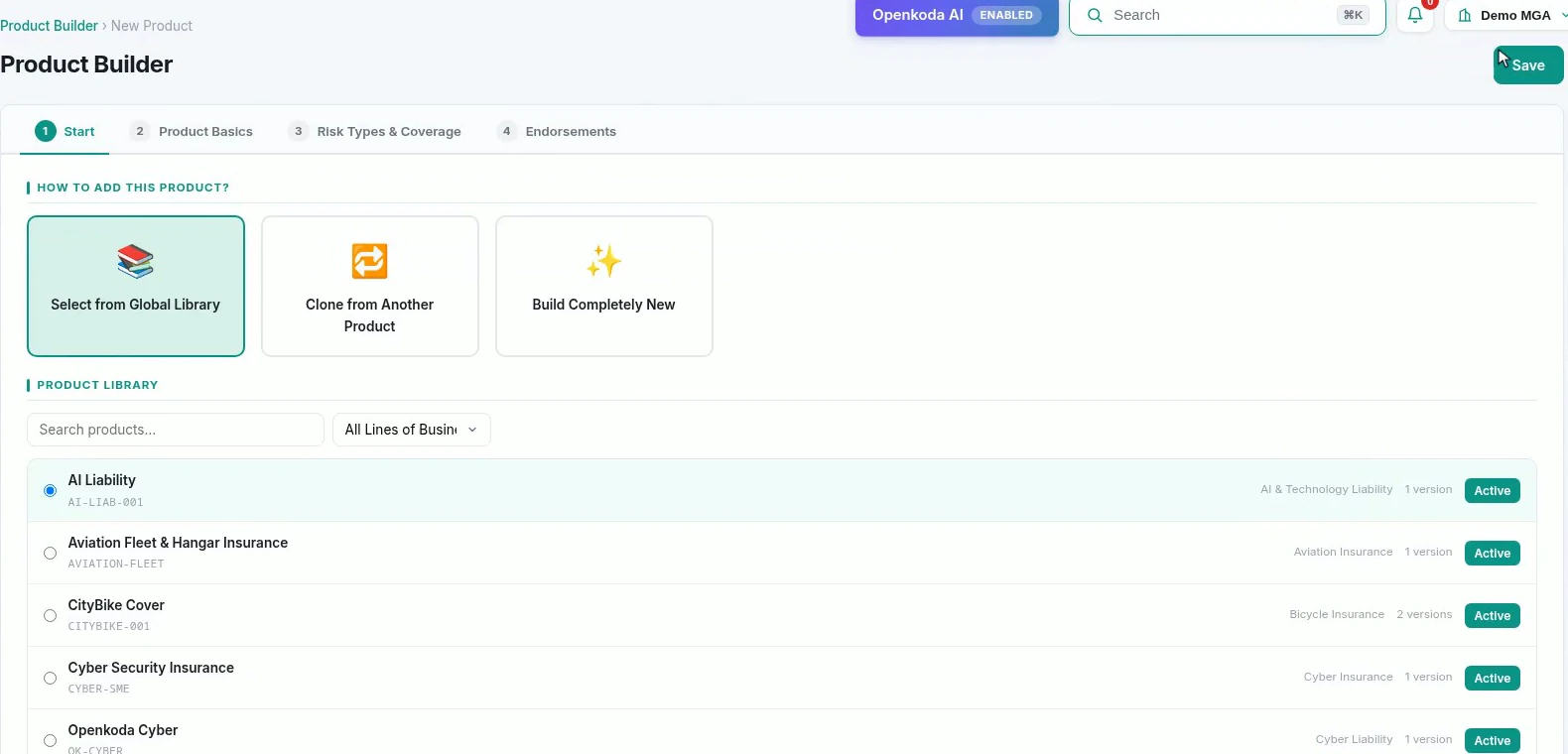
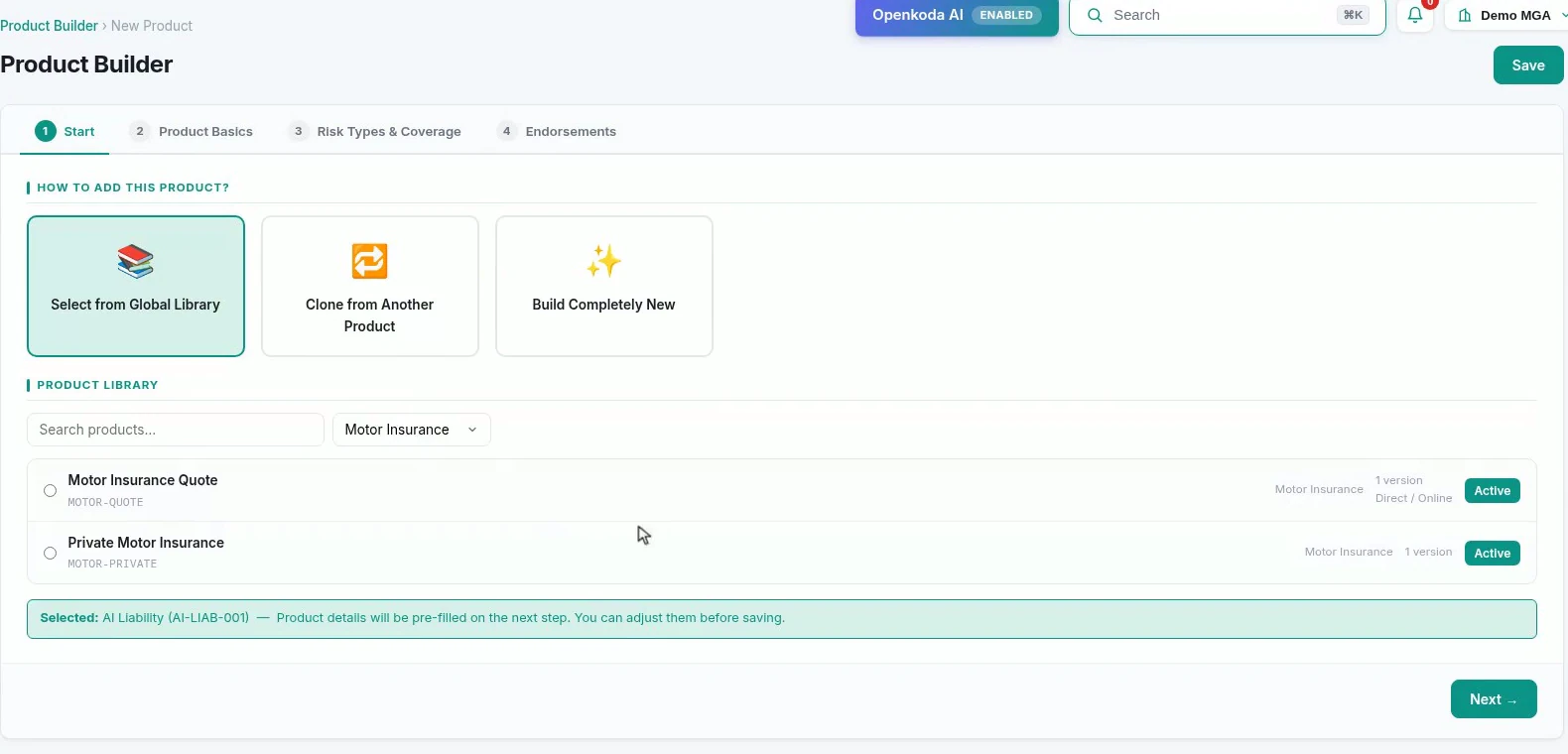
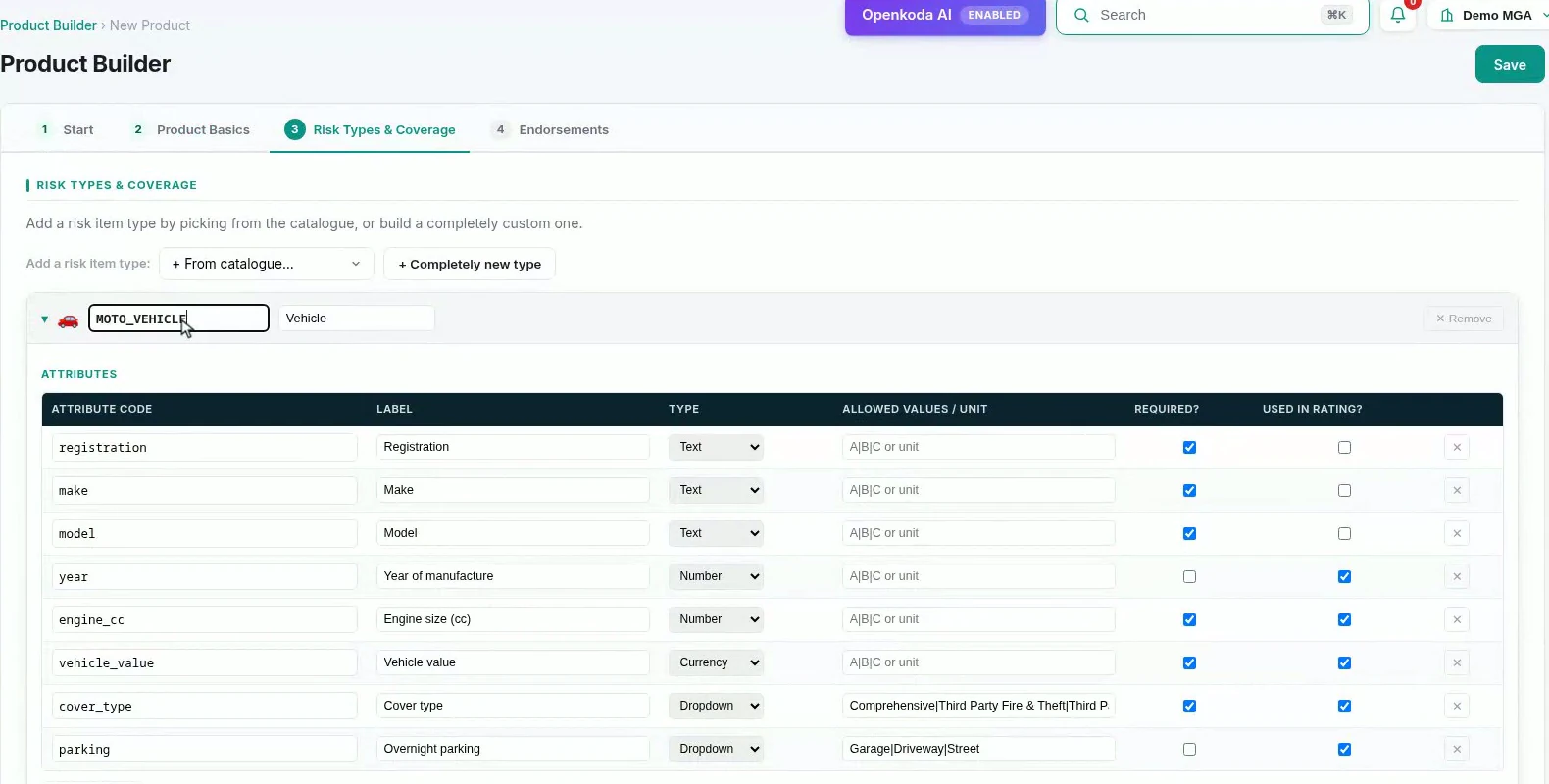
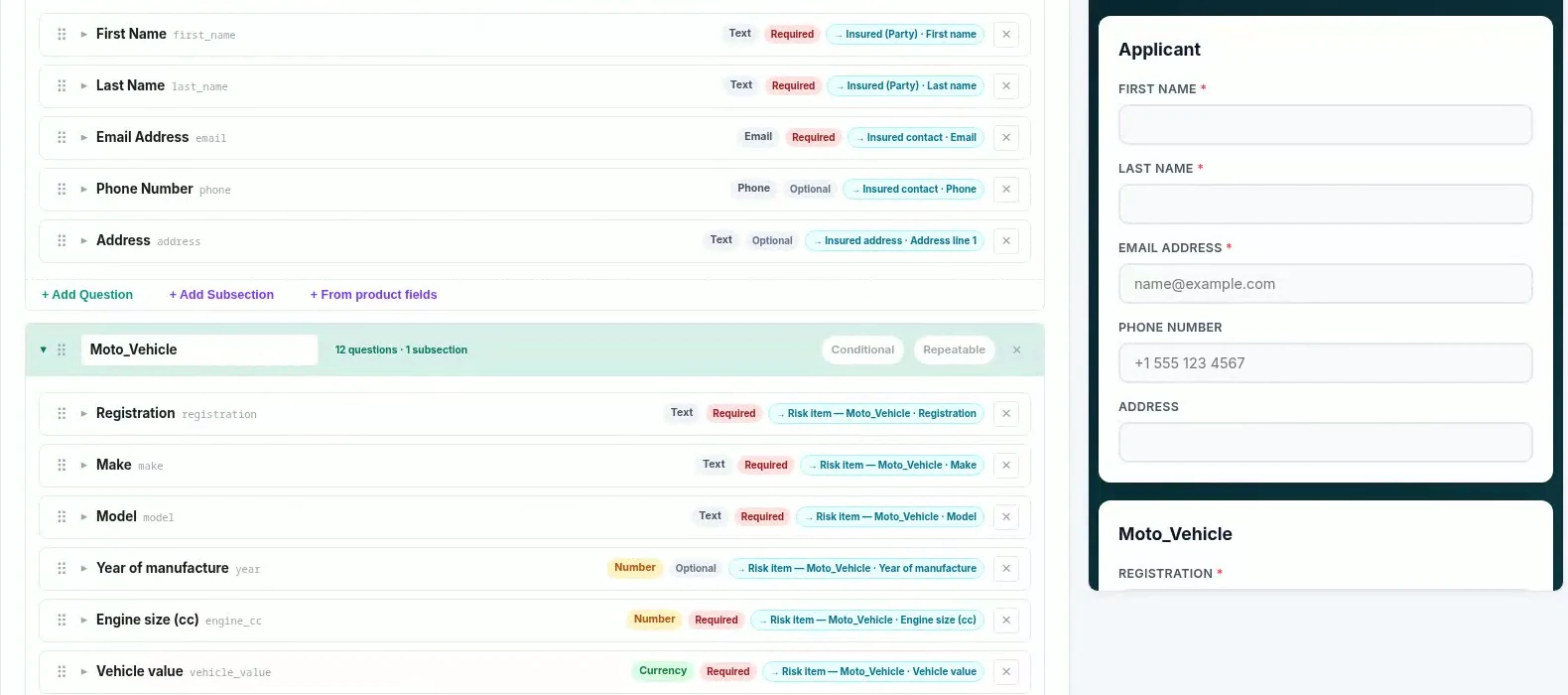
This is the step to get right before you touch anything else. Risk types point at a shared definition, and re-coding it forks a private copy. Skip it and the attributes you are about to add turn up on every other product using that definition.
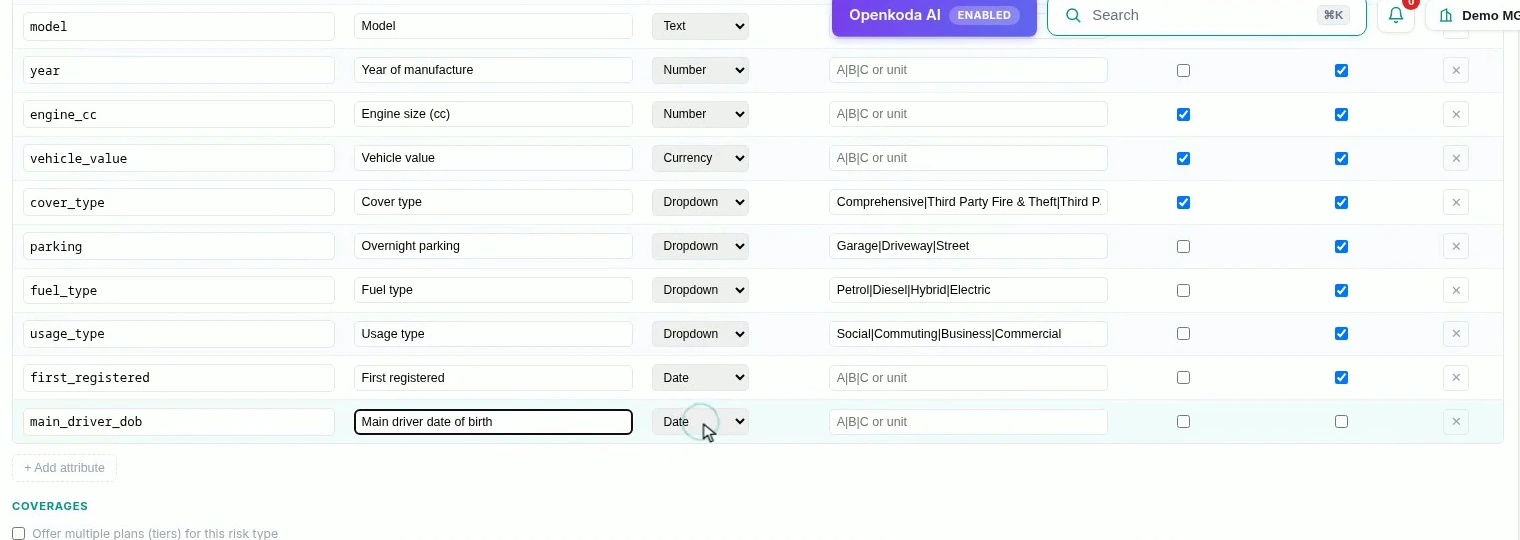
The used in rating flag is the one that matters. It is what makes an attribute selectable as a table dimension later. An attribute you forget to flag is invisible to the rating engine, and the symptom is a dimension dropdown that does not list the field you are sure you added.
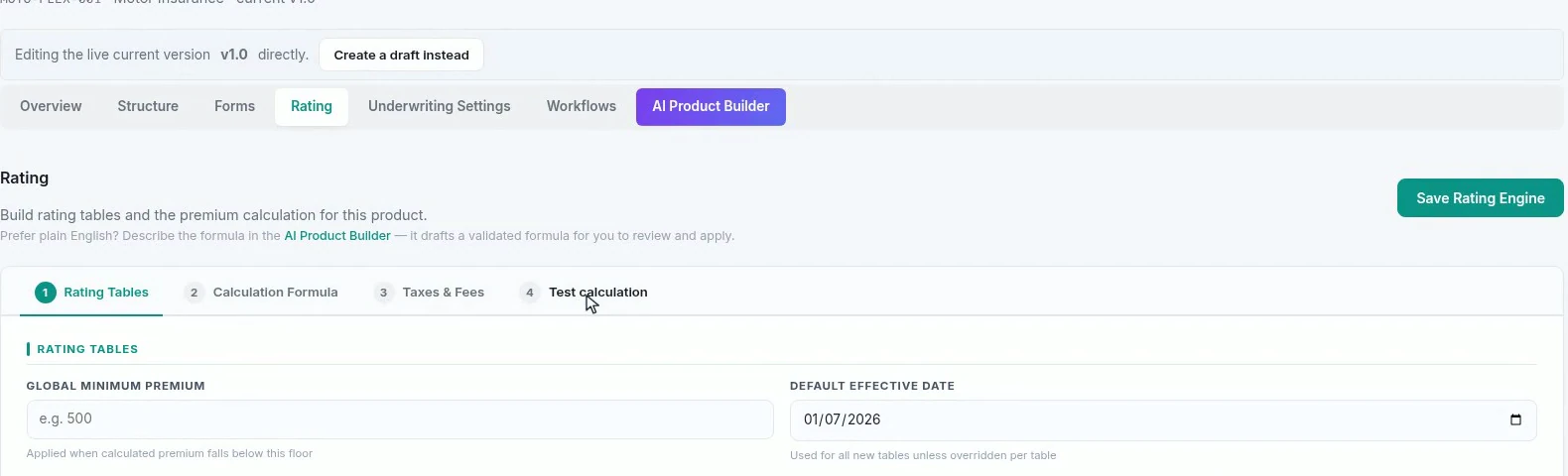
Counter-intuitively, start at step two.

Two of the things you want to price on, how old the driver is and how old the car is, are not stored anywhere, and should not be: an age recorded today is wrong next year. Derive them from the dates the record does carry, and the tables can band on them. Note the rounding is age last birthday, which is what a motor underwriter means by age.
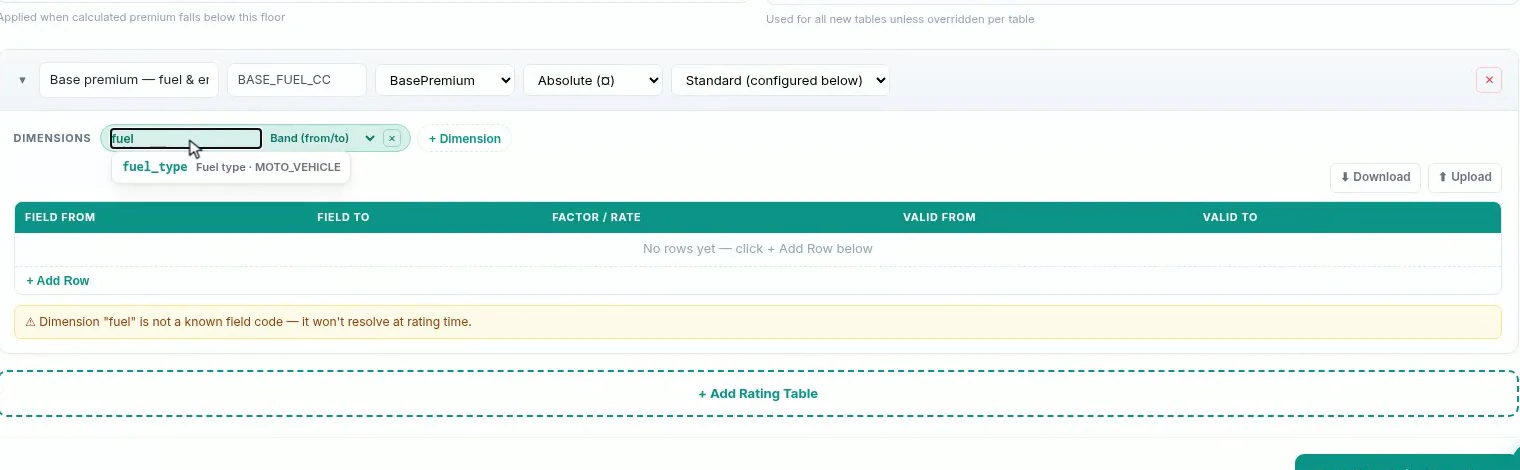
Two dimensions and two match types. Fuel type is a list, so it matches exactly; engine size is a number, so it matches as a band. Between them they make a grid with one cell per combination.
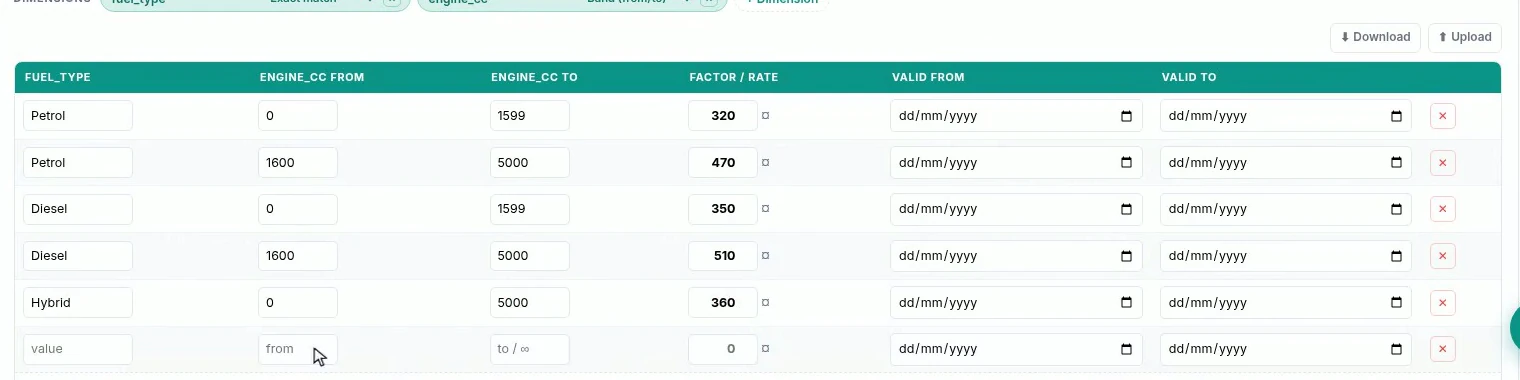
Check the band boundaries as carefully as the rates. A band ending at 1600 and the next starting at 1600 is a double match; ending at 1599 and starting at 1600 is a clean step. This is the defect class that prices a whole book wrong while looking perfectly reasonable on screen.
The base is an amount; everything after it is a multiplier.
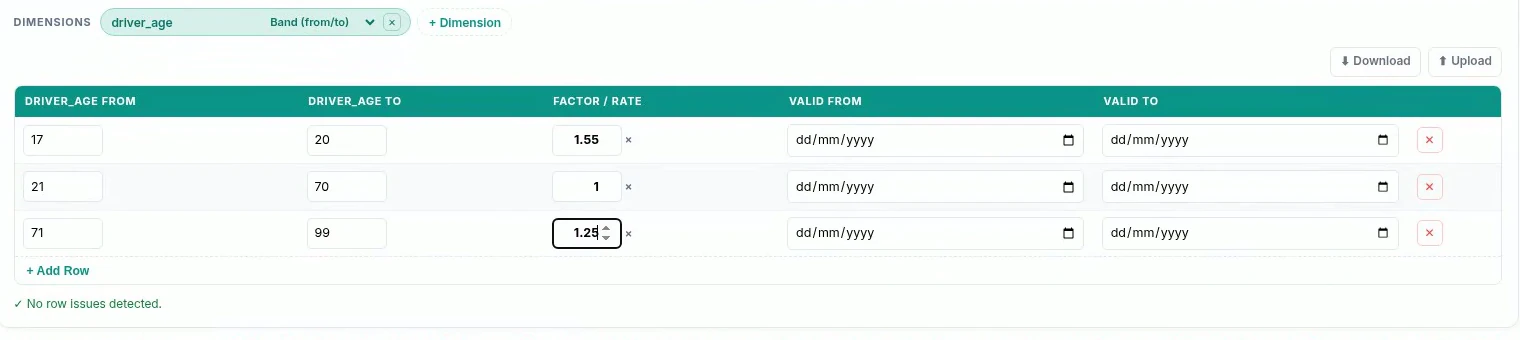
First match wins, so the order of the rows is the order they are tested in. Worth knowing before you write bands that could overlap.
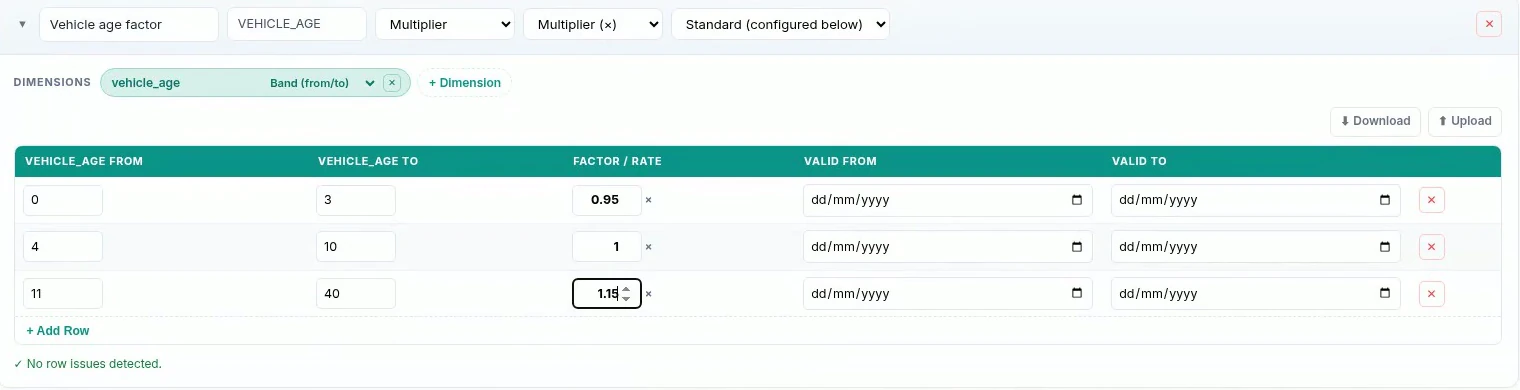
Keep a baseline of exactly 1.00 in every factor table. It is what makes the others readable as “ten percent more than standard” rather than as numbers that have to be compared with each other.
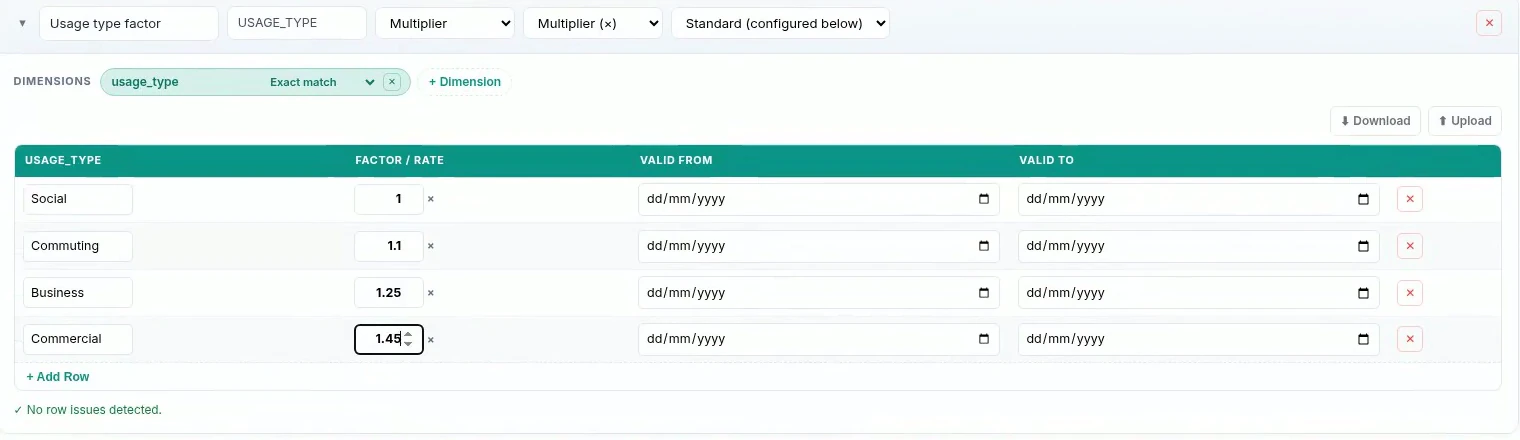
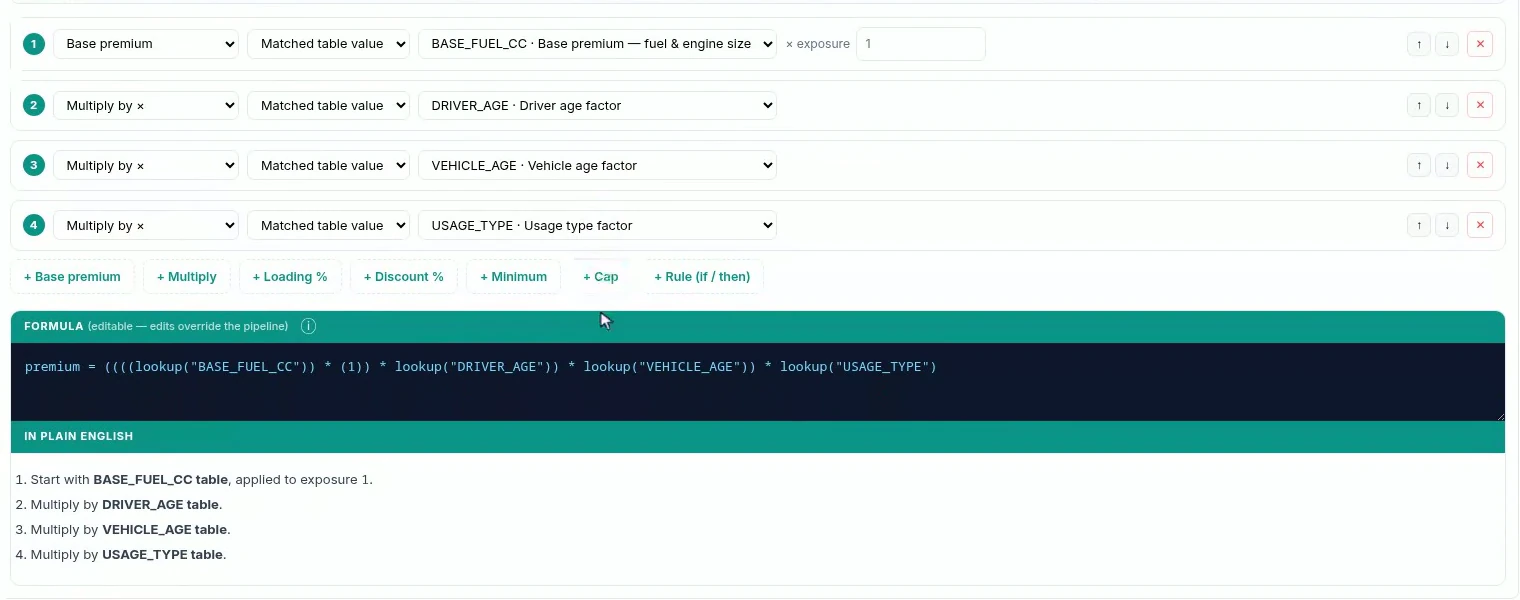
The plain-English readback is the part to actually read. “Start with BASE_FUEL_CC, multiply by DRIVER_AGE, multiply by VEHICLE_AGE, multiply by USAGE_TYPE” is four lines anyone in the pricing meeting can check, and it is generated from the pipeline rather than written by hand, so it cannot drift from what will run.

Keeping fees and tax out of the premium formula is not tidiness, it is correctness. A formula that has swallowed the fee applies every later factor to it, and a tax based on “premium plus fees” cannot be computed at all until both exist. Note the basis column, of premium + fees, which is the field people most often get wrong.
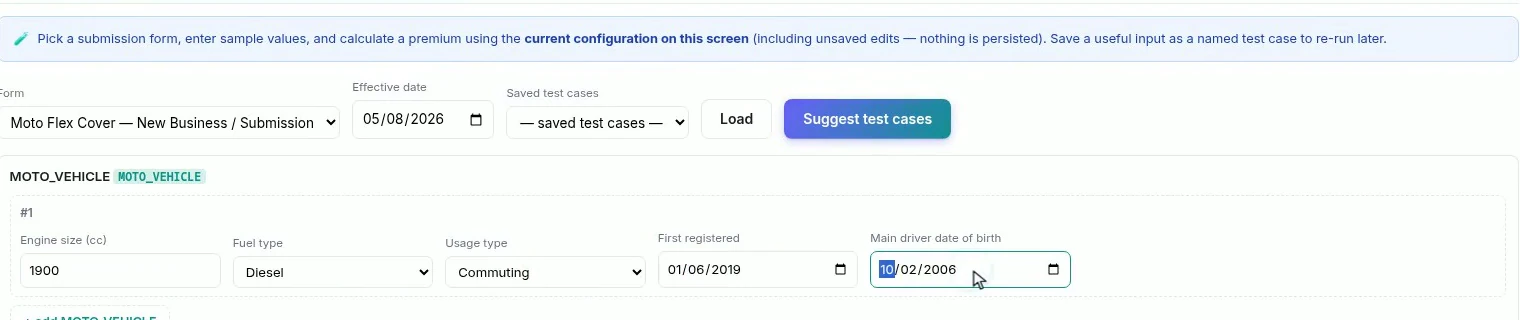
Do the arithmetic by hand once, on the first risk you price. A 1,900cc diesel lands in the 1600+ diesel cell at 510. The driver is twenty, so the 17–20 band gives 1.55. The car is seven years old, so the 4–10 band gives 1.00. Commuting gives 1.10.

That is 510 × 1.55 × 1.00 × 1.10 = 869.55. Add the 35 fee, take 12% of 904.55 = 108.55, and the total is 1,013.10, exactly what the panel shows.
If your hand calculation and the engine disagree, you have found either a band boundary or a factor applied in the wrong place, and you have found it before a customer did.
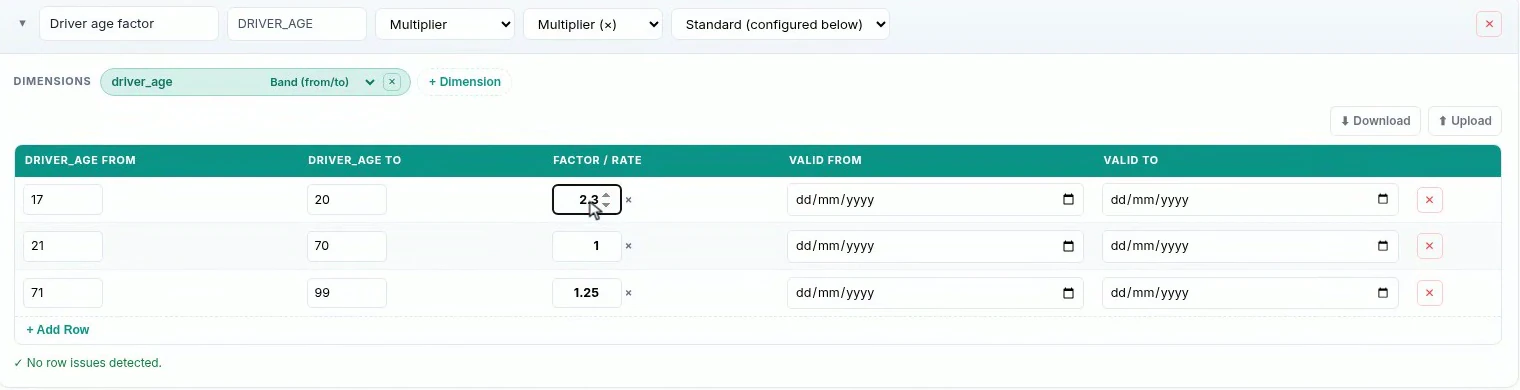
This is the step that changes how pricing work feels. The test panel rates against the configuration on screen, including unsaved edits, so a rate change can be priced on real risks before anyone commits to it. Change the cell, re-rate, look at the number, and decide. Nothing is persisted until you save the rating engine.

Build yourself two or three named test cases that represent the book, a young driver, a standard risk, an older car on business use, and re-run all of them after any rate change. A factor that looks sensible on the risk you happen to be thinking about is how books get mispriced at the edges.
Everything above is four grids, a list of multiplications, two charges and a test panel. No code, and nothing an actuary or an underwriter would need translated, which is the point. The reason pricing changes are slow in most insurers is not that the arithmetic is hard. It is that the rates live somewhere the people responsible for them cannot see or safely touch.
When the rates are tables, the calculation reads back in English, and a rate change can be priced against a real risk before it is saved, repricing stops being a project. It becomes what it should be: someone who knows the book changes a number, checks what it does, and commits.

Automate a claim acknowledgment end to end: a Word template with placeholders, the email that carries it, and a workflow that fires when the claim form arrives.

Build a billing desk board tile by tile, then a second one by describing it in a sentence, and make one the screen your team signs in to.

Follow one hand-over end to end: a chat message carrying the policy, a task with an owner and a due date, and the notification that reaches the assignee.
Book a live, personalized demo with our product team - tell us your use case and see the platform work with your data. No commitment.