How to Set Up Your Own Rating and Premium Calculation Rules in Openkoda PAS
Build a motor rating engine from four tables: derive the ages you do not store, combine the factors, add fees and tax, then price a real risk and reprice it.
A step-by-step guide to building a dynamic, embeddable travel insurance quote form with premium calculation, validation, and automated emails in Openkoda.

Embedded insurance integrates coverage options directly into the buying process.
It provides a seamless, on-the-spot offer of protection that is tailored to the purchase. For the travel industry, embedded insurance simplifies the process of securing personalized insurance during the travel booking process.
The benefits of embedded insurance are clear both for clients and insurance providers:
For clients:
For insurance providers:
Offering an interactive and customizable quote form directly on your website can transform how clients interact with your insurance products. While this tutorial focuses on building an embeddable travel insurance form, Openkoda allows you to create forms for any type of insurance (Watch our tutorials on Car and Device embedded forms).
Follow the steps below to create a dynamic quote form tailored to your business needs, or watch a video tutorial:
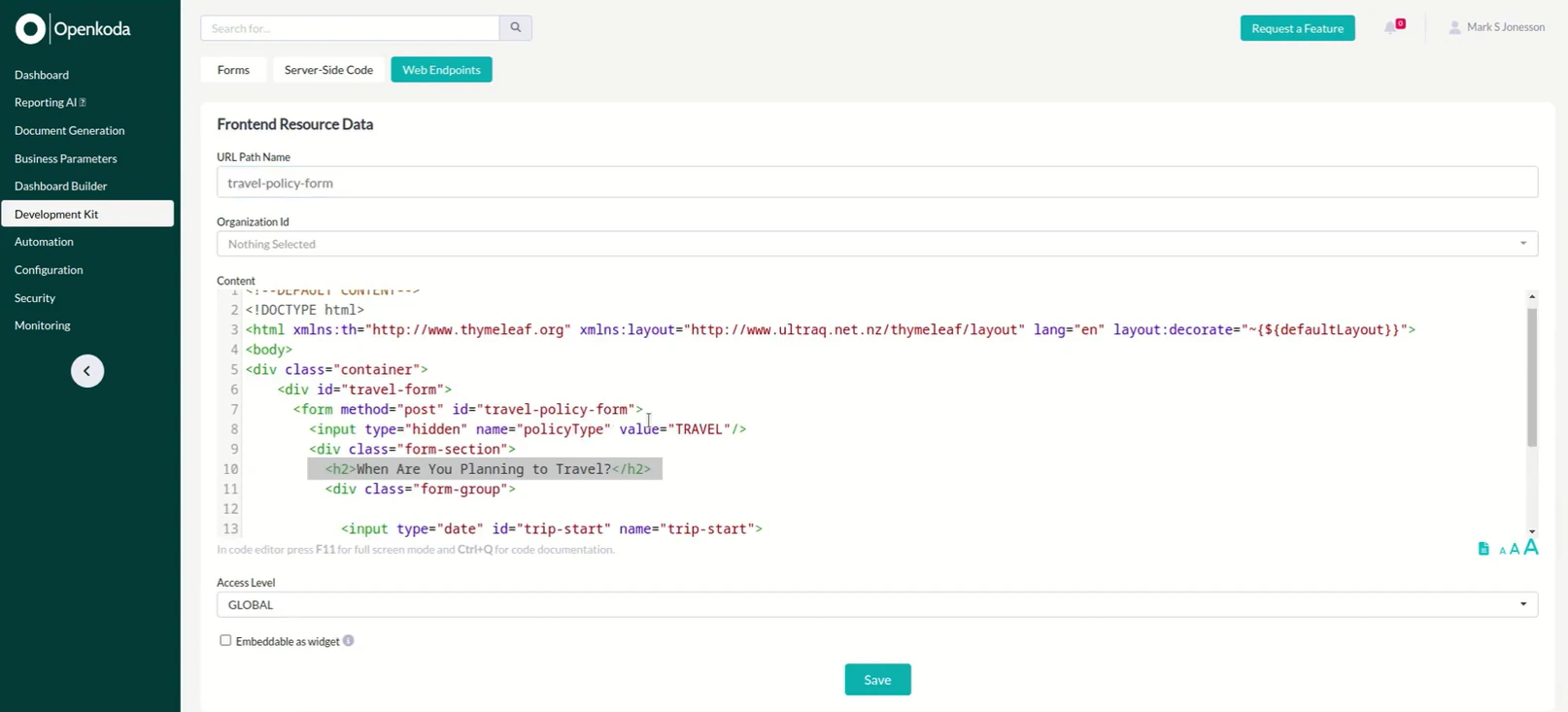
Start by creating the base of the form with the essential fields that you want to use:
These questions help collect crucial travel details required for the insurance quote.

Add selection boxes for coverage types.
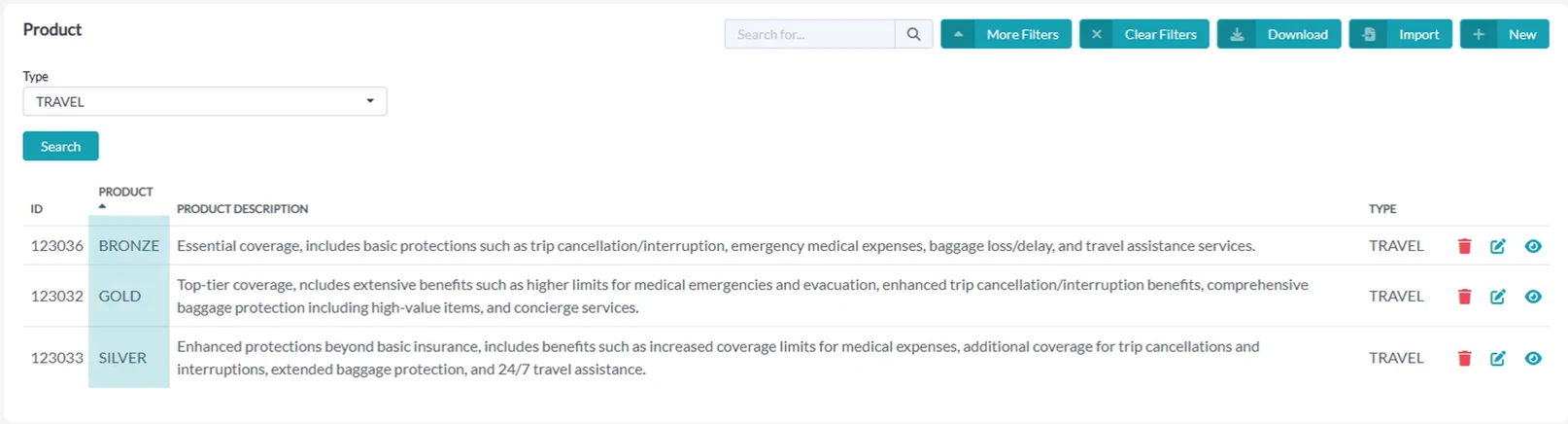
This field gets values directly from your database. This ensures consistency.
In this example, clients can select from Bronze, Silver, or Gold packages.
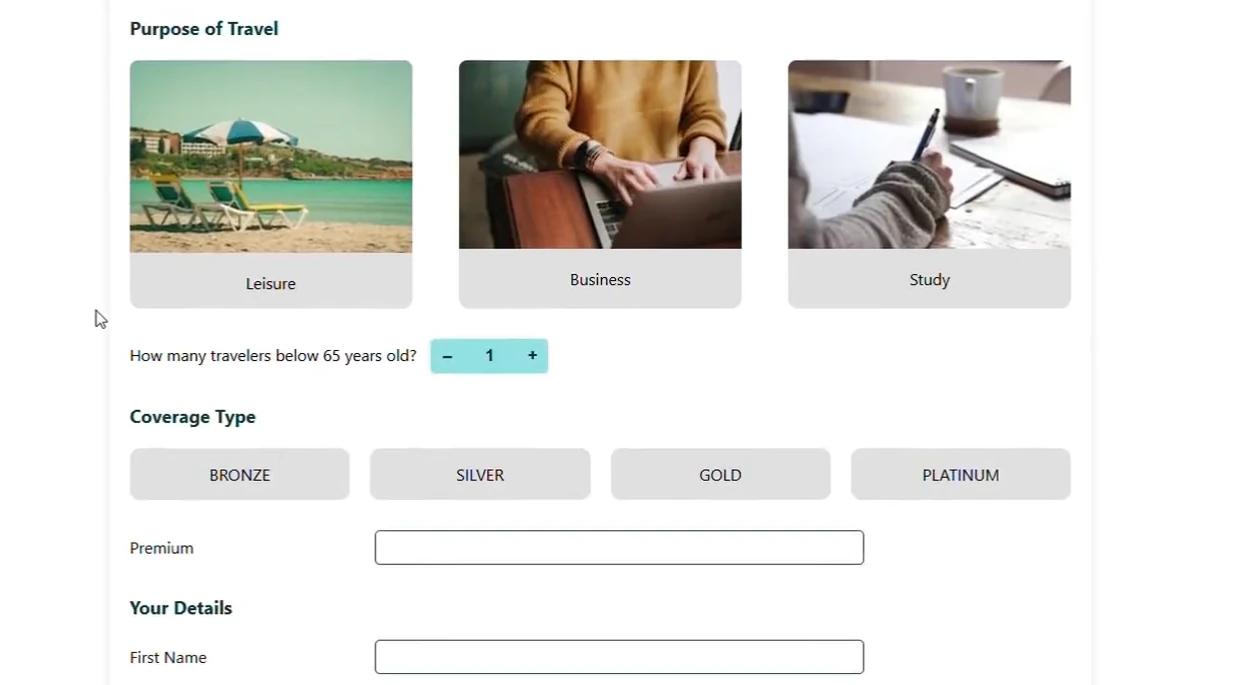
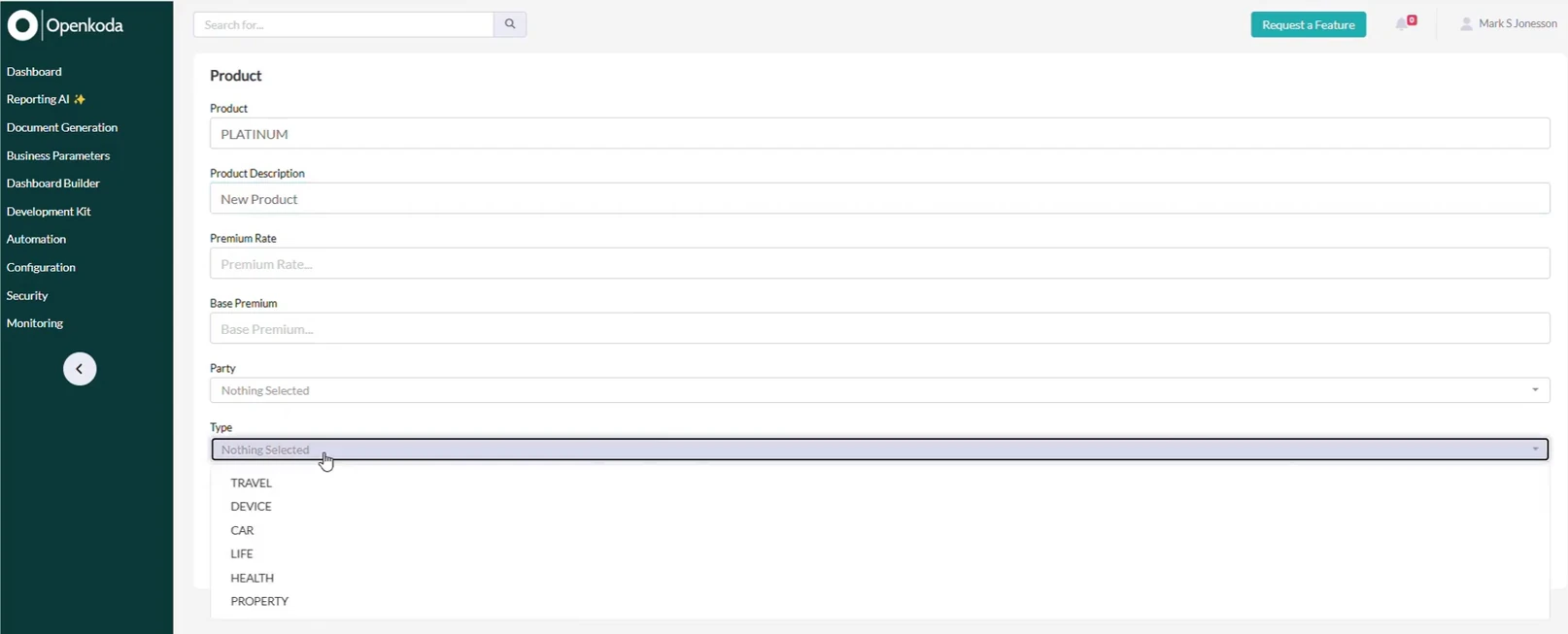
But if you want to add a new product, like Platinum coverage, you can do it anytime thanks to Openkoda's endless customization options.
As soon as a new product is added to your database, this option will automatically appear on the form.
Dynamic integration with your database ensures the latest product offerings are always available, reducing manual updates.

Now incorporate dynamic premium calculation logic into the form.
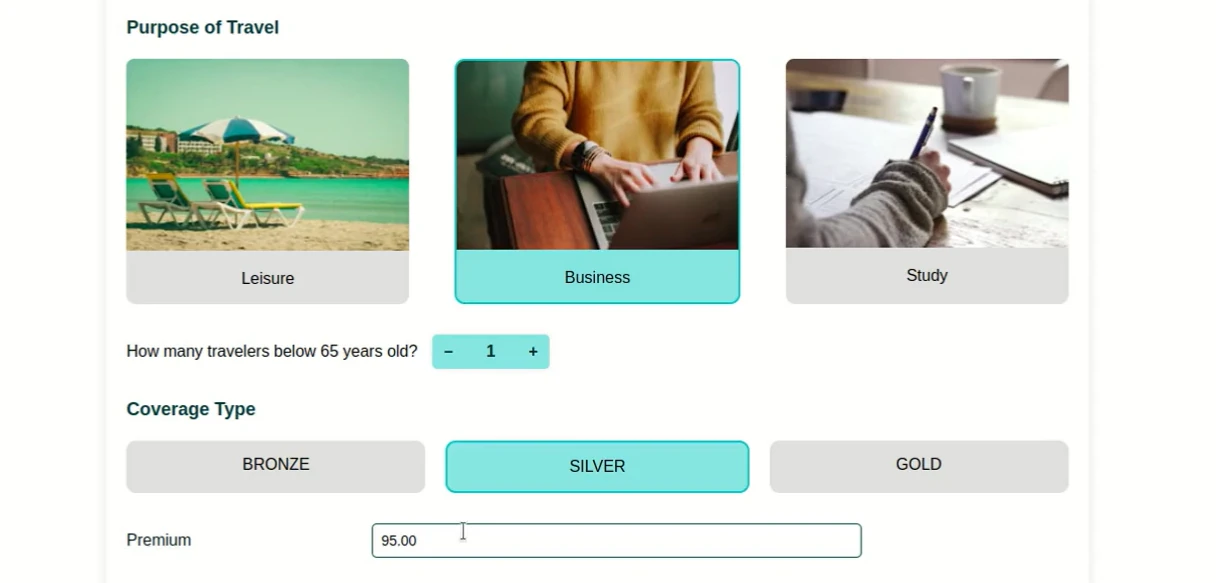
This feature uses pre-defined formulas and variables to compute quotes in real-time based on the user's input.
For instance, it considers factors like travel dates, destination, and selected coverage type to instantly generate a premium estimate.
Offering immediate pricing information enhances transparency, improves clients satisfaction, and increases the chances of policy purchases.
[Watch also: How to Implement Quoting System with Flexible Pricing Calculation Rules]
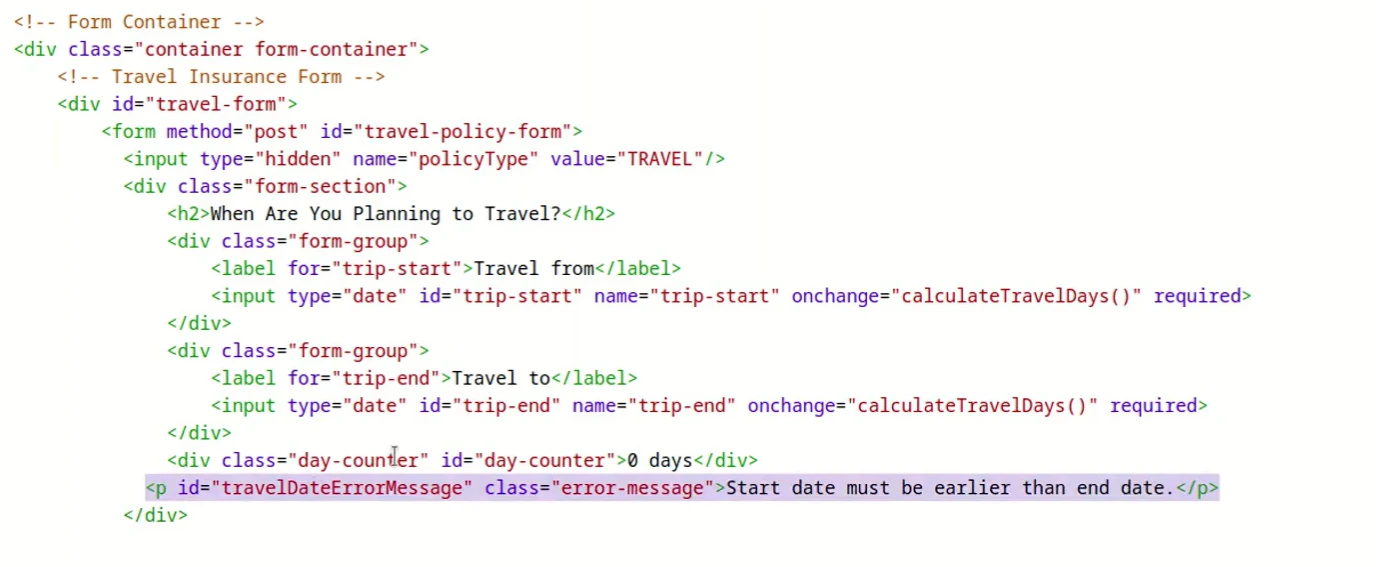
To ensure data accuracy, introduce validation rules. For instance, the system can verify travel dates to prevent submission of invalid information.

For example, in our travel quote form, the user is notified if they enter the wrong data section. In this way, data validation reduces errors and ensures smoother processing.
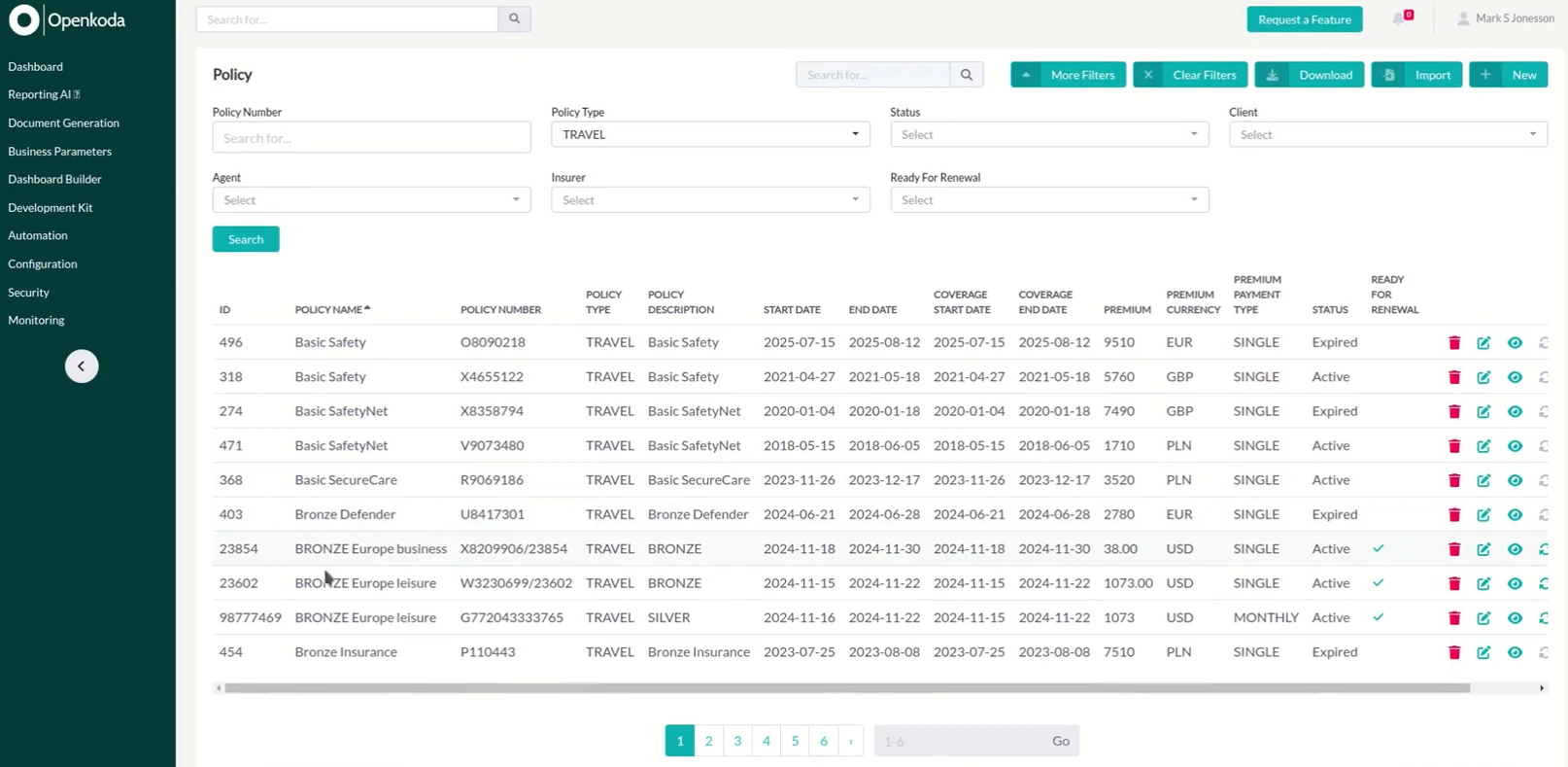
Once the policy is filled, saved and confirmed, all details are securely stored in your database. This allows for easy access and management for underwriting or reporting purposes from your Openkoda policy management application.
When the user submits the form on your site, a confirmation email is automatically sent to the user with a link to purchase the policy. This ensures that clients can complete their purchase quickly and conveniently.
Making personalized insurance easy to buy with just one click increases client satisfaction and leads to higher conversions.
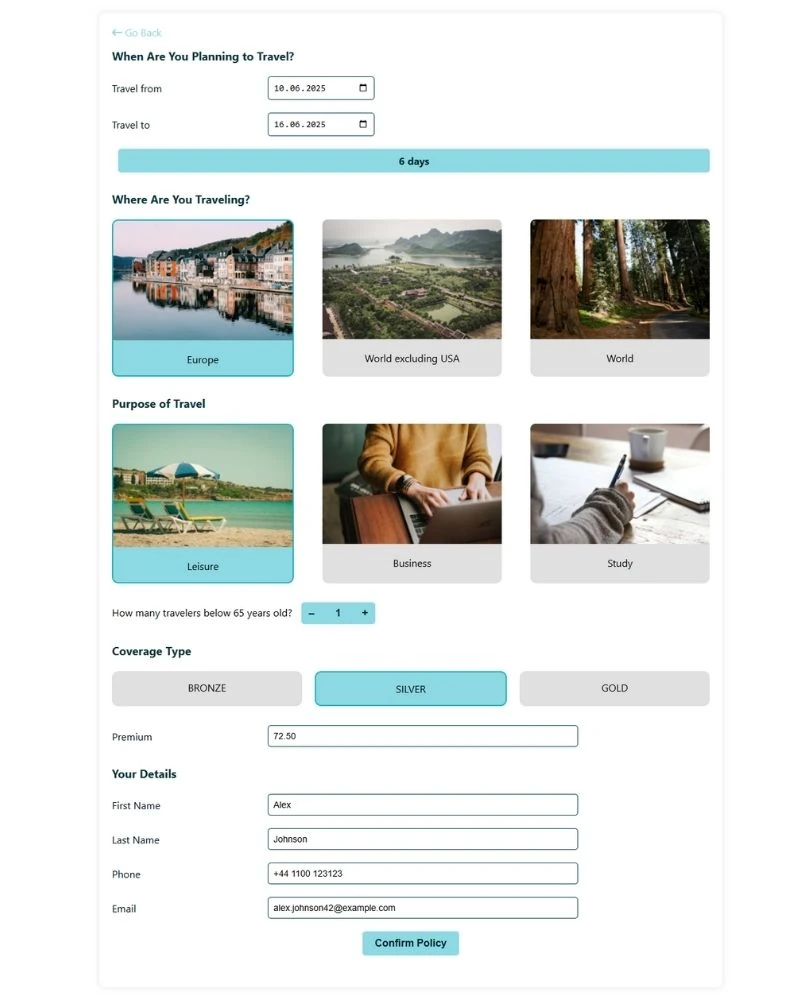
The form is finalized and fully operational, offering a seamless and interactive experience.
It includes key functionalities such as date validation, dynamic premium calculations, and automated confirmation email generation.
Such an embeddable quote form improves client satisfaction by providing a smooth and intuitive quoting experience. The form is ready to integrate into your website, reducing development time and allowing insurers to quickly meet customer needs and capture more opportunities.
In just a few simple steps, you can create a fully functional, embeddable travel insurance quote form with Openkoda. This solution is not only easy to integrate but also improves client experience, enhances operational efficiency, and increases sales potential.
Explore how Openkoda features can streamline your operations and provide the ideal solution for insurance businesses seeking innovative software and book a personal demo with us.

Build a motor rating engine from four tables: derive the ages you do not store, combine the factors, add fees and tax, then price a real risk and reprice it.

Automate a claim acknowledgment end to end: a Word template with placeholders, the email that carries it, and a workflow that fires when the claim form arrives.
Build a billing desk board tile by tile, then a second one by describing it in a sentence, and make one the screen your team signs in to.
Book a live, personalized demo with our product team - tell us your use case and see the platform work with your data. No commitment.