How to Set Up Your Own Rating and Premium Calculation Rules in Openkoda PAS
Build a motor rating engine from four tables: derive the ages you do not store, combine the factors, add fees and tax, then price a real risk and reprice it.
Describe an AI agent as insurable attributes - pinned model version, autonomy, spending authority, guardrails - then read the cover, rules and rating built on them.

An AI agent is not a building, a vehicle or a cargo. It is software that acts: it calls tools, spends money, writes things that go out under your customer’s name, and does all of it faster than anyone can watch. Insurers are being asked to cover exactly that, and the first instinct is usually that it needs a new system.
It does not. What it needs is an answer to the only question a policy administration system really asks about a new line of business: can you describe the thing you are insuring as a list of attributes? If you can, everything downstream - the submission form, the rating, the underwriting rules, the documents - follows from that description, because none of those components know or care whether the attributes describe a roof or a language model.
For an agent, the list turns out to be short and uncomfortably specific:
That is an underwriting submission. The rest of this article is what a product built on it looks like, and how to add to it. For the market context behind the cover itself, there is a separate piece on AI agent insurance products.
The whole thing is on video as well, if you would rather watch someone do it than read the steps. It covers the same nine steps in one pass; the written version below is the one to keep open in another window while you build your own.
Before you start, you will need: a policy administration system with a product builder, and an account that can reach it. The product here is an existing AI liability product; the walkthrough reads it, then adds a referral rule of its own.
The first thing worth noticing is where this product lives: in the same list as motor, home, travel, marine and cyber, with the same status, the same version and the same Open button.
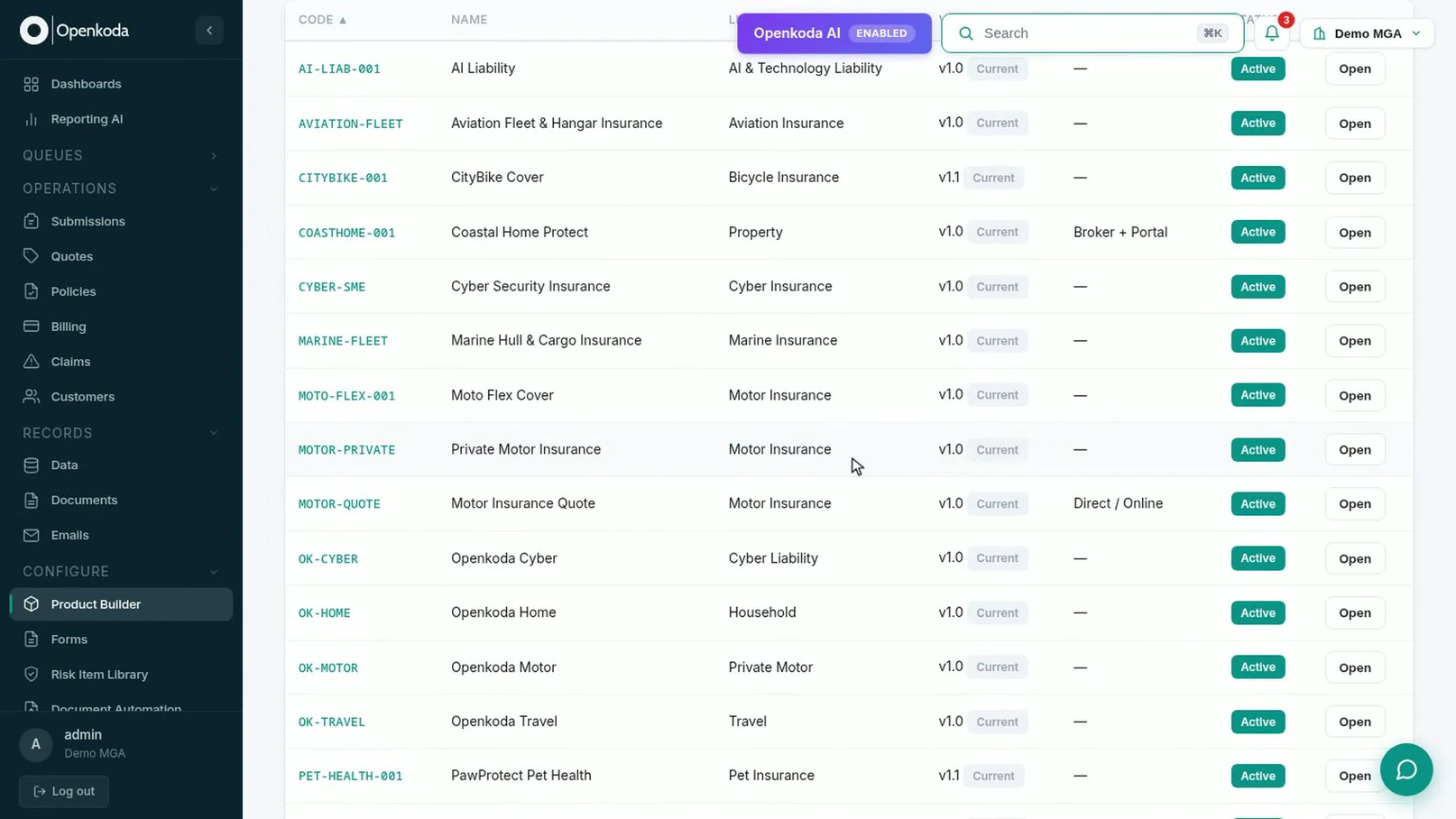
It is not a special case bolted onto the side of the system. It was built with the same AI Product Builder that built everything else on that list, which is the whole claim this walkthrough is testing.
Open it, and the overview is the usual six boxes: what it insures, its plans and options, its forms, its rating, its underwriting rules, its workflows.
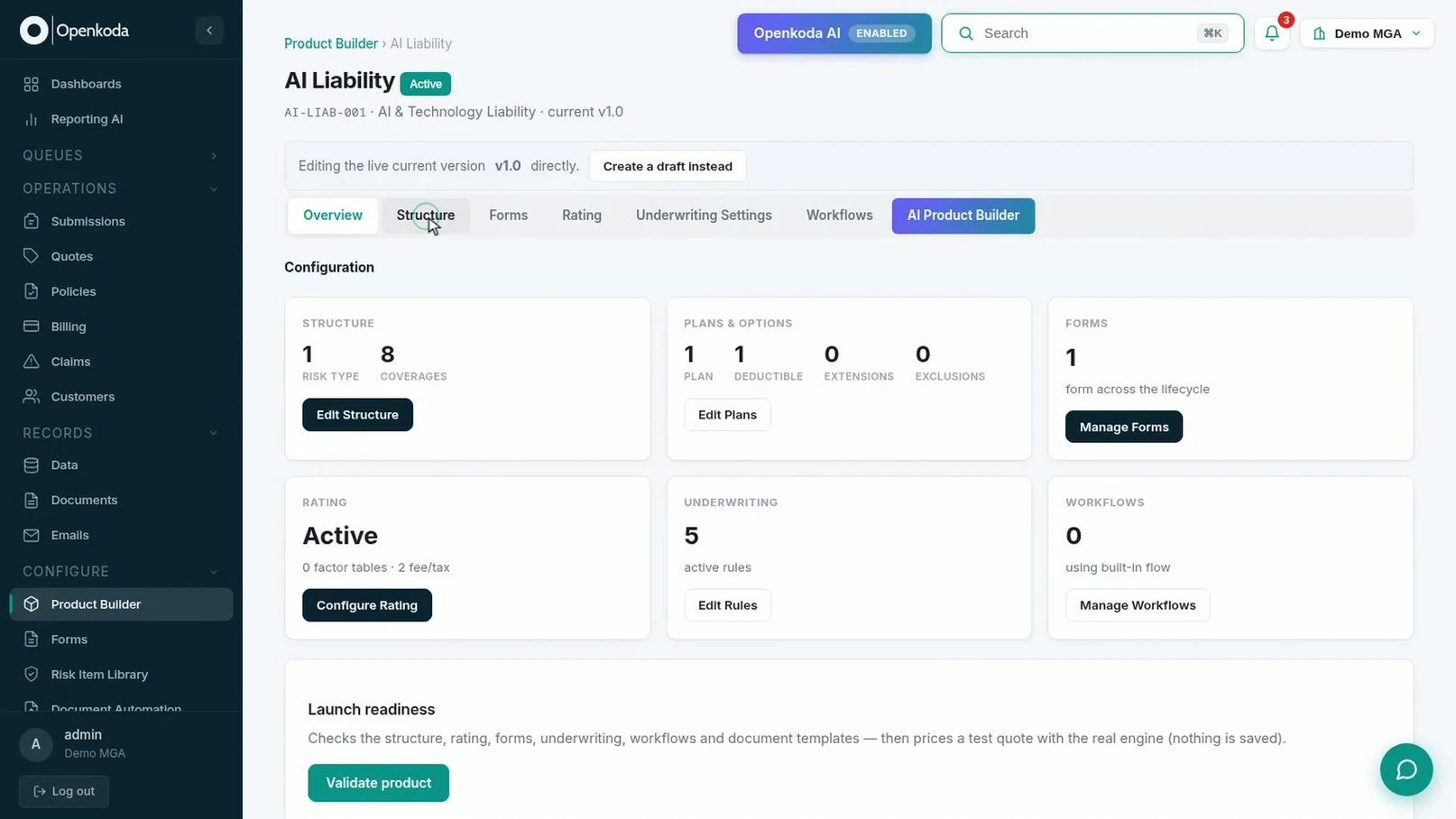
Worth reading the rating box closely rather than skimming it: Active · 0 factor tables · 2 fee/tax. This product prices with formulas rather than with lookup tables, a legitimate choice for a line with no credible loss history to build a table from, and one that matters when you get to Step 8.
This is the step the whole product rests on. The risk item is an Insured AI Agent, and its attributes are the ones that decide the risk.
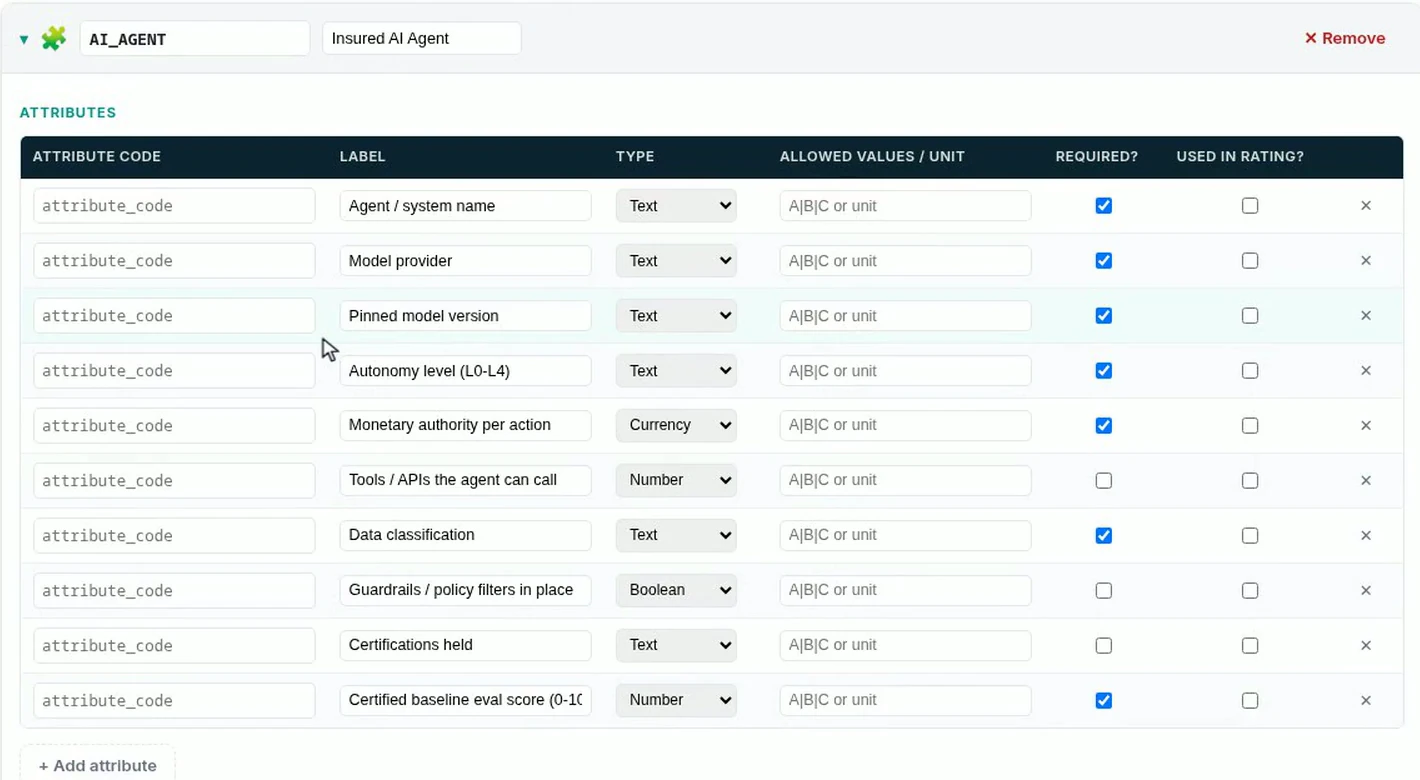
Three columns are worth deliberate thought when you write your own:
Pinned model version deserves its own note, because it is the attribute a general-purpose configuration screen would never suggest and an underwriter would insist on. Without it you have insured a moving target.
Underneath the attributes sit the coverages, and they are as specific to an agent as the attributes are.
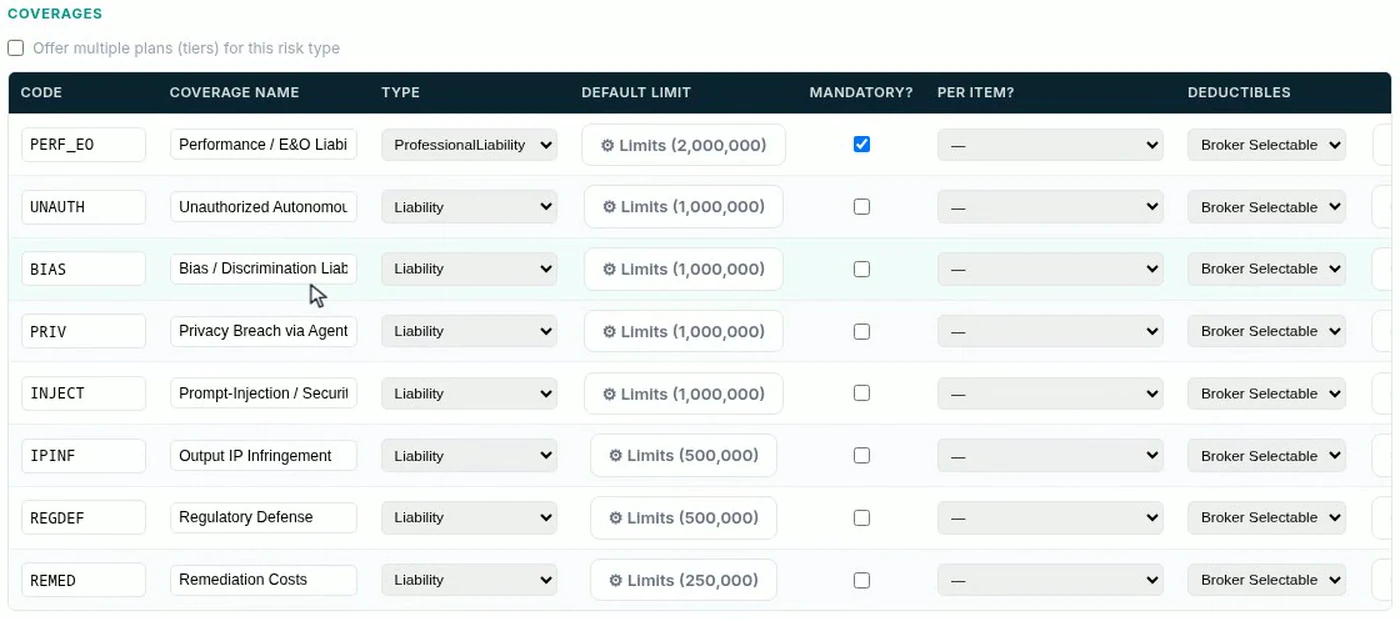
Read that list as a loss taxonomy rather than as configuration: unauthorised autonomous action, bias, privacy breach, prompt injection, IP infringement, regulatory defence, remediation. Each is a way an agent hurts somebody, and each carries its own limit. Only performance and E&O is mandatory; the rest are selectable, which is how a product covers a range of buyers without becoming several products.
Because the agent is described as structured attributes rather than in prose, the submission form is generated from them.
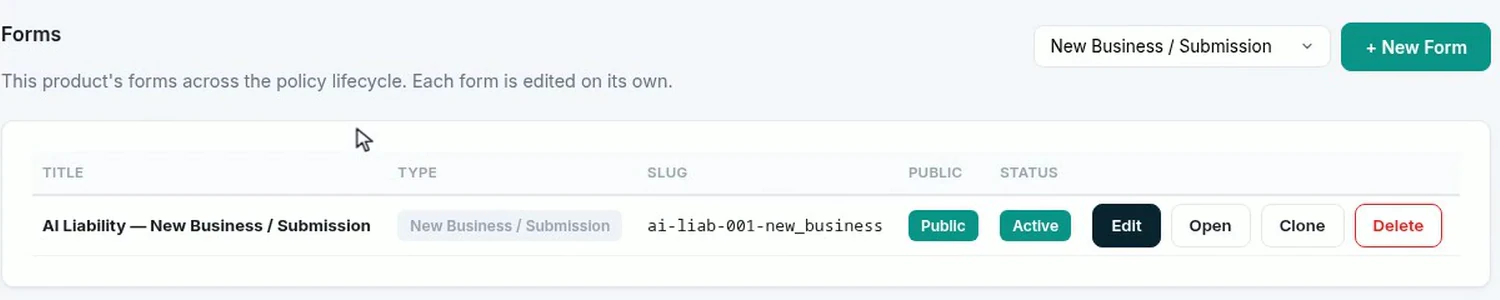
The form is public and active, and it is the same set of questions whether a broker fills it in or another system posts the submission in. That is the practical pay-off of Step 3: answers arrive as data that rules can read, not as a paragraph in an email that somebody has to re-key.
Rules come in three groups - decline, refer, auto-approve - and every one of them is written against an attribute from Step 3.
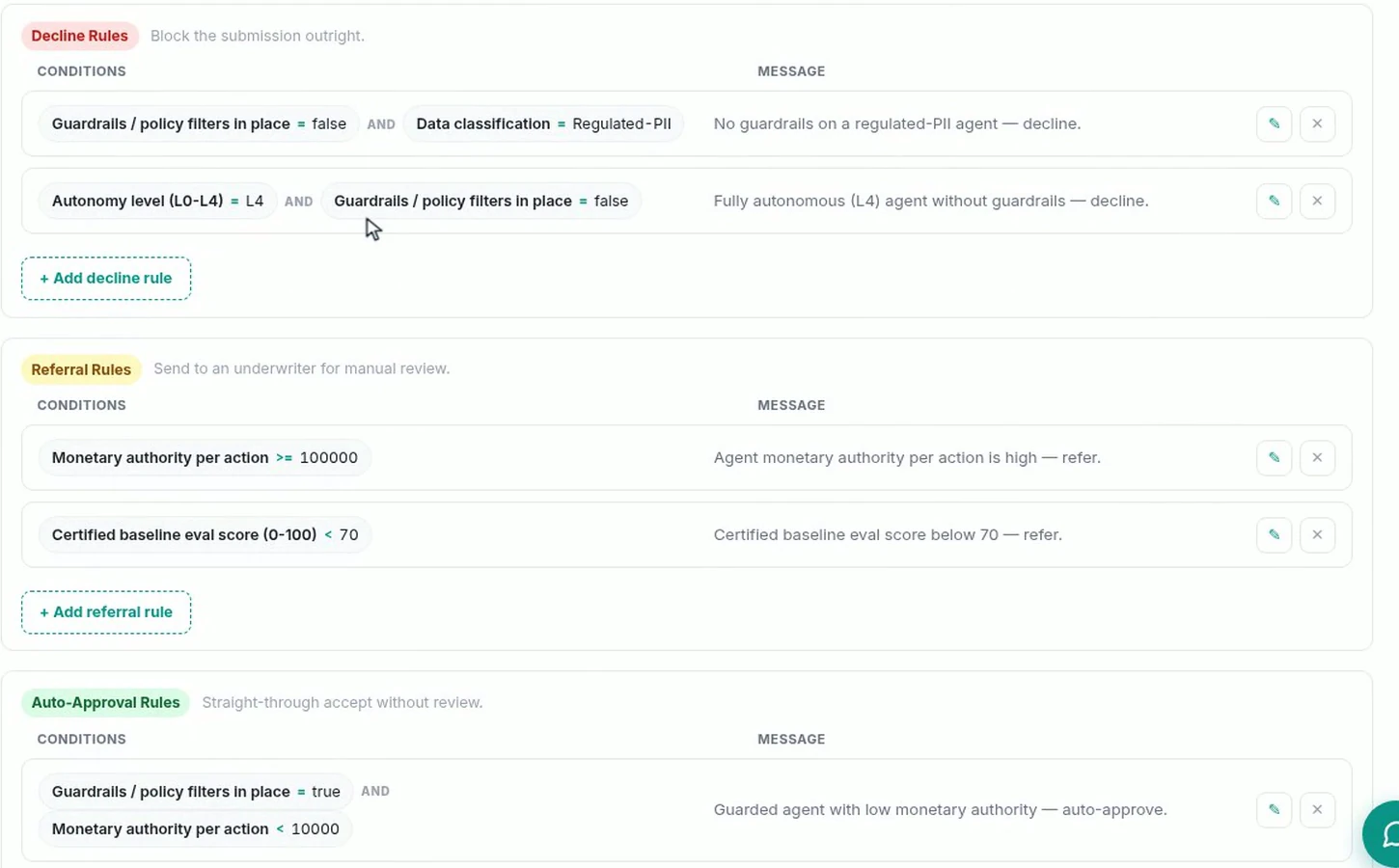
They read like underwriting, not like software: decline an unguarded agent that touches regulated personal data; decline a fully autonomous agent with no guardrails; refer anything that can commit 100,000 in a single action; refer an agent whose certified baseline score is under 70; let a guarded agent with low spending authority straight through. It is the same automated underwriting machinery every other product on the catalogue uses.
Note that the declines combine two conditions with AND. Neither fully autonomous nor no guardrails is a decline on its own. It is the pair that is uninsurable, and that is an appetite decision somebody made deliberately.
Appetite changes faster than anything else on a new line, so this is the part you will do most often. A rule is four fields: the attribute, the comparison, the value, and the reason.

There is no name field, and that is worth knowing rather than working around: the reason is the rule’s identity. Write it as the sentence an underwriter should read when the referral lands in their queue. “Wide tool access - refer for scope review” tells them what to do; “tool rule 3” does not. A rule saved with no condition at all is silently dropped, so fill the condition before you save.
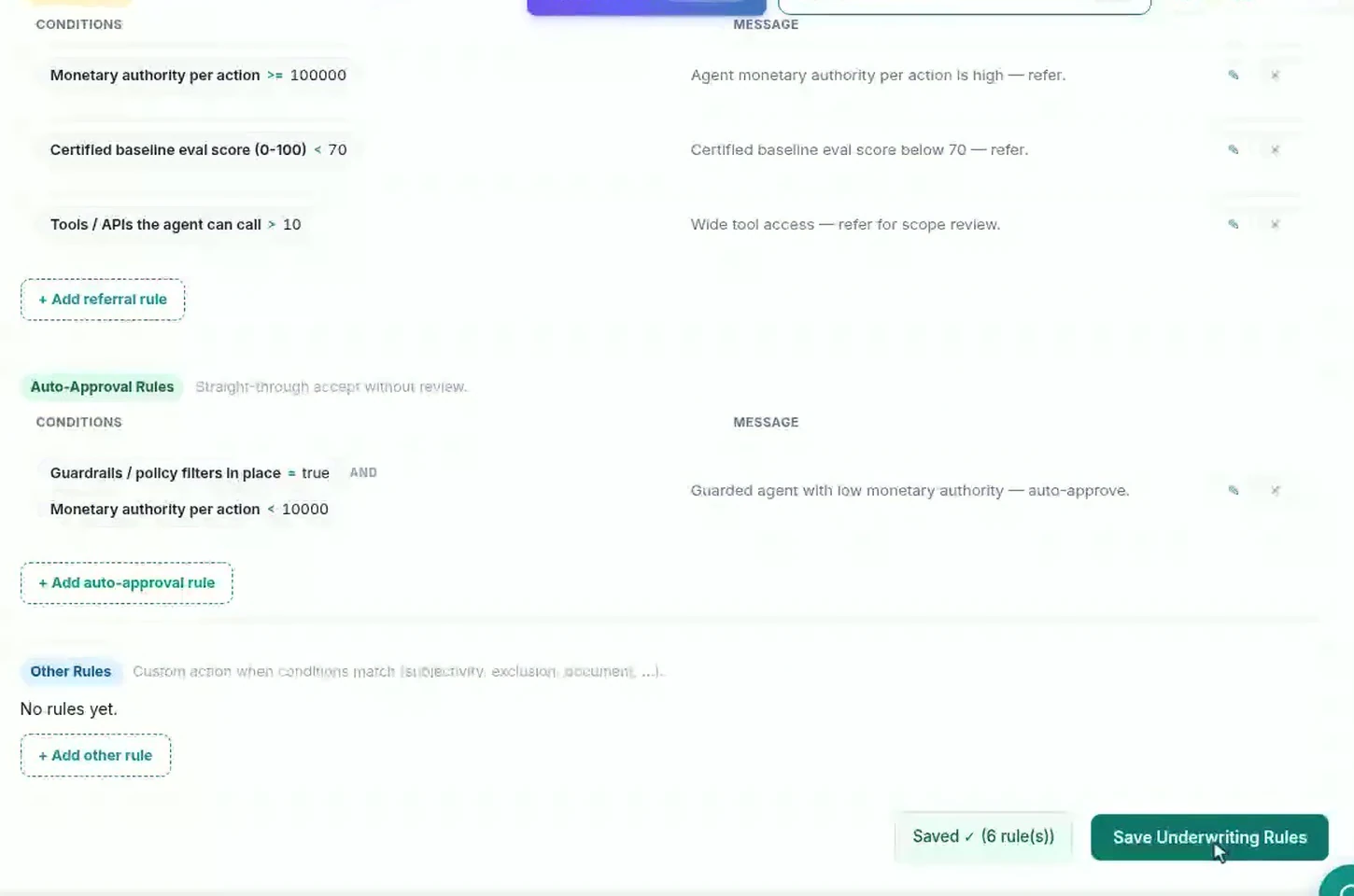
From that moment every submission for this product is measured against it. There is no release to schedule.
Before any of this goes live, validate it. The check reads the whole configuration and then prices a test quote with the real rating engine.
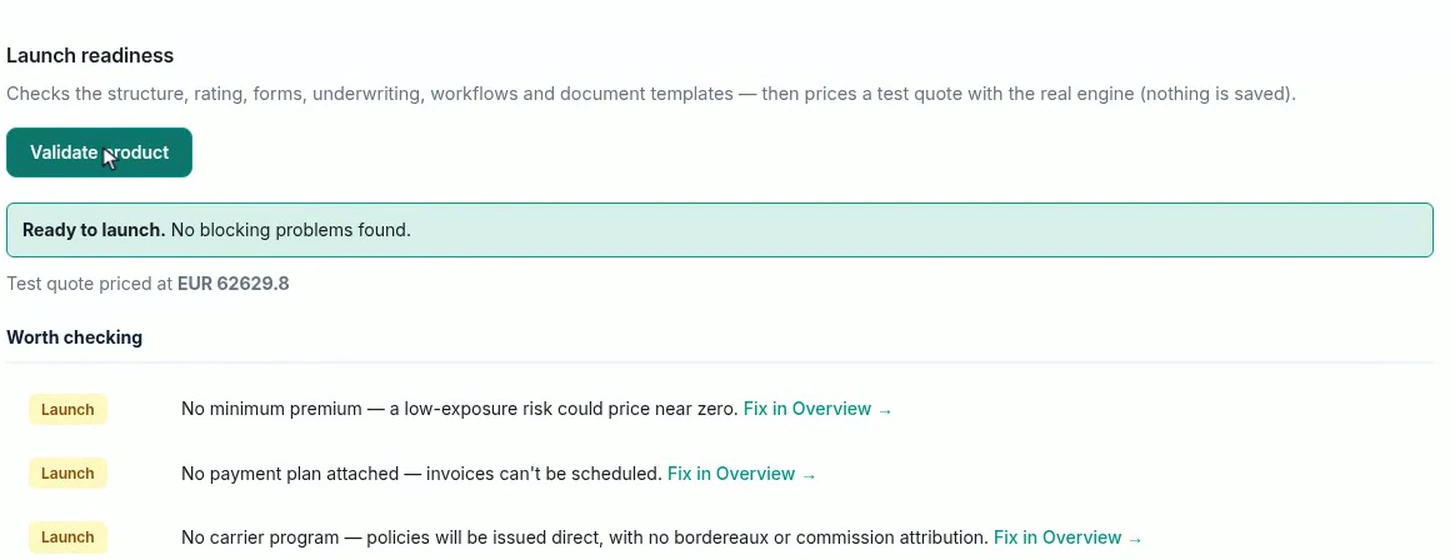
The distinction it draws is the useful part: blocking problems versus worth checking. The three warnings here are all real and none of them stops a launch - no minimum premium, so a low-exposure risk could price near zero; no payment plan, so invoices cannot be scheduled; no carrier program, so policies issue direct with no bordereaux. On a brand-new line the first of those is worth acting on before the first quote.
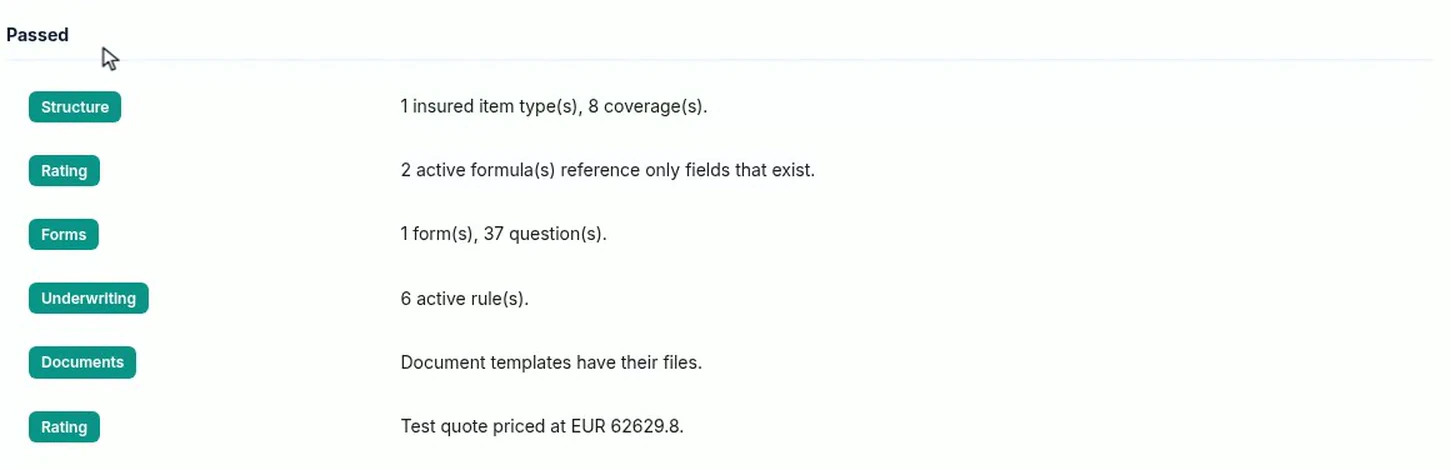
The rating line is the one to read twice: two active formulas reference only fields that exist. On a formula-priced product that is the check that catches the most common configuration defect, a formula referring to an attribute that was renamed or never added, and it is why the priced test quote at the bottom is evidence rather than decoration.
One last thing, at the top of the product: a version number, with an effective date against it.

This matters more on an emerging line than on a settled one. Appetite for AI risk will change several times in the next two years; versioning is what lets it change without rewriting the history of what you already sold.
Insuring something genuinely new tends to be discussed as a systems problem, and it is usually a description problem. Once an AI agent is written down as ten attributes - who made it, what version is pinned, how autonomous it is, what it can spend, what it can reach, whether it is guarded - the rest of the product is the same machinery every other line uses: cover with limits, a form generated from the attributes, rules that read them, a formula that prices them, and a version around the lot.
The interesting work is not the configuration. It is deciding that pinned model version belongs on the schedule, and that a fully autonomous agent without guardrails is outside appetite. Those are underwriting judgements, and they are the part a product builder cannot make for you.
Build a motor rating engine from four tables: derive the ages you do not store, combine the factors, add fees and tax, then price a real risk and reprice it.

Automate a claim acknowledgment end to end: a Word template with placeholders, the email that carries it, and a workflow that fires when the claim form arrives.

Build a billing desk board tile by tile, then a second one by describing it in a sentence, and make one the screen your team signs in to.
Book a live, personalized demo with our product team - tell us your use case and see the platform work with your data. No commitment.