How to Set Up Your Own Rating and Premium Calculation Rules in Openkoda PAS
Build a motor rating engine from four tables: derive the ages you do not store, combine the factors, add fees and tax, then price a real risk and reprice it.
Learn how to create professional insurance documents in minutes using Openkoda's customizable templates with dynamic placeholders.

Creating insurance documents such as policies, quotes, claims, invoices, or renewal notices is often a time-consuming process. With Openkoda, you can simplify this task by using customizable templates that automatically populate with client information. This ensures that your documents are accurate and that the entire document generation process is efficient and fast. In this guide, we'll walk you through the steps to create professional insurance documents in minutes.
Openkoda is a platform for building insurance applications – such as policy or claims management systems – faster. It comes with powerful features designed with insurance professionals in mind. One of these is Automated Document Generation, which was born from the idea of reducing errors and saving time when creating insurance documents.
Generating professional insurance documents no longer has to be a manual or repetitive task. By setting up your templates once, you can create different types of documents that pull in client and policy data automatically.
Today, we will show you how to create a policy document faster using Openkoda.
Follow the instructions below or watch the video tutorial:
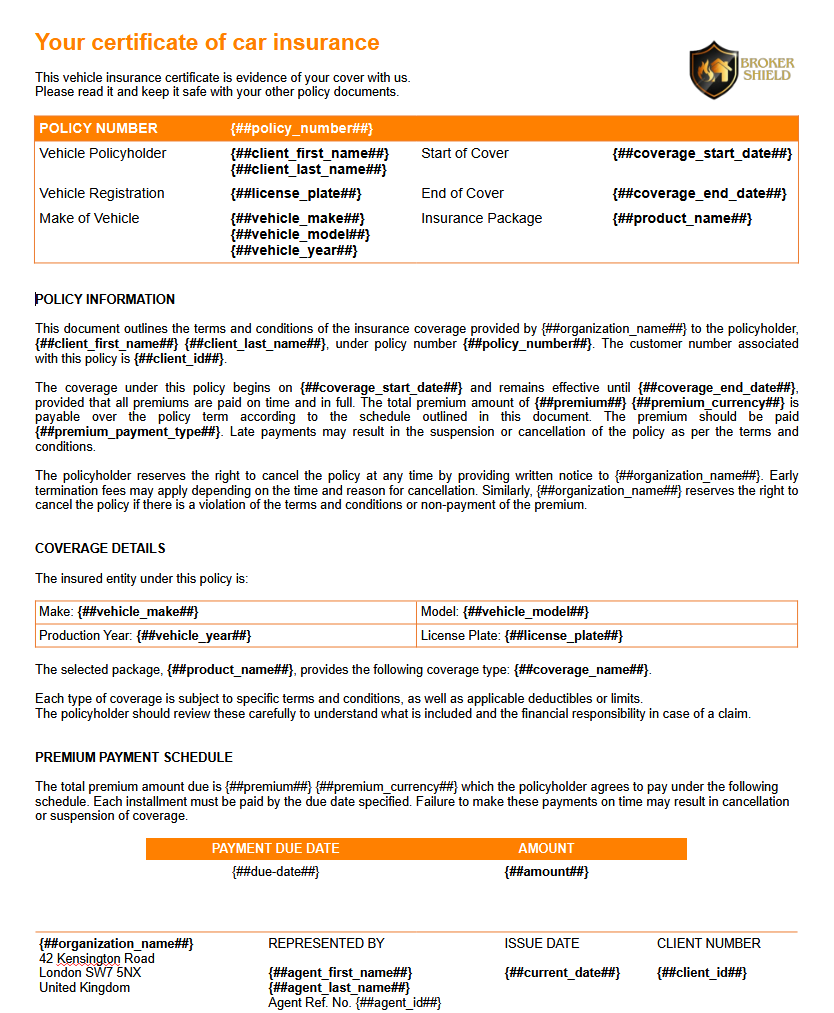
Start by opening your document template in Word. For this tutorial, we're using a simple car insurance policy template.
Within the template, you'll notice placeholders. These are special fields that act as markers for dynamic data.
Placeholders can include:
These placeholders will adapt automatically to your data, making the template highly adaptable.
Using dynamic placeholders ensures consistency in your insurance documents. It also reduces manual effort, making it easier and faster to create personalized policies.
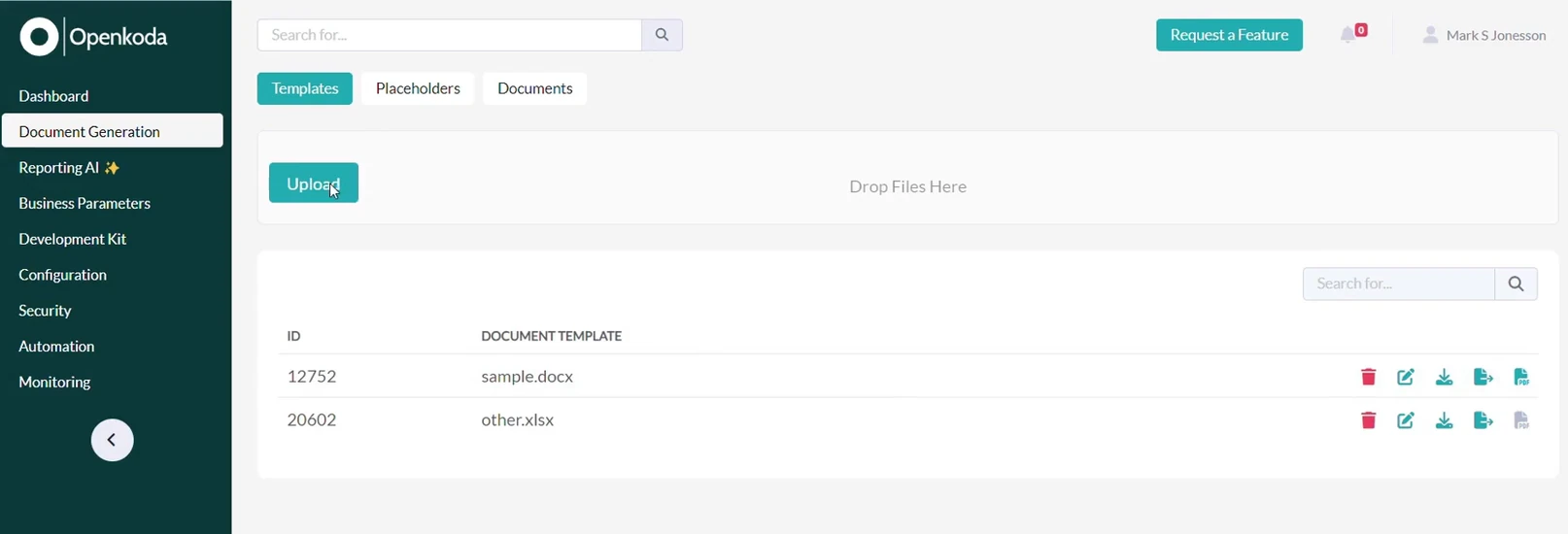
Next, upload this document template into the Openkoda application. With just one click, your base template is ready for further customization.
An added benefit is that one template can streamline the document generation process not only for you but also for your team members who have access.
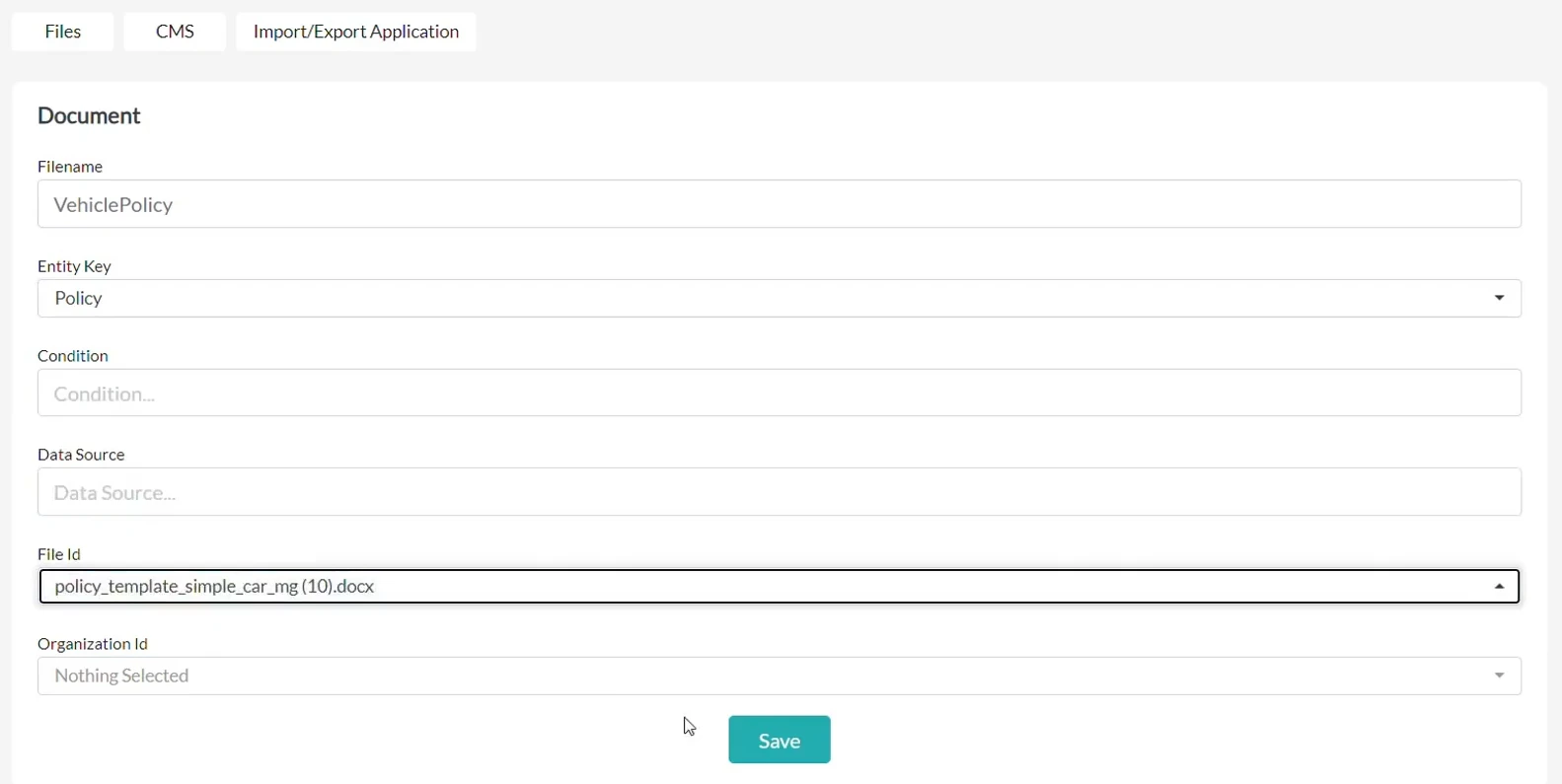
To ensure the template is used correctly, assign it to a specific document type.
For this example, we'll assign the template to a document named 'VehiclePolicy.'
Assigning templates to document types allows the system to determine when and how to apply the right template in the right context.
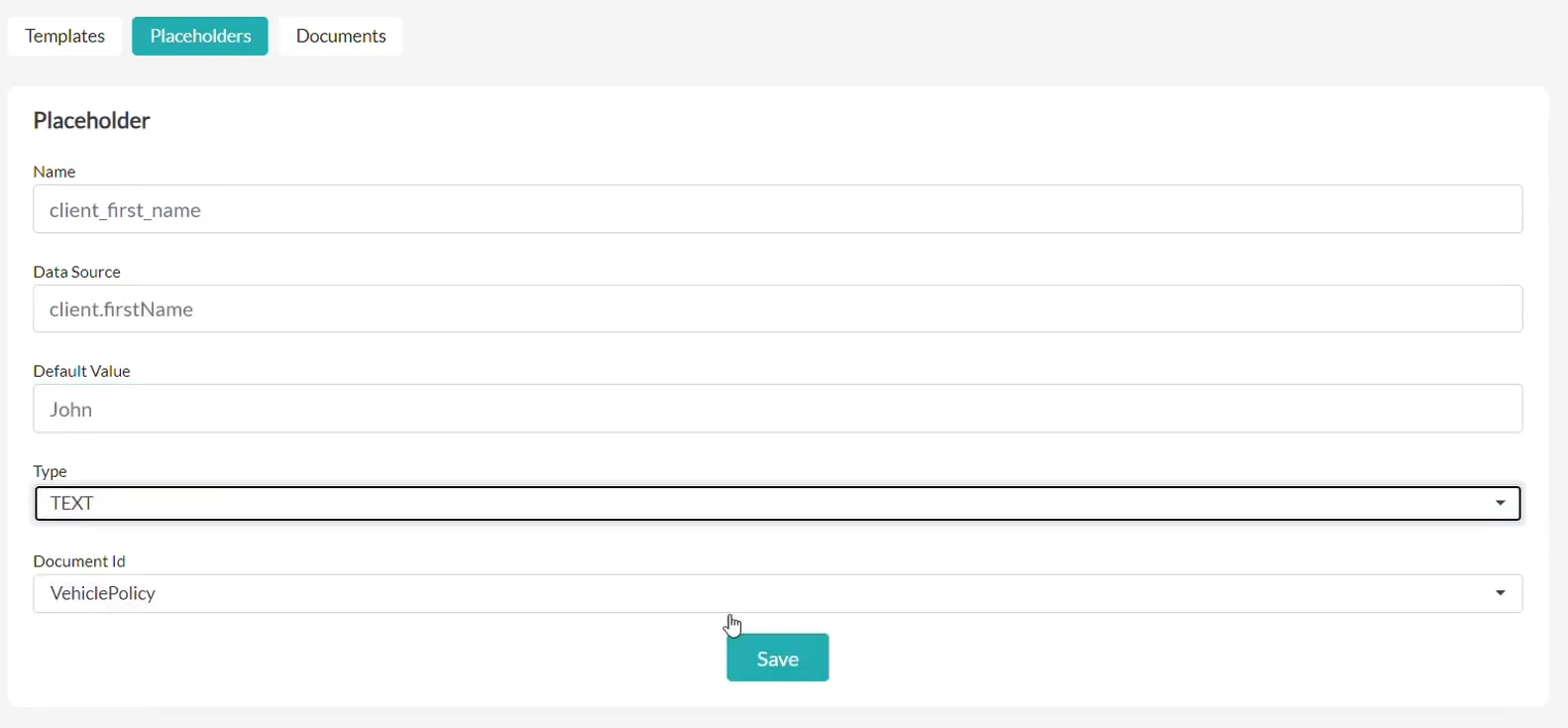
Now, it's time to define the source for each placeholder.
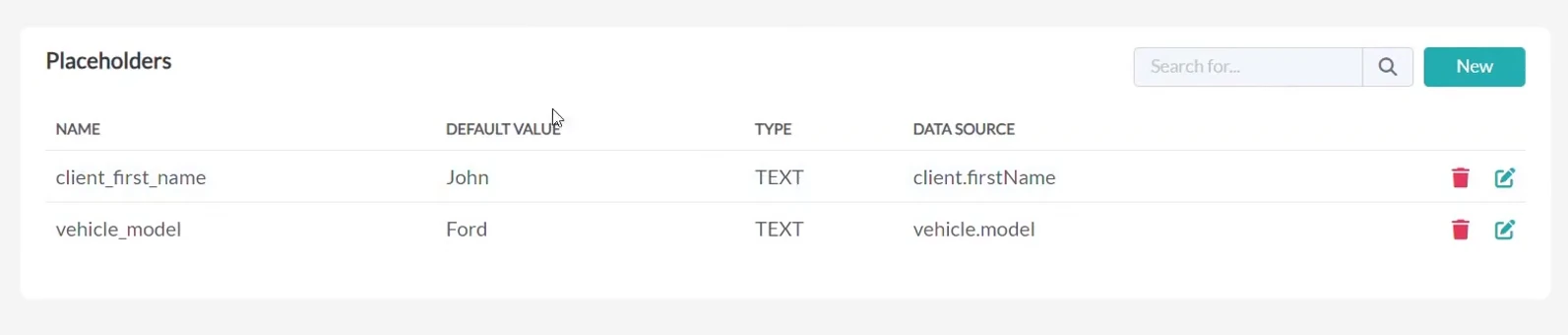
For instance:
These placeholders ensure that the document is populated with accurate and updated data directly from your insurance system.
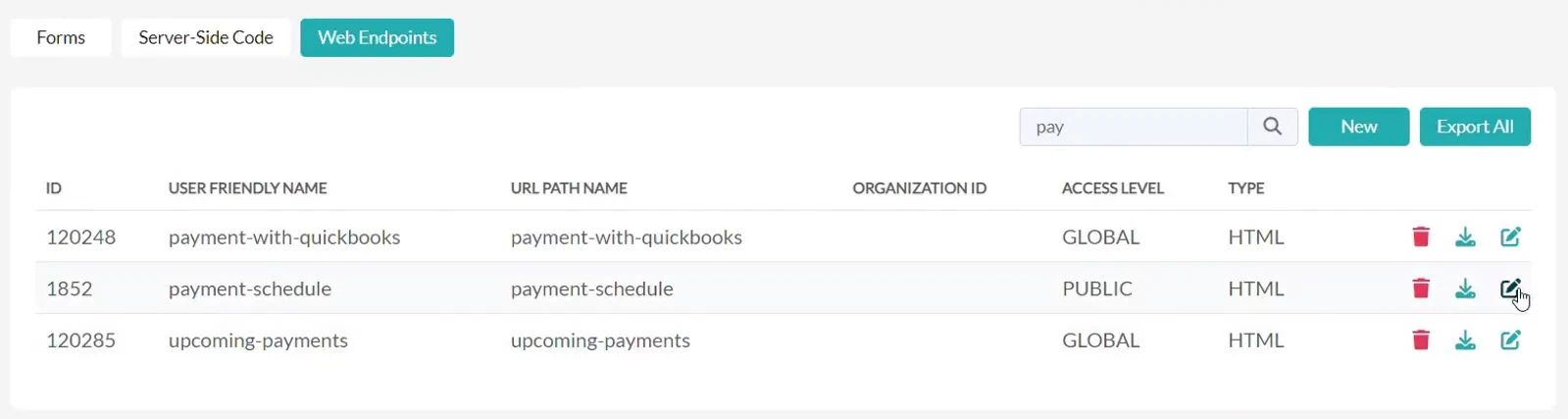
Some placeholders may require more advanced configurations.
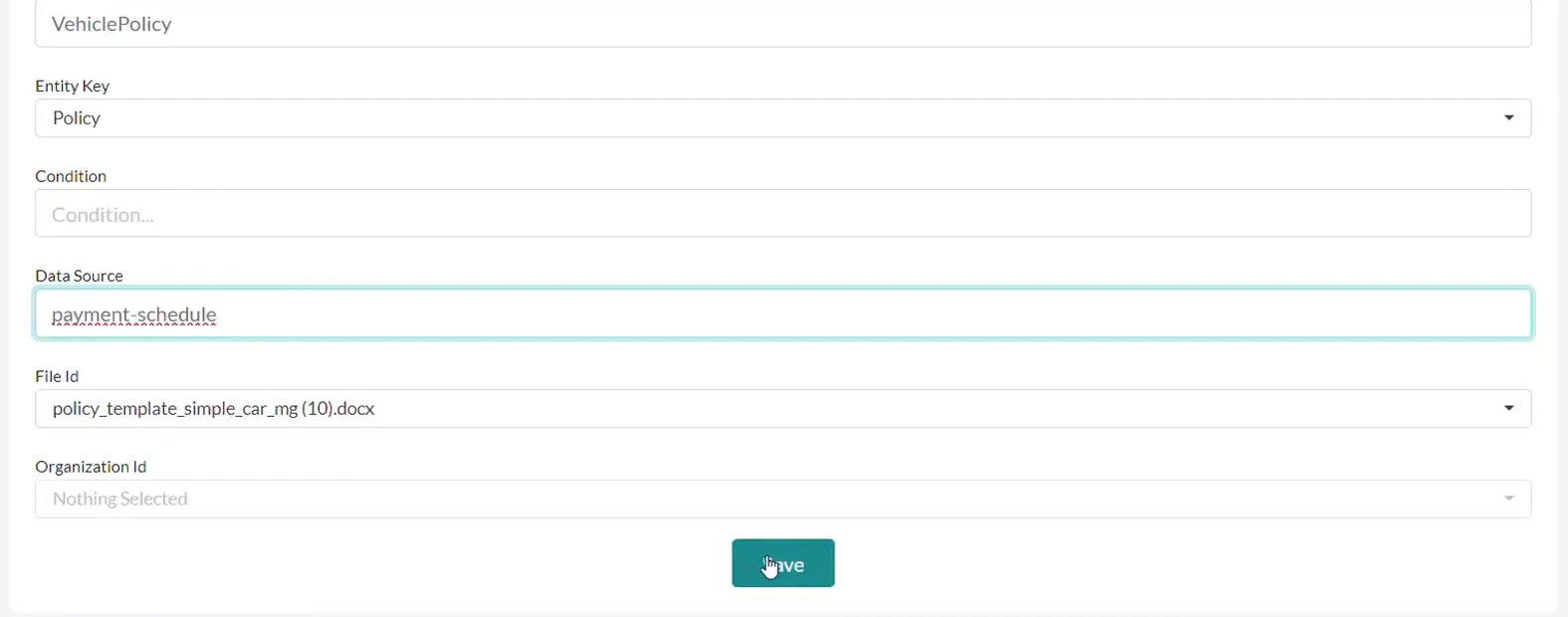
For example, a payment schedule might be calculated based on the policy's premium amount and duration.
In this case:
With this setup, Openkoda is able to retrieve the exact payment details for each policy.
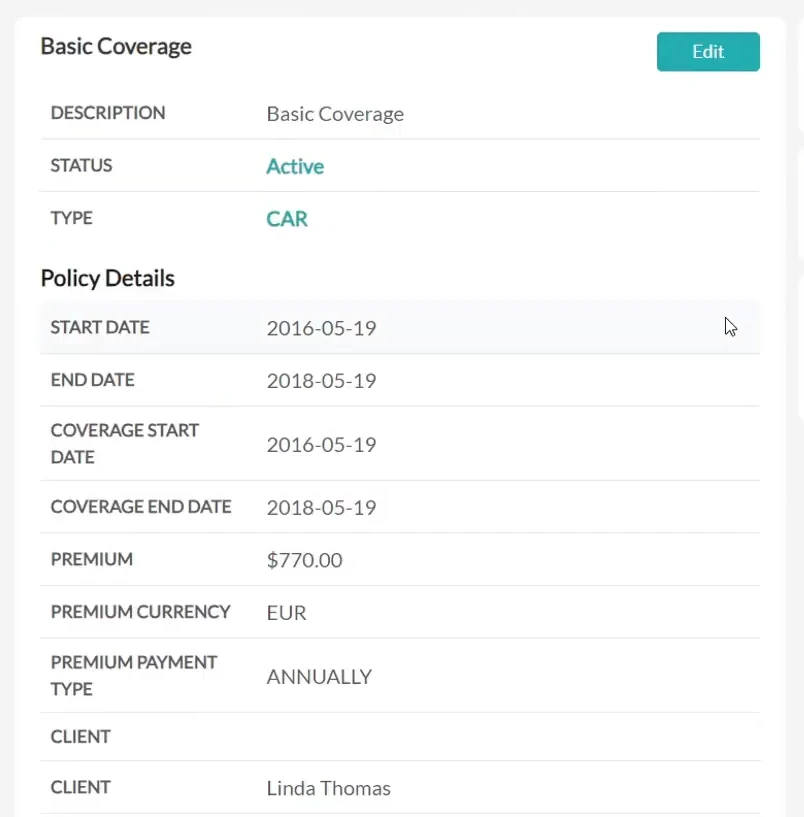
Once the data sources are defined, we can verify the policy details in your system. This is not a mandatory step, just a double check so you can compare the data and match the information to the generated policy document.
Here, we have a 2-year car insurance policy that belongs to Linda Thomas. The policy has a total premium of $770, paid annually.
The final document will automatically include all these details.
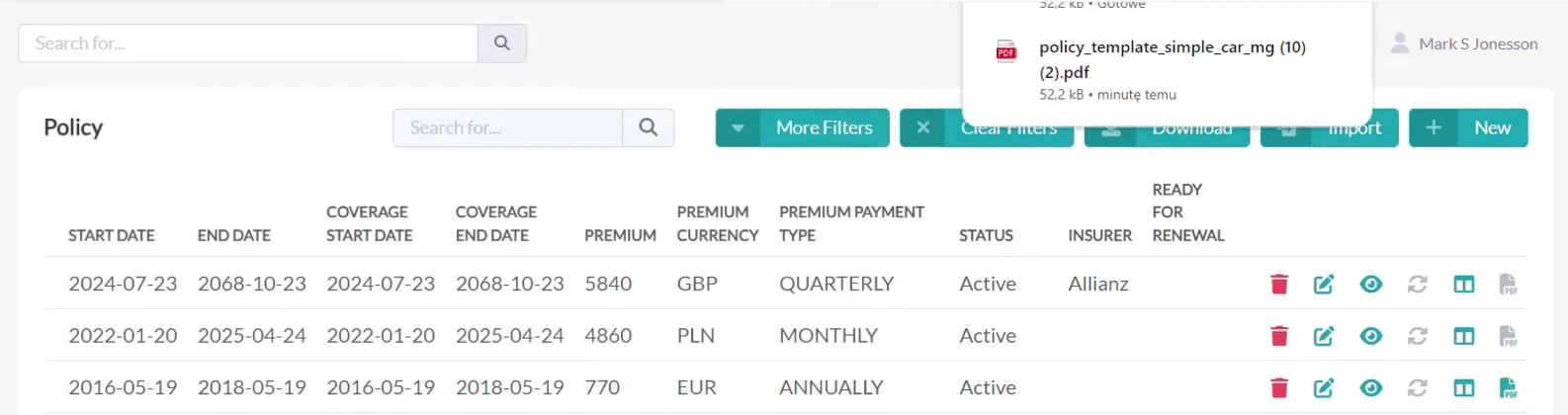
We have already configured everything we need to generate the final document.
Because the Openkoda system automatically populates placeholders with relevant data from your system, you simply click "Generate PDF" to instantly create a polished and professional insurance policy document.
With the high level of configurability offered by Openkoda, you can integrate Document Generation into any workflow where documents are automatically created and distributed as part of the process.
For example, when a client fills out a quote or claim form on your website, you can automatically generate a document and send it to them immediately.
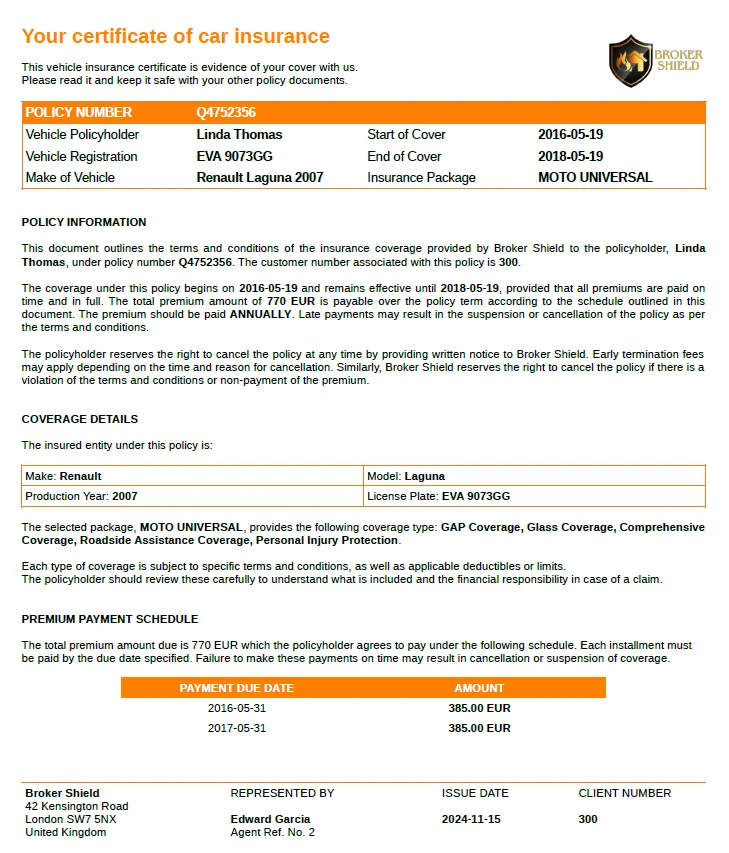
Open the generated PDF to review the final output. You'll see that all blank placeholders have been automatically replaced with accurate data:
The result is a professional, error-free document ready for use and created in minutes! It meets the quality standards and client expectations.

With Openkoda, generating insurance policy documents is fast, accurate, and hassle-free.
Use customizable templates that you can define to meet your unique business needs and save time on repetitive tasks. You can ensure that all your insurance documents are consistent and precise. Whether you're managing hundreds of policies or just a few, Openkoda's Document Generator solution empowers insurers to focus on what matters most – delivering exceptional service to their clients.
Ready to streamline your policy administration? Explore the Openkoda Insurance Platform today and experience the difference in faster application development.
Build a motor rating engine from four tables: derive the ages you do not store, combine the factors, add fees and tax, then price a real risk and reprice it.
Automate a claim acknowledgment end to end: a Word template with placeholders, the email that carries it, and a workflow that fires when the claim form arrives.
Build a billing desk board tile by tile, then a second one by describing it in a sentence, and make one the screen your team signs in to.
Book a live, personalized demo with our product team - tell us your use case and see the platform work with your data. No commitment.