How to Set Up Your Own Rating and Premium Calculation Rules in Openkoda PAS
Build a motor rating engine from four tables: derive the ages you do not store, combine the factors, add fees and tax, then price a real risk and reprice it.
A step-by-step guide to building an adaptable underwriter dashboard in Openkoda that streamlines quote analysis and risk assessment.

Underwriting has always been equal parts art and science when trying to make the best insurance or credit risk assessments.
But in today's market the science dominates: hundreds of data points, real-time risk scores, and ever-tightening regulations all heavily influence every decision.
Combining an underwriting workbench and advanced analytics into a single automated underwriting dashboard sounds ideal – until you try to find an off-the-shelf product that ticks every box and fits neatly into your existing workflow.
Truth is, "one-size-fits-all" rarely fits anyone.
The smarter middle ground is a highly customizable, adaptable platform where you assemble your own underwriting dashboards, rules, and data feeds into a single platform.
You keep the unified experience while tailoring every panel, field, and calculation to your line of business.
No two carriers rate risk in quite the same way, and even within one company the formula can shift when a new dataset, regulation, or appetite change lands on your desk.
A platform that you can quickly and efficiently modify is thus crucial for both profitability and maintaining competitiveness.
That same flexibility should extend to the workspace itself – adding or hiding data fields, swapping widgets, and re-ordering tabs must be simple, not limited by rigid front-end templates.
When the layout is truly adaptive, every underwriter can tailor the view to show only what matters to their line of business.
Equally important is pricing logic that moves with the market.
A configurable underwriting engine lets you introduce new rating factors, cap discounts, or launch promotional surcharges while still ensuring compliance with internal guidelines and external regulations.
In short, easy modification of rules, data, widgets, and models turns software from static tool into a crucial part of the underwriting team, delivering sharper underwriting insights every time the market shifts.
If you're looking for an underwriting software solution that offers a solid foundation of ready-made features and can be quickly and efficiently customized in a matter of days, not months, this guide is for you!
Whether you're a traditional insurer, an MGA, a digital-first insurtech, or a niche provider of specialized coverage, a custom underwriting dashboard can streamline operations and improve decision-making.
Follow the steps below or watch our video tutorial:
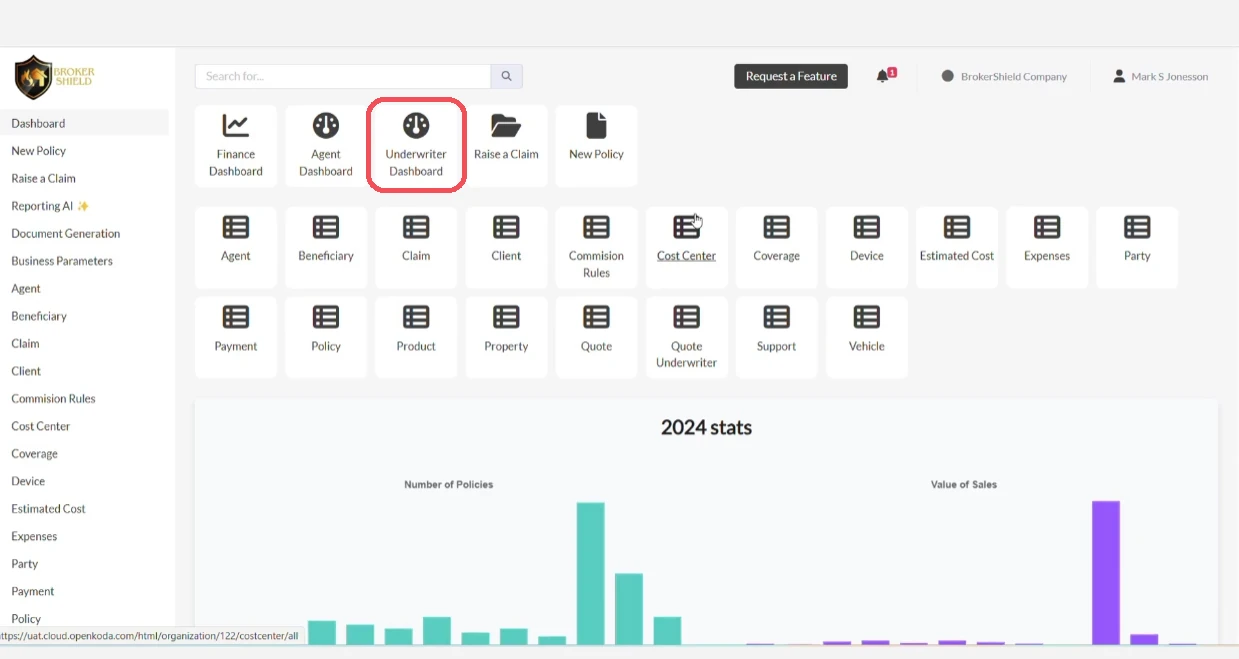
Start by opening the Underwriter Dashboard in Openkoda.
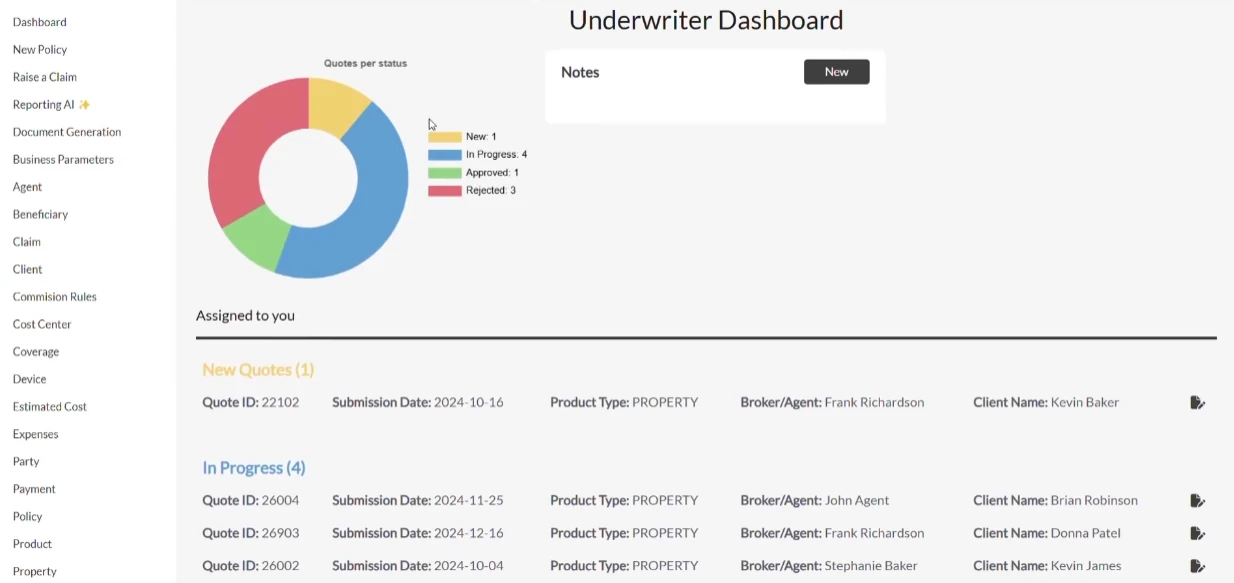
Here, you'll see all quote requests assigned to you, organized by status - such as New, Under Review, or Approved. This lets you easily focus on what requires your attention.
For example:
Select a quote from the list to start the review process.
Bear in mind that this is just a sample insurance business dashboard. You can customize the layout using widgets to suit your workflow.
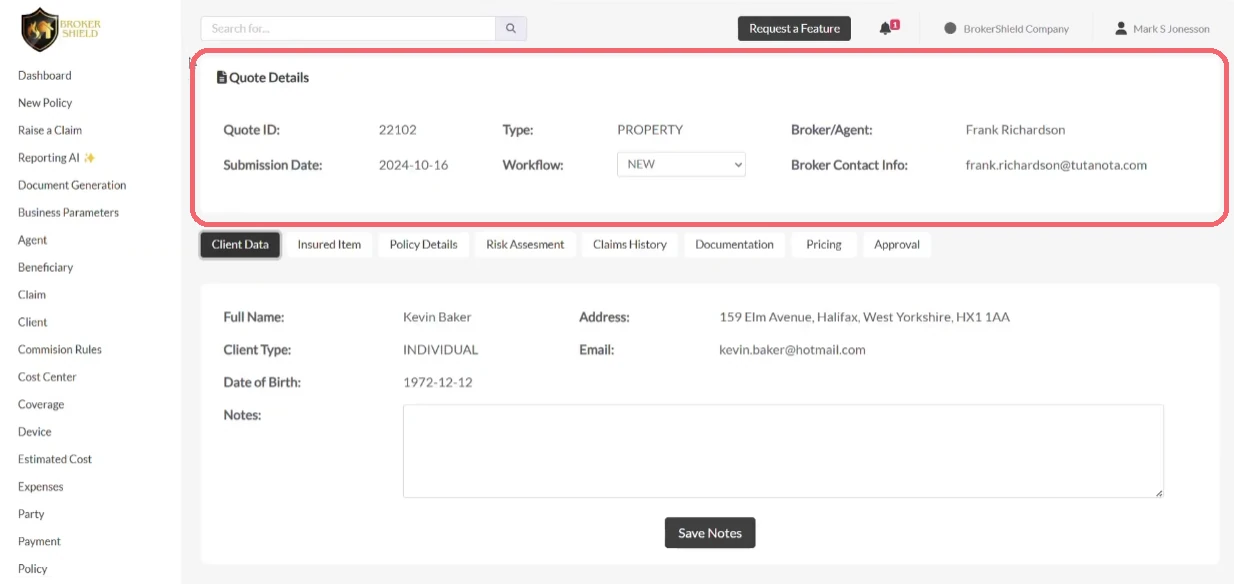
In the Quote Details tab, you'll find all key information related to the quote.
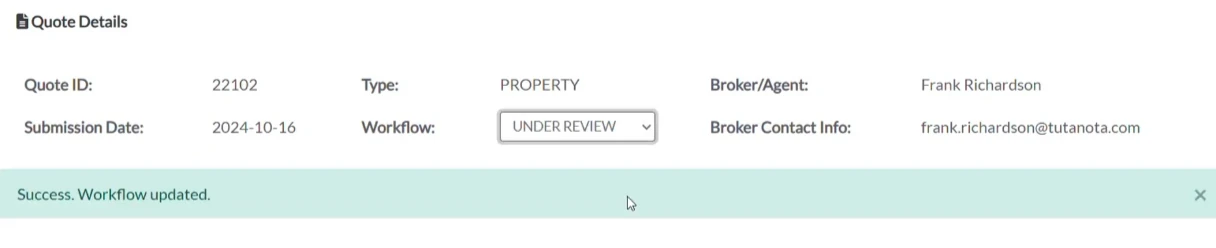
You can:
This section is fully configurable, so you can display only the information relevant to your underwriting process.
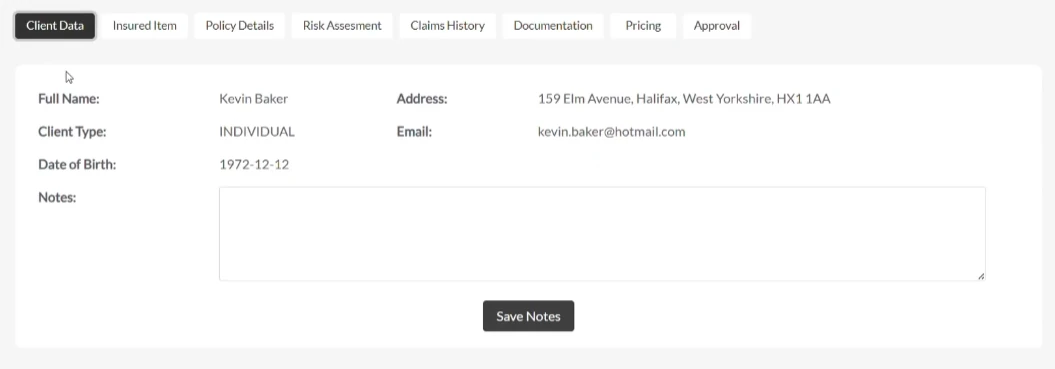
Go to the Client Data tab. This section displays all details submitted by the client through the application form. You'll also find an Internal Notes area where you can:
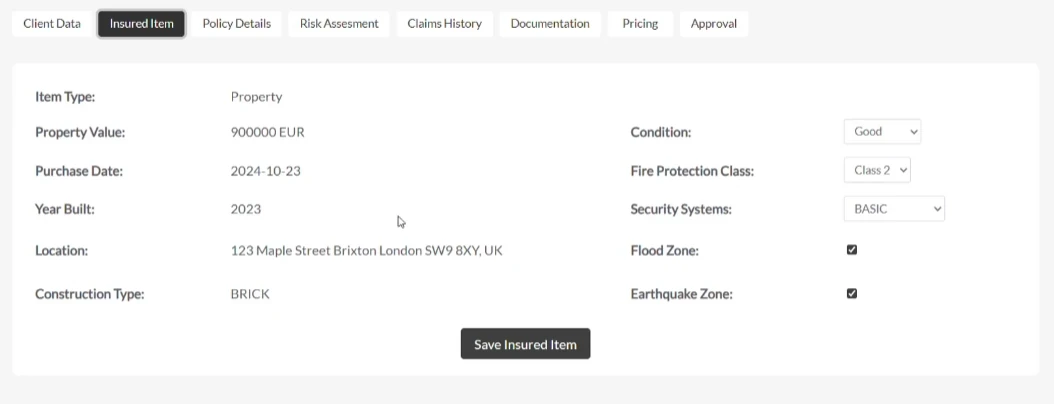
In the Insured Item tab, you can view and edit data about the item being insured – whether it's a vehicle, property, or equipment.
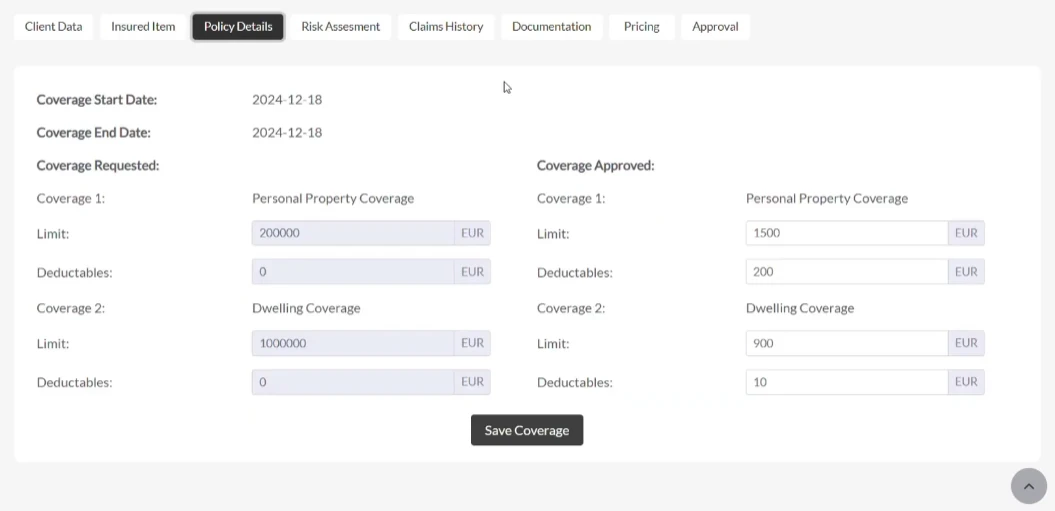
Switch to the Policy Details tab to review or adjust coverage terms:
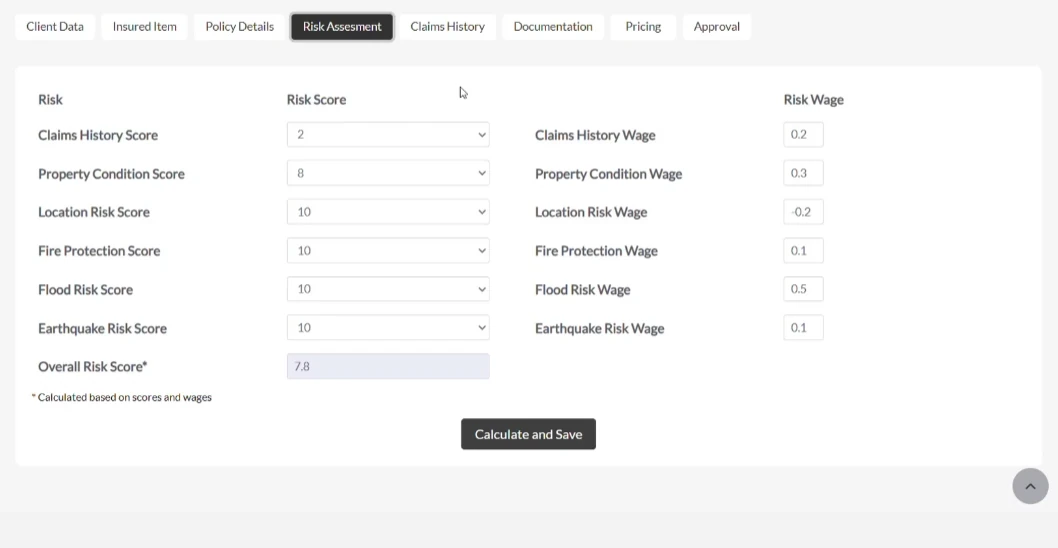
Next, open the Risk Assessment tab.
Here, you'll see the quote's calculated risk score based on various underwriting factors and underwriting rules.
Here you can:
This section can also integrate third-party data sources via API to further enrich your analysis.
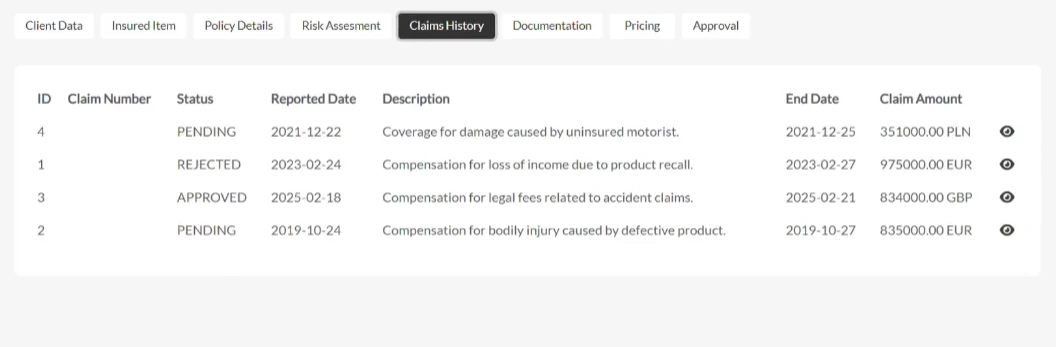
The Claims History tab offers a consolidated view of past claims related to the client or the insured item.
This information can either be pulled from internal systems or fetched via external APIs for full data accessibility.
Having claims data in one place speeds up the risk evaluation process by eliminating the need to switch systems.
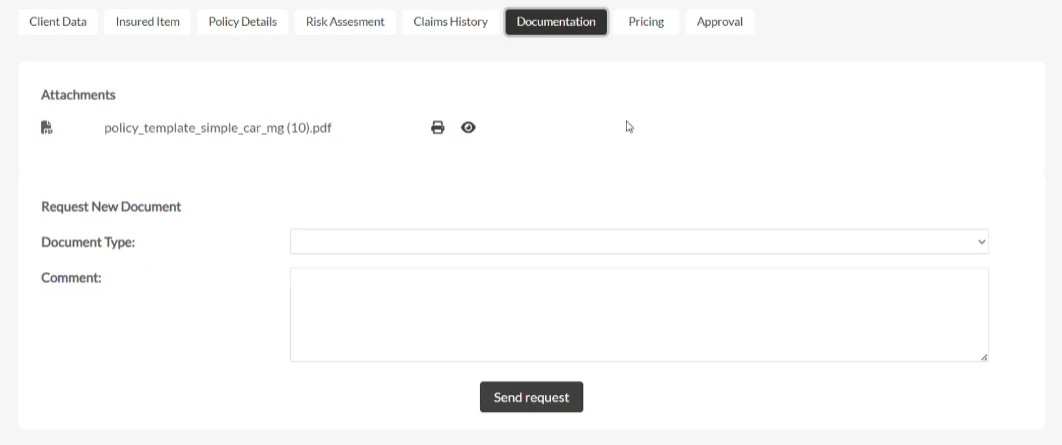
In the Documentation tab, all quote-related files are stored and accessible.
Here you can:
To request a document:
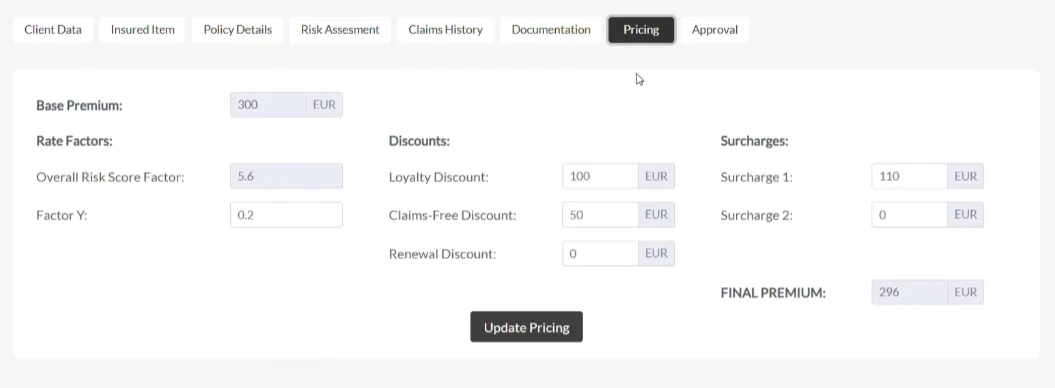
Use the Pricing tab to apply:
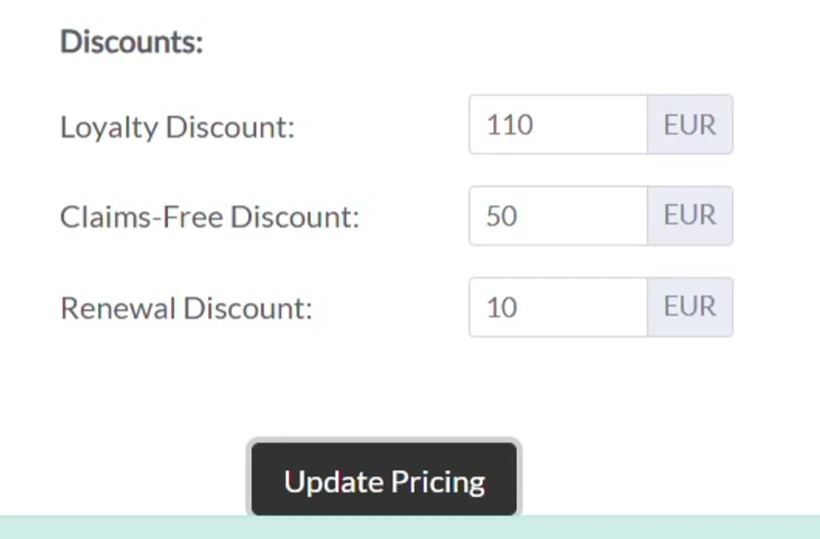
This section is highly flexible to suit every risk scenario.
In this tab, you can:
The system automatically validates your entries and dynamically updates the final premium.
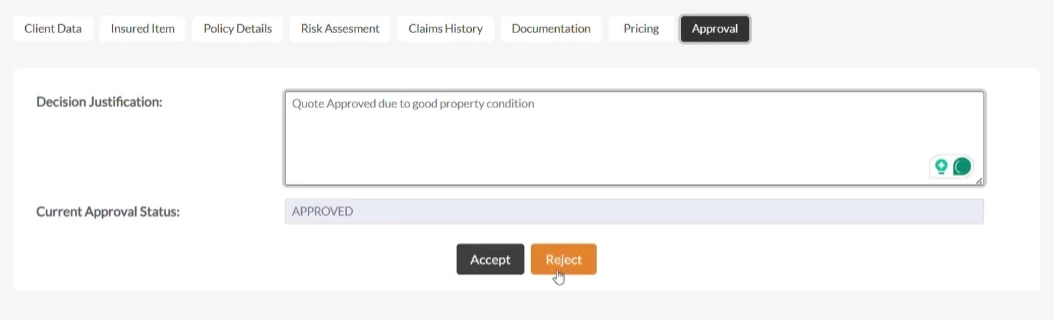
In the Approval tab, you finalize your underwriting decision.
All buttons and underwriting operations workflow actions are fully customizable.
Every element of this dashboard – tabs, underwriting rules, fields, widgets, layouts – can be tailored to fit your team's unique process.
Whether you need different configurations for various product lines or just to personalize your application interface, Openkoda makes it easy to:
With the right platform, you can go beyond generic tools and build underwriting solutions tailored to your exact needs, faster than ever.
Openkoda empowers your team to launch quickly, adapt effortlessly, and scale with confidence.
Say goodbye to rigid systems and vendor lock-in. It's time to innovate at your own pace, with no limits.
Build a motor rating engine from four tables: derive the ages you do not store, combine the factors, add fees and tax, then price a real risk and reprice it.

Automate a claim acknowledgment end to end: a Word template with placeholders, the email that carries it, and a workflow that fires when the claim form arrives.
Build a billing desk board tile by tile, then a second one by describing it in a sentence, and make one the screen your team signs in to.
Book a live, personalized demo with our product team - tell us your use case and see the platform work with your data. No commitment.