How to Set Up Your Own Rating and Premium Calculation Rules in Openkoda PAS
Build a motor rating engine from four tables: derive the ages you do not store, combine the factors, add fees and tax, then price a real risk and reprice it.
A step-by-step tutorial on building and customizing an insurance claims management dashboard in Openkoda, from intake to settlement.

In today's increasingly data-driven insurance industry, insurers process thousands of insurance claims every month while juggling tight margins, regulatory pressure, and the ever-present threat of fraudulent claims.
Traditional spreadsheets and siloed core systems simply can't keep pace.
Enter custom insurance claims dashboard.
A purpose-built claims management software platform brings every moving piece – policy details, incident data, reserves, and supporting evidence – into one real-time dashboard so claims managers can see the whole story at a glance, not in ten open windows.
Beyond visibility, dashboards let you allocate resources intelligently: routing complex cases to senior adjusters, flagging potential fraud for special investigation, and automatically surfacing bottlenecks before service-level agreements slip.
Integrated document management means photos, invoices, and medical reports are stored with the claim itself, eliminating the scavenger hunt across shared drives.
When the right data, automations, and controls live in one place, teams work faster, customers get answers sooner, and leakage shrinks - setting the stage for the hands-on workflow tutorial you're about to explore.
A best-in-class dashboard should adapt to your unique processes, not force your team into someone else's mold.
Here's what you should look for when looking for the right claims management application, and what you can get out-of-the box with the Openkoda platform:
With the "why" and the "what" covered, it's time to see how it all fits together in practice.
In this tutorial we'll walk you through every stage of a claim – intake, validation, cost estimating, reserving, and settlement – inside the Openkoda dashboard, and show you it's customization capabilities so that you can tailor your dashboards precisely to your needs.
Follow the steps below or watch our video tutorial:
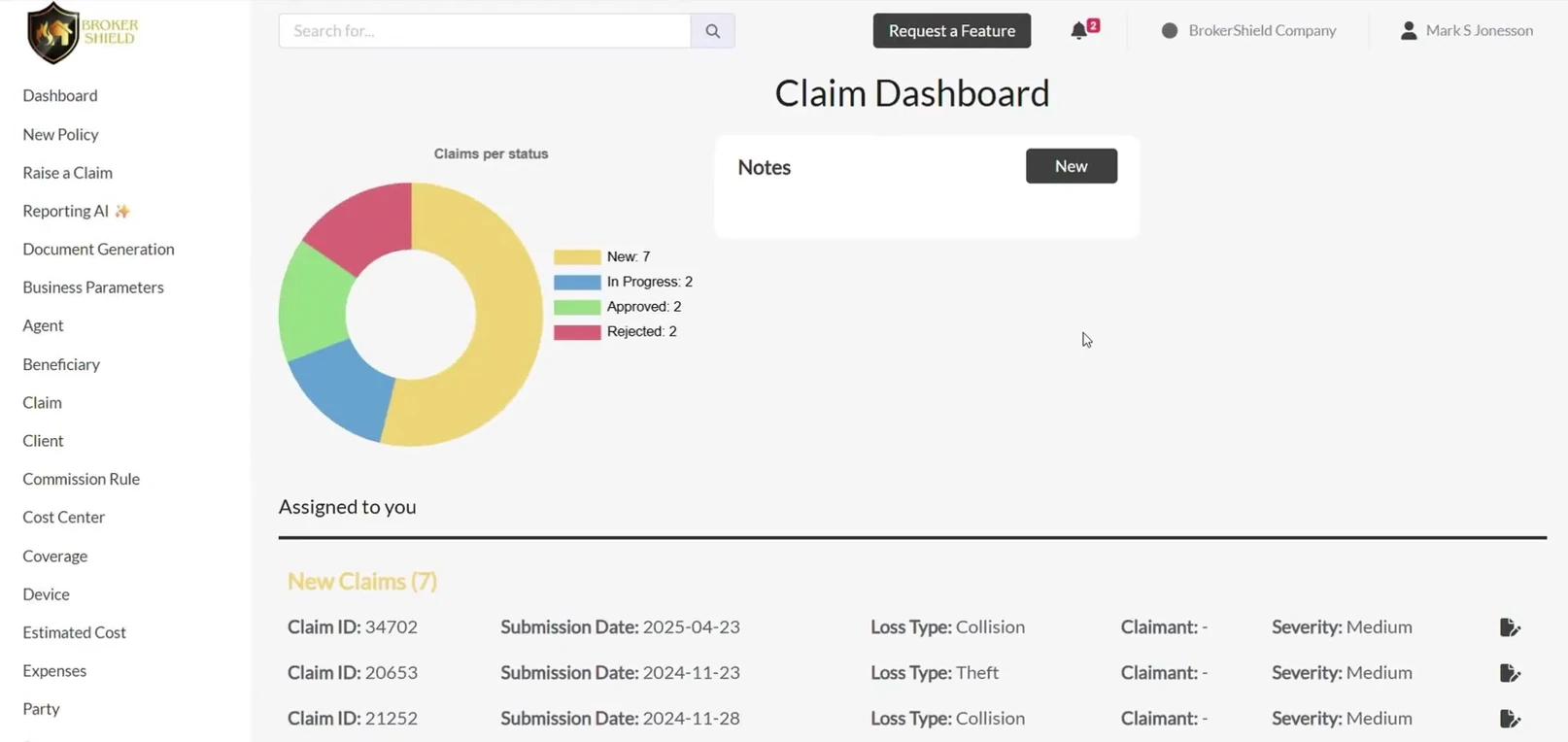
Start by logging into the Openkoda platform and heading over to the Claims Dashboard.
This is your central hub for monitoring all active claims, their statuses, and any key updates.
The dashboard gives you a real-time overview, but what's displayed here is completely up to you. You can customize the layout to show different status filters, internal notes, KPIs, or other widgets tailored to your workflow.
Pro Tip: Add filters to prioritize urgent claims or highlight those requiring manager attention.
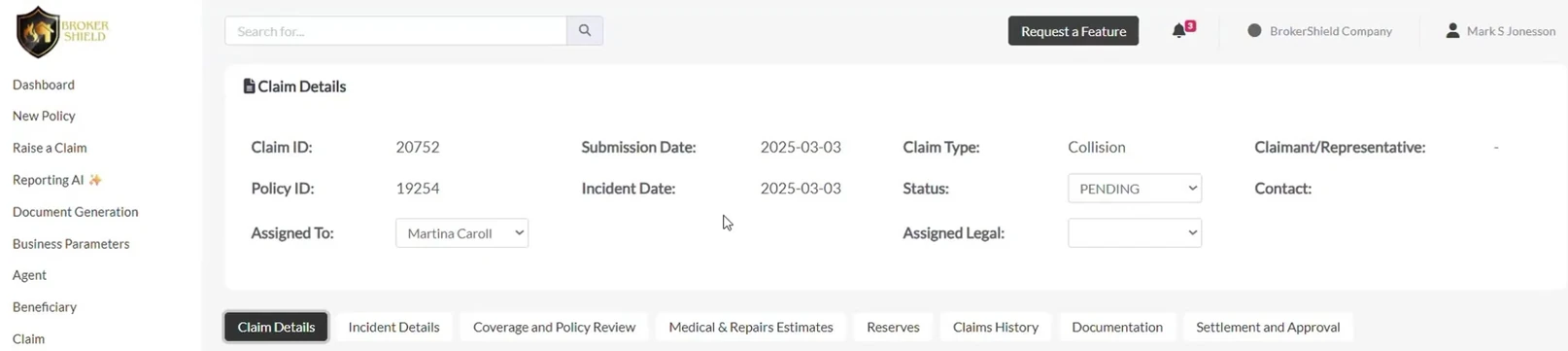
Click any row to open the Summary panel.
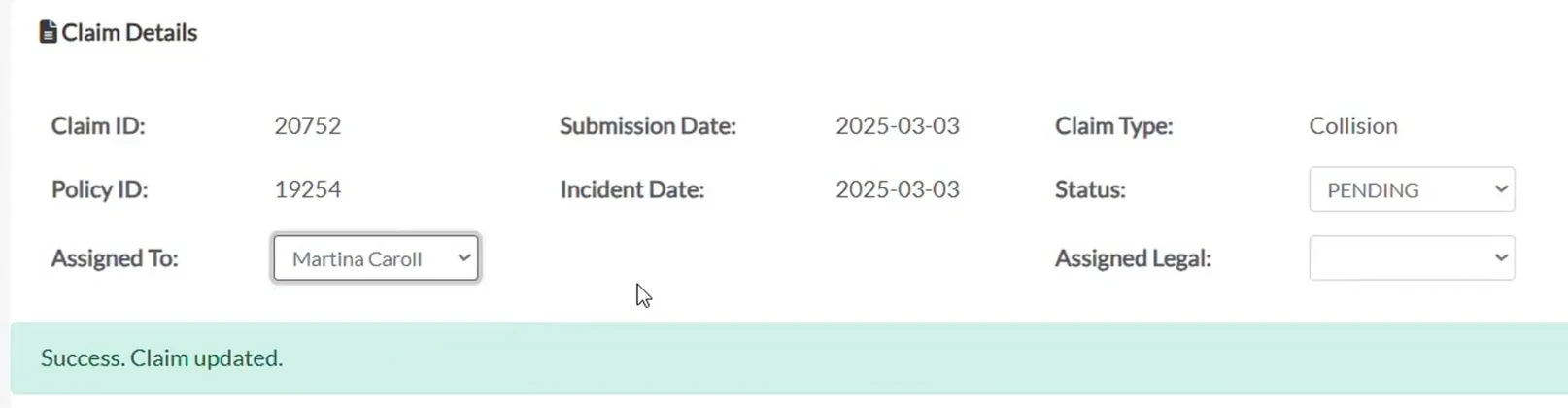
This screen consolidates key information for claims management process in one place, such as the:
Two common actions happen here:
Once a claim is reassigned, Openkoda automatically notifies the new handler – keeping your team aligned and responsive through the entire claims process.
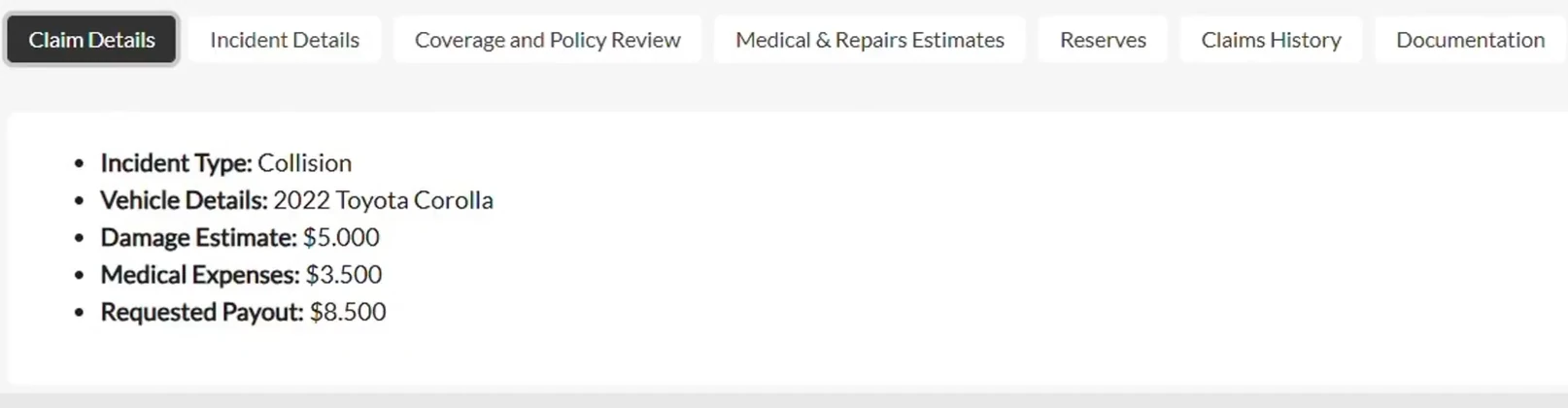
Let's now move on to navigate through the structured tabs within the claim for a deep dive into the data and start with the basic claims details.
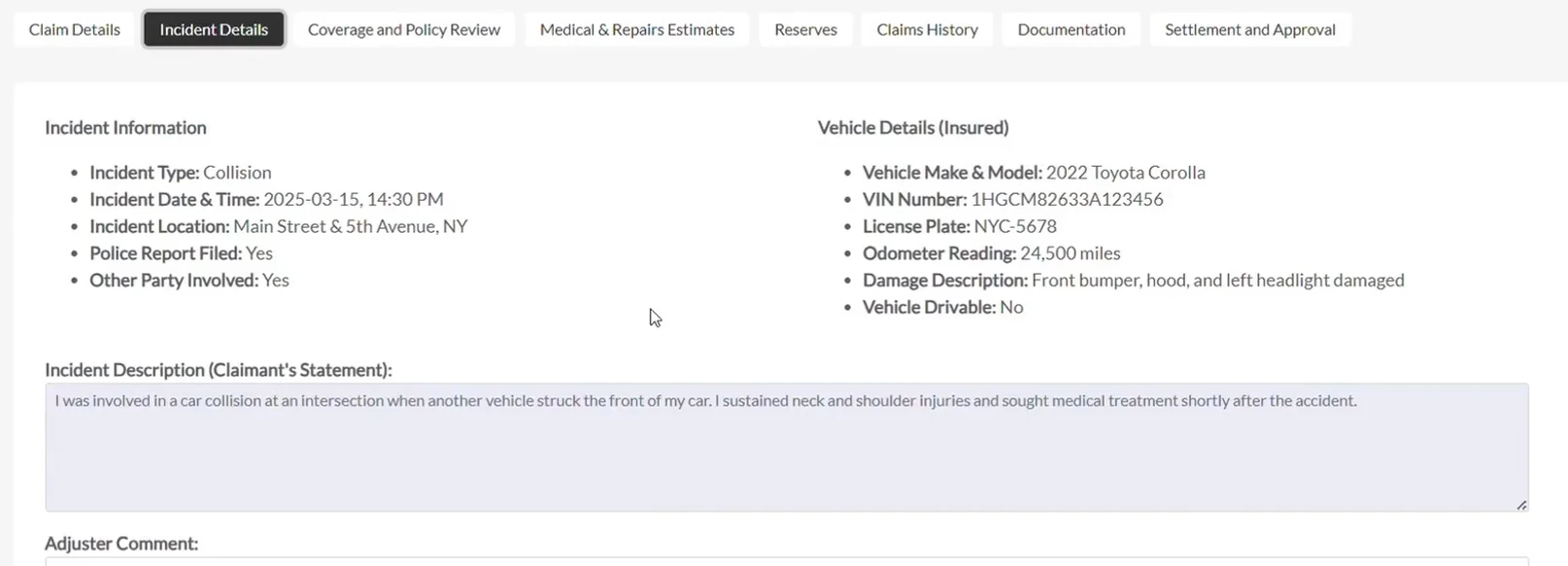
Here you'll find the core data captured at submission - claimant contact info, claim type, and more. All fields and tabs can be tailored to match your organization's data model.
This tab includes information submitted via a web form: incident type, date and time, vehicle information, and more. If your FNOL web form feeds Openkoda directly, you'll see that payload here the second the claim is logged.
You can also enrich the claim using internal insights, such as adjuster comments or other notes.
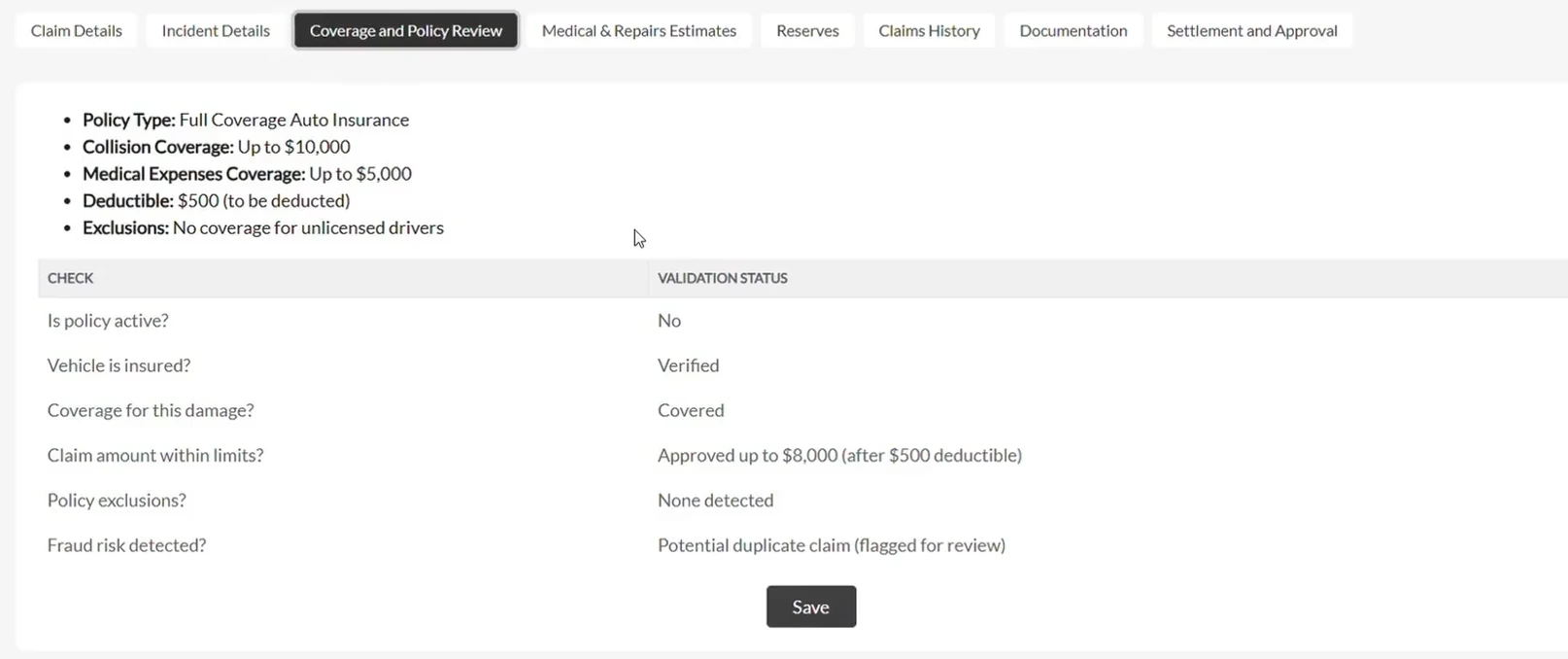
In the Coverage and Policy Review tab, you can validate the policy linked to the claim.
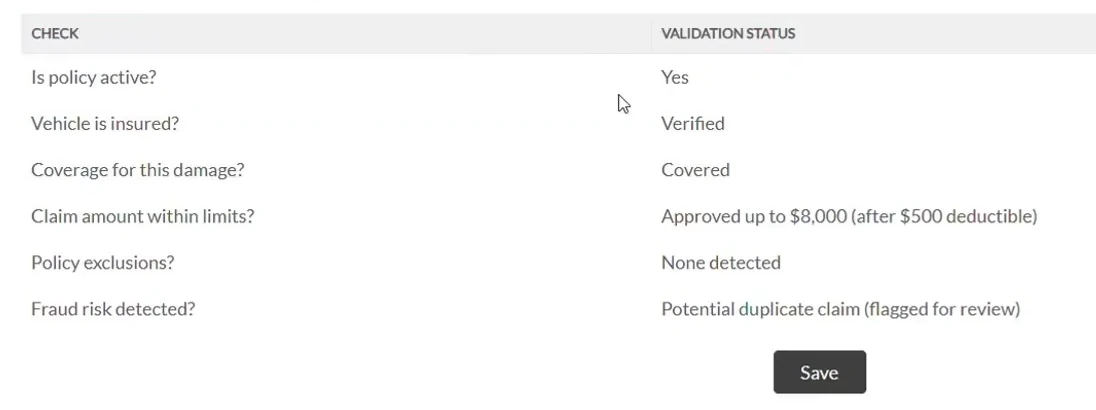
This can be done via:
Example: If a claim is linked to an expired policy, you can update the policy's status and instantly see claim validations update in real time - no extra steps required.
Remember that these rules can be customized according to your needs for maximum customer satisfaction.
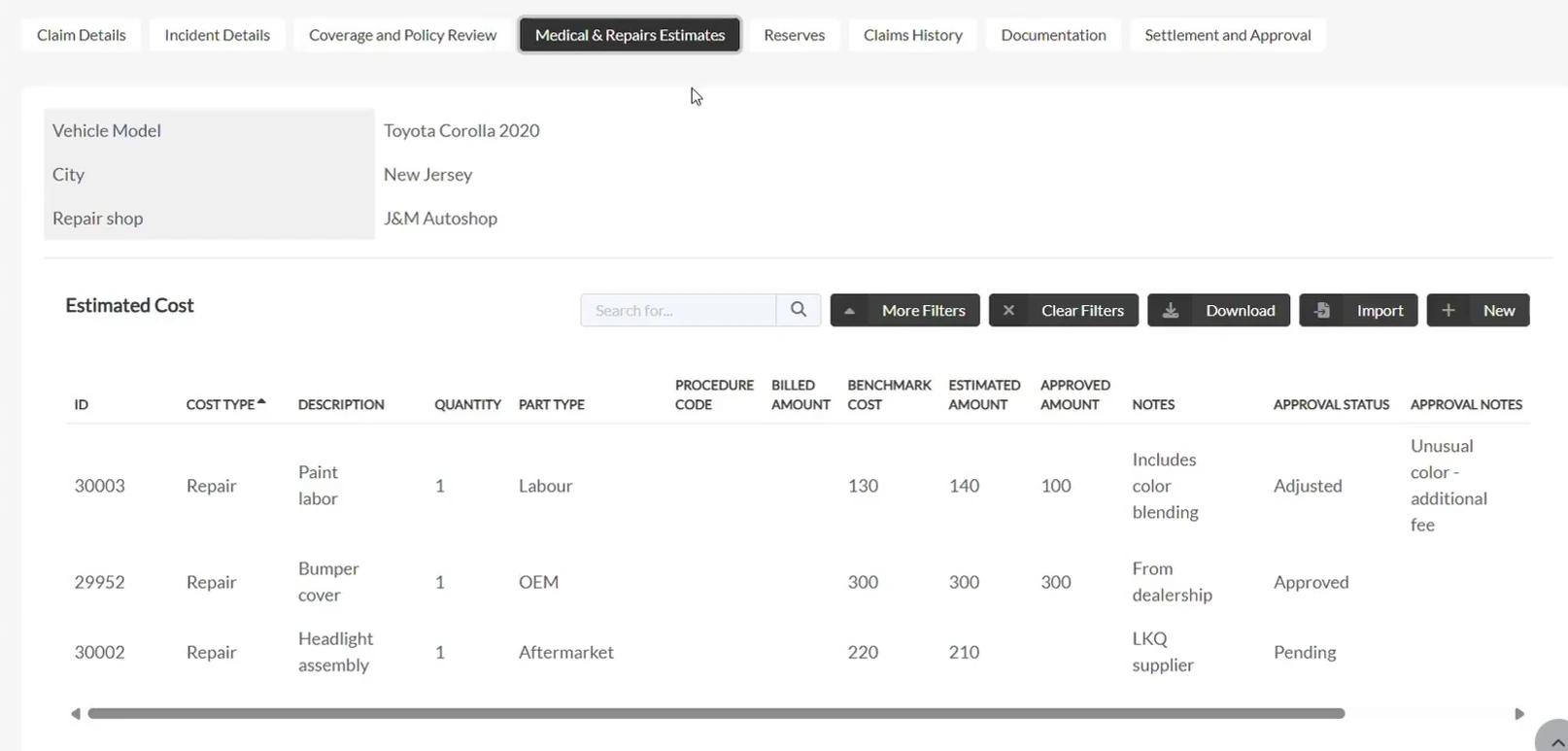
Next, head to the Medical and Repair Estimates tab to review and manage all claim-related costs.
Inside this tab you can:
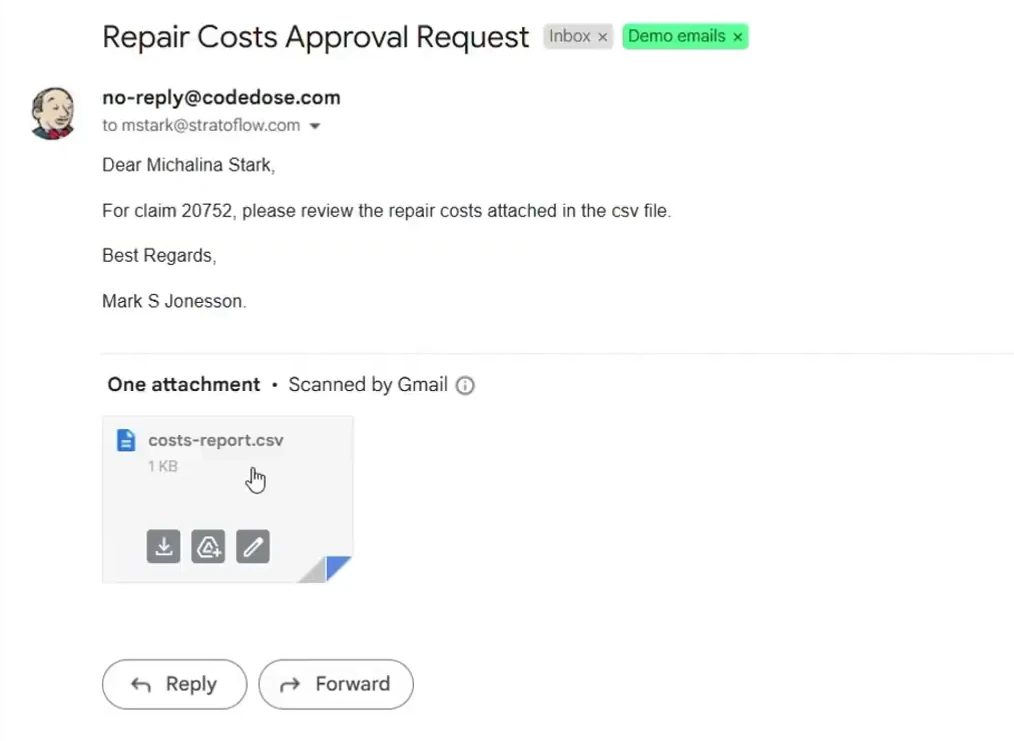
Once totals are in, set up an automation to email a summarized CSV to repair shops or internal finance for approval – no more spreadsheets flying around Outlook.
Openkoda also enables automated cost approval emails.
In this case, the system generates a document with a CSV summary and sends it to a repair shop or internal approvers instantly.
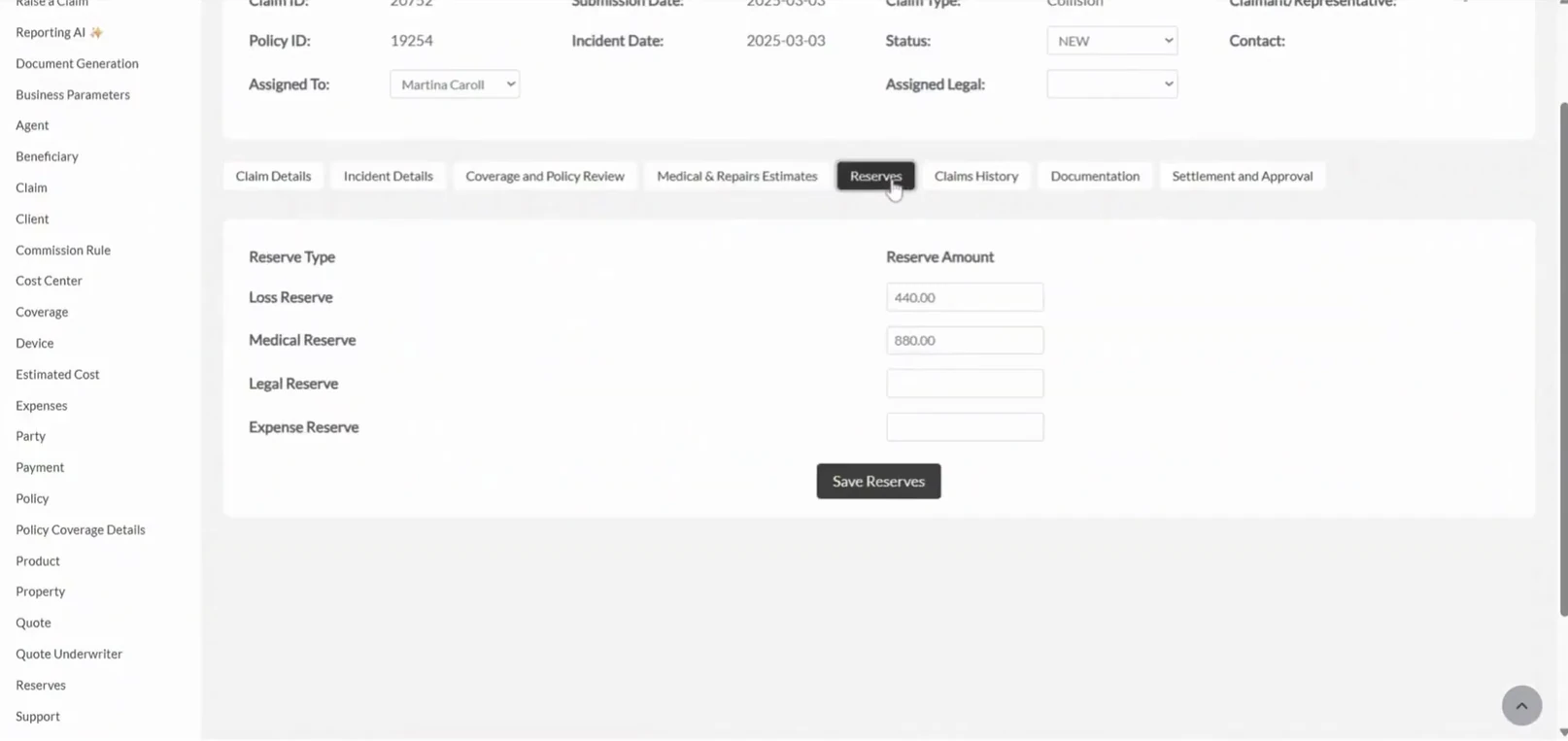
Use the Reserves Tab to define financial reserves allocated to a claim.
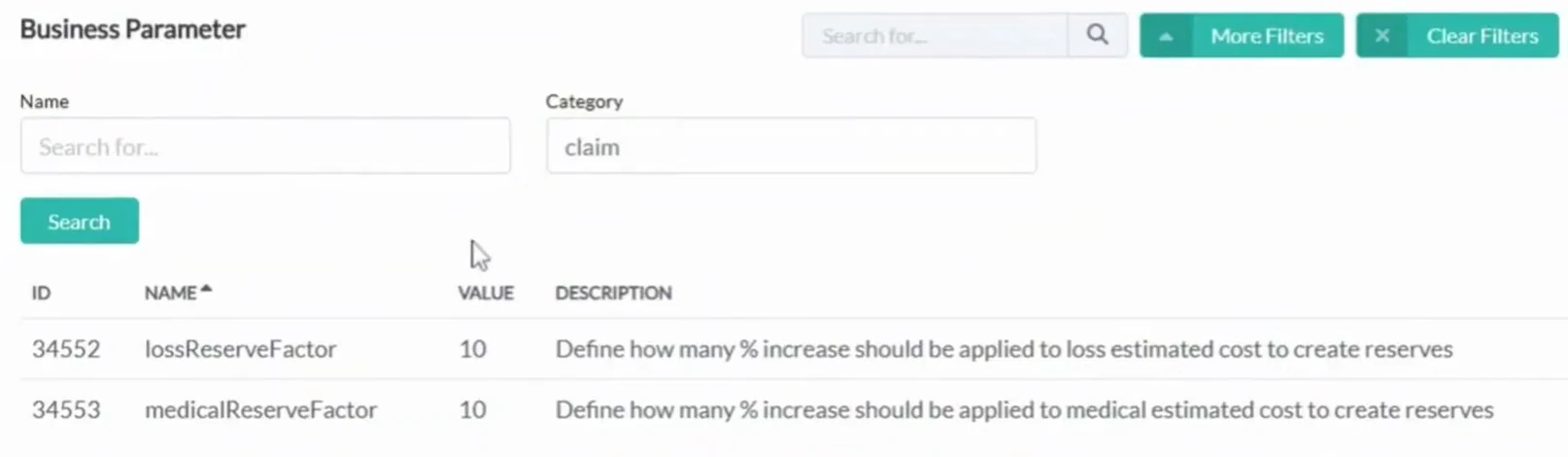
You can:
Like everything else in Openkoda, reserve logic is customizable to match your company's accounting standards or regulatory requirements.
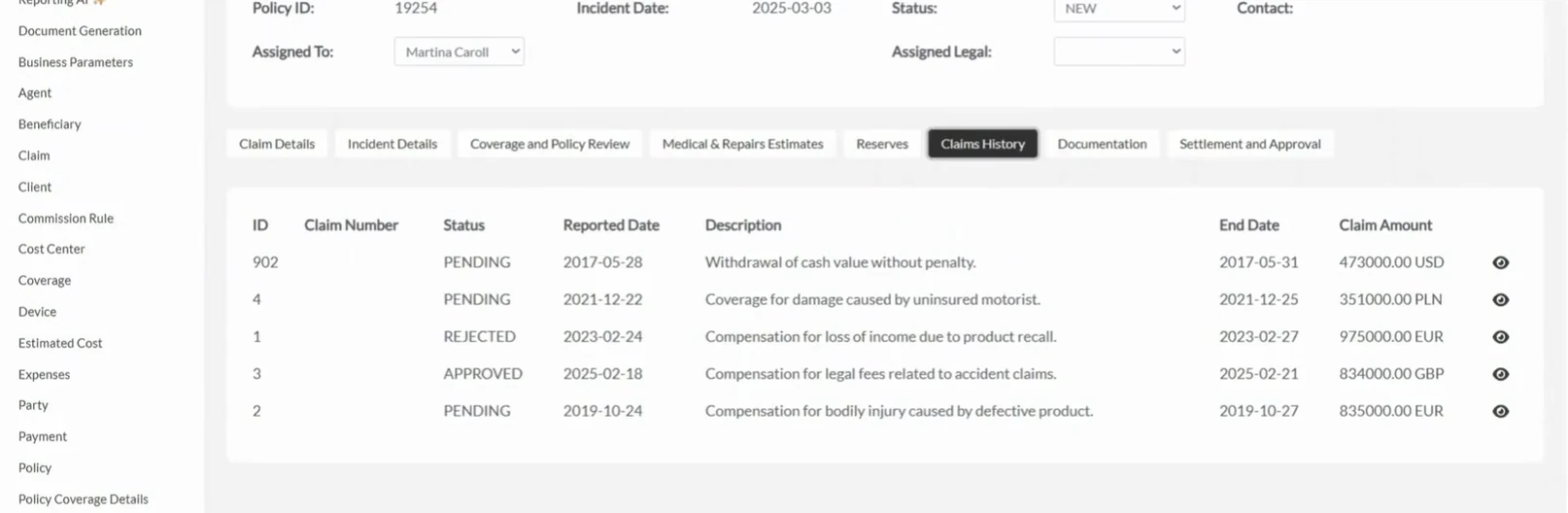
The Claim History tab provides access to all past claims related to a client, policy, or vehicle. You can track trends, spot recurring issues, or simply double-check old case data.
This historical data can come from internal systems or external sources integrated via API.
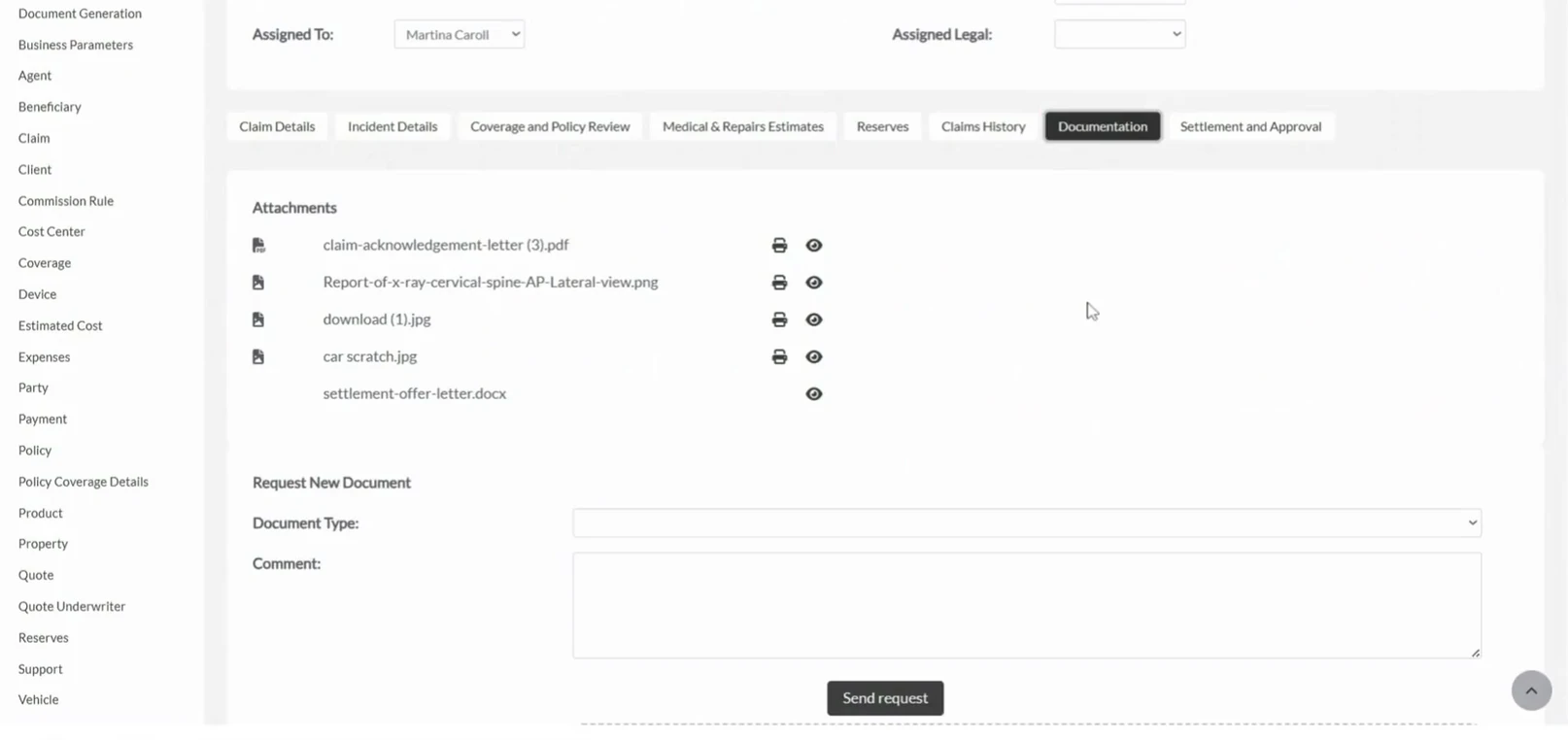
In the Documentation Tab, you can view all uploaded documents - invoices, photos, medical reports, and more.
You can also:
It's a centralized space that ensures all claim evidence is stored, searchable, and secure.
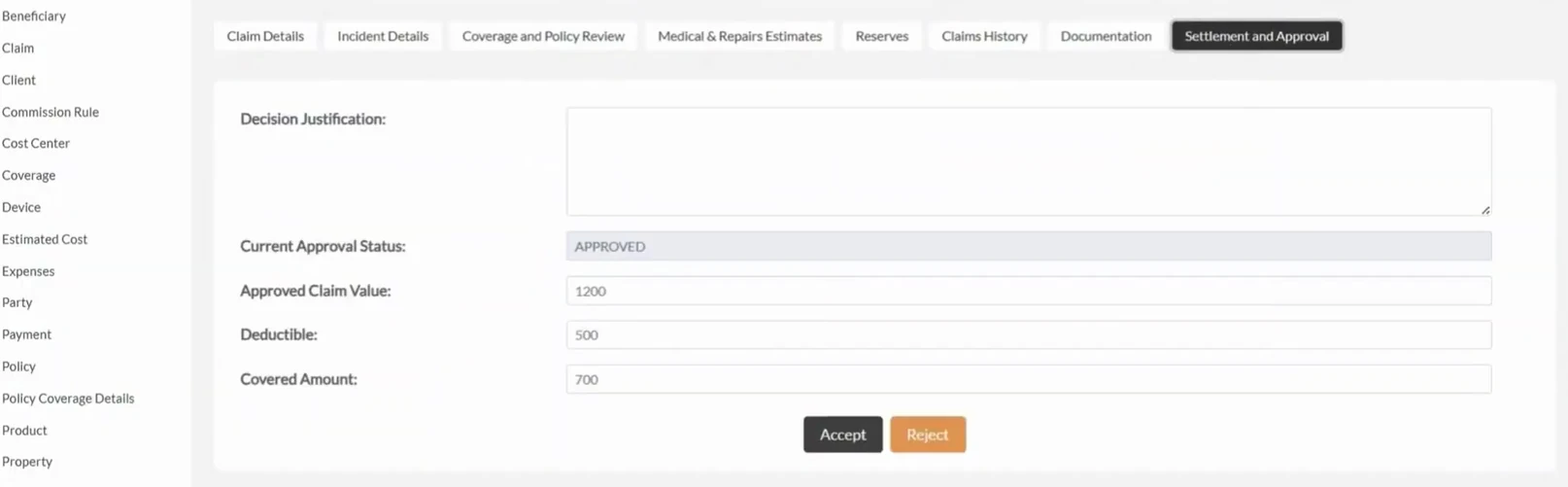
Wrap up the claims handling process in the Settlement and Approval tab.
This is where you:
Once a decision is made, the platform sends an automated email to notify the client of the outcome. You can even integrate with payment gateways so indemnity flows straight to a bank or repair vendor once approvals land.
What makes Openkoda especially powerful is the level of customization available at every stage:
This means the claims dashboard isn't a fixed template - it's a dynamic workspace shaped to your unique processes and regulatory needs.
With Openkoda's customizable insurance claims software, you can:
Whether you're an insurer handling thousands of claims monthly or a niche provider needing specialized workflows – Openkoda gives you the flexibility and efficiency to scale.

Build a motor rating engine from four tables: derive the ages you do not store, combine the factors, add fees and tax, then price a real risk and reprice it.

Automate a claim acknowledgment end to end: a Word template with placeholders, the email that carries it, and a workflow that fires when the claim form arrives.
Build a billing desk board tile by tile, then a second one by describing it in a sentence, and make one the screen your team signs in to.
Book a live, personalized demo with our product team - tell us your use case and see the platform work with your data. No commitment.