How to Set Up Your Own Rating and Premium Calculation Rules in Openkoda PAS
Build a motor rating engine from four tables: derive the ages you do not store, combine the factors, add fees and tax, then price a real risk and reprice it.
A step-by-step guide to setting up custom in-app notifications in Openkoda that alert users when a claim is assigned to them.

The in-app notifications feature of Openkoda helps insurance professionals stay informed about critical updates in real time, reducing delays, improving collaboration, and streamlining workflows.
For instance, in a policy management application, timely notifications can alert agents to updates or approvals, ensuring smooth processing.
Follow the steps below to create custom notifications in Openkoda, or watch our video tutorial:
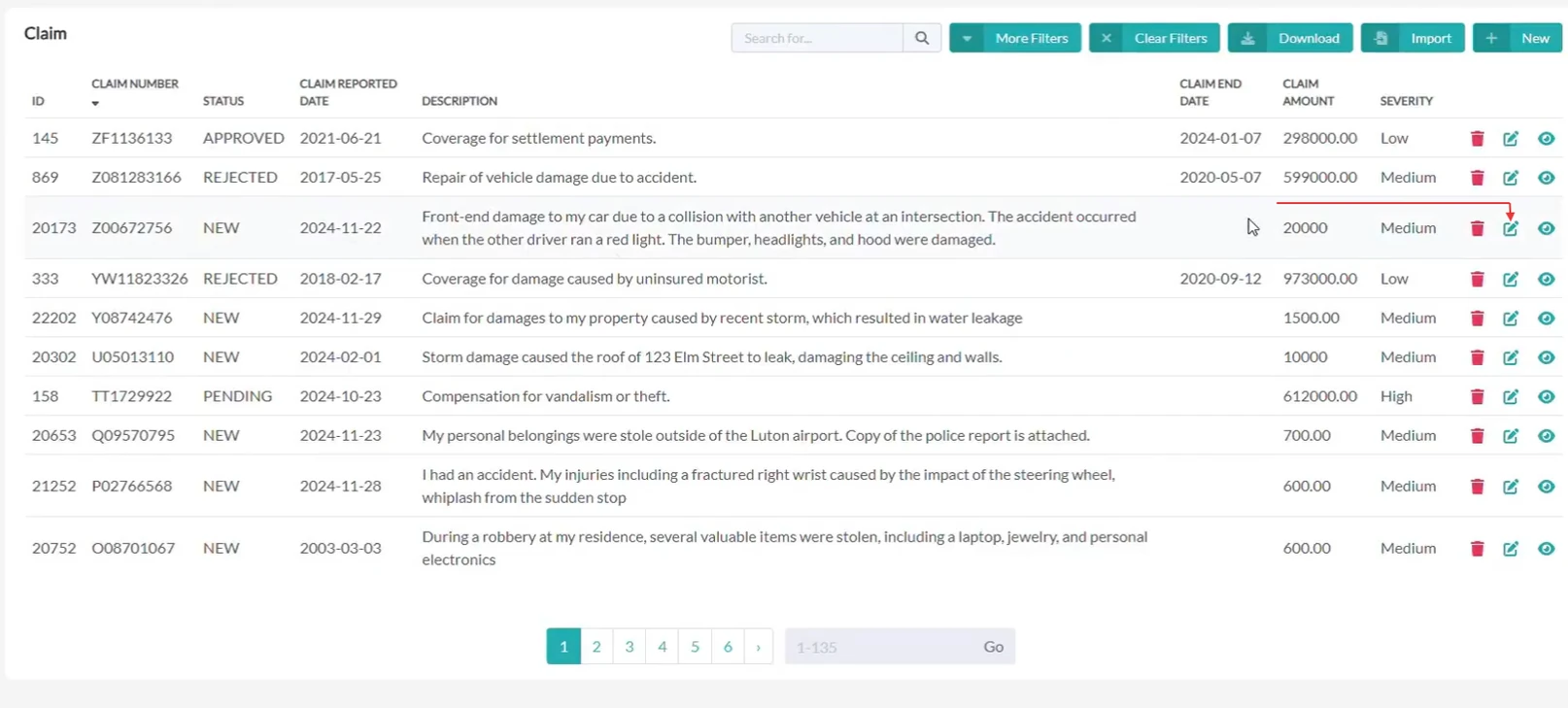
Start by entering the claims table in Openkoda.
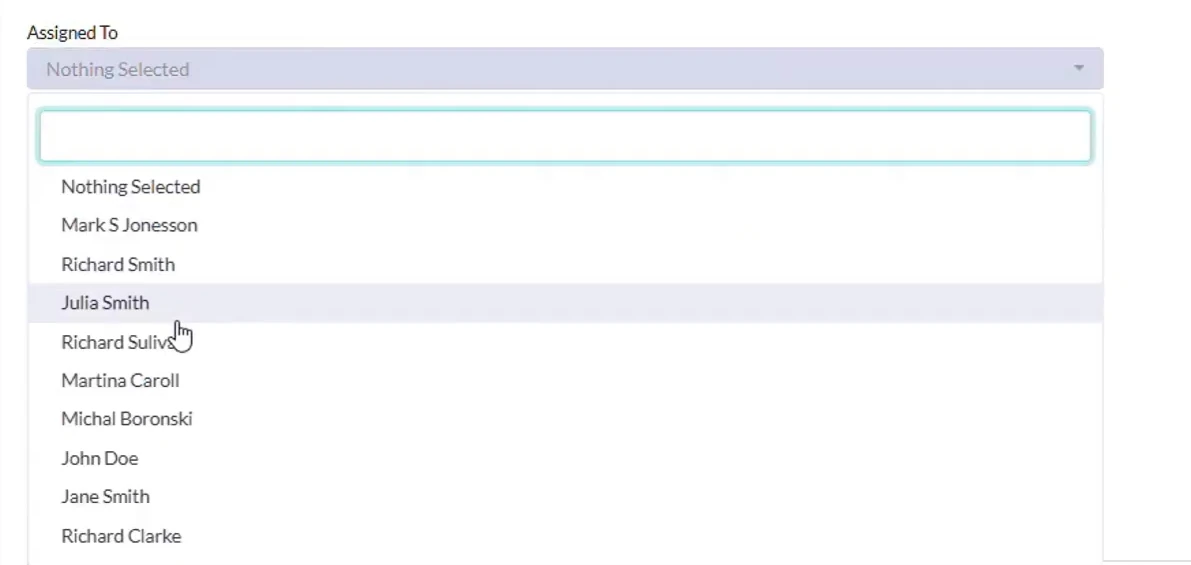
It's a centralized feature where claims are assigned to the person responsible for handling them.
We click edit and assign a claim to a specific user who is responsible for it.
Next, we'll implement a custom event that alerts users when a claim is delegated to them.
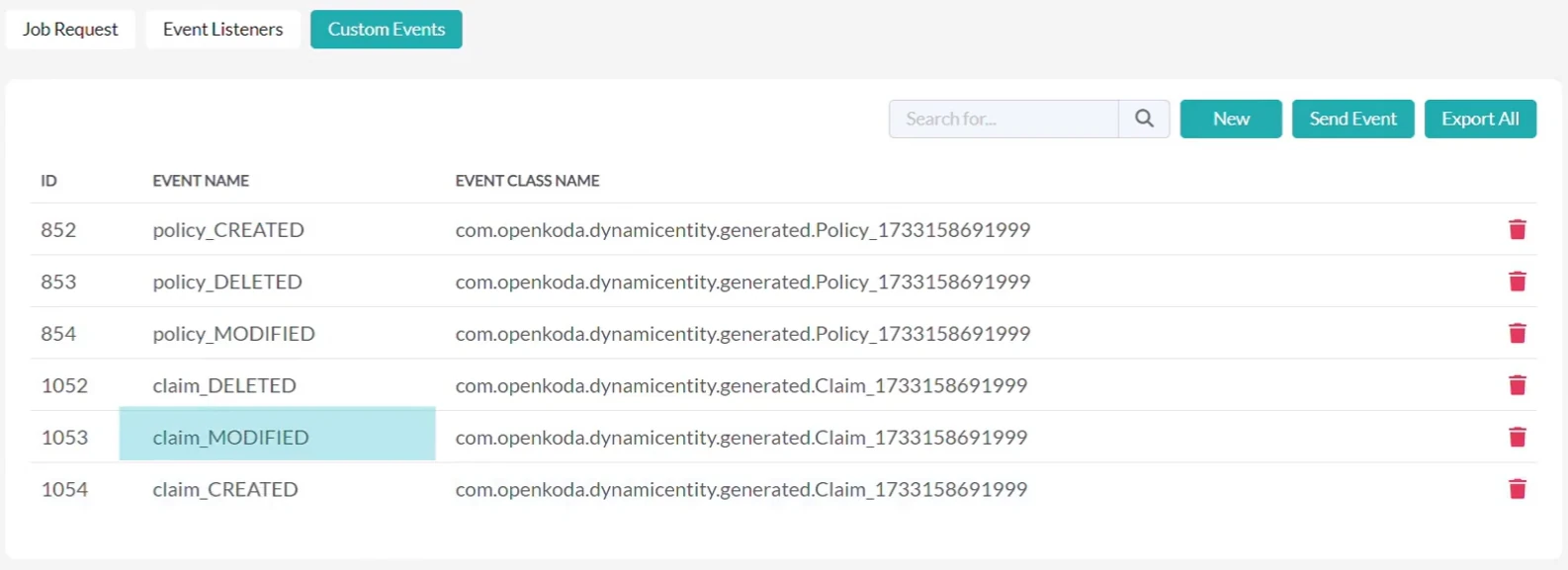
In Openkoda, every data table comes with pre-configured custom events.
These events track critical changes, such as creating, modifying, or deleting records.
For this tutorial, we'll focus on the Modification event, which will send notifications when a user is assigned to a claim.
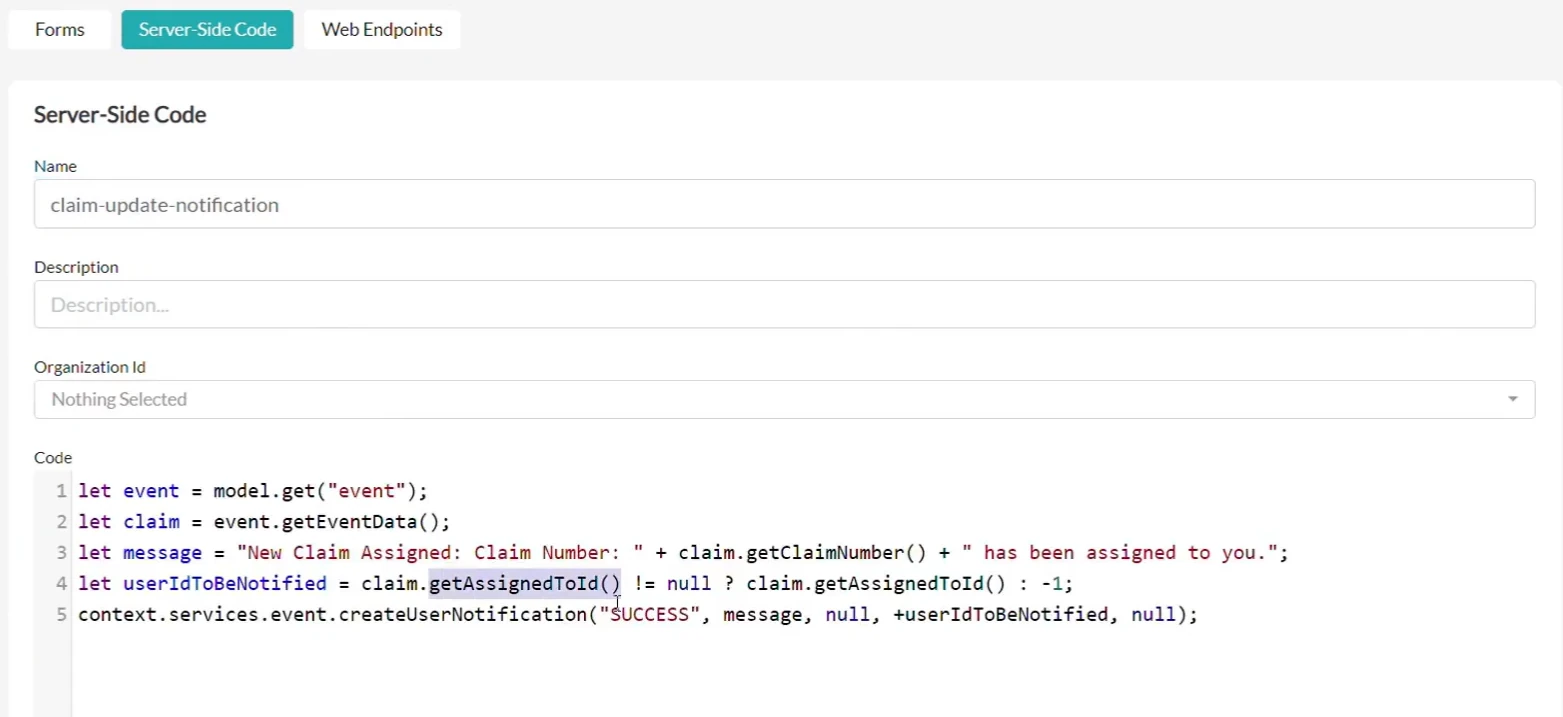
Next, we create a server-side script called "claim-update-notification".
The role of the script is the following:
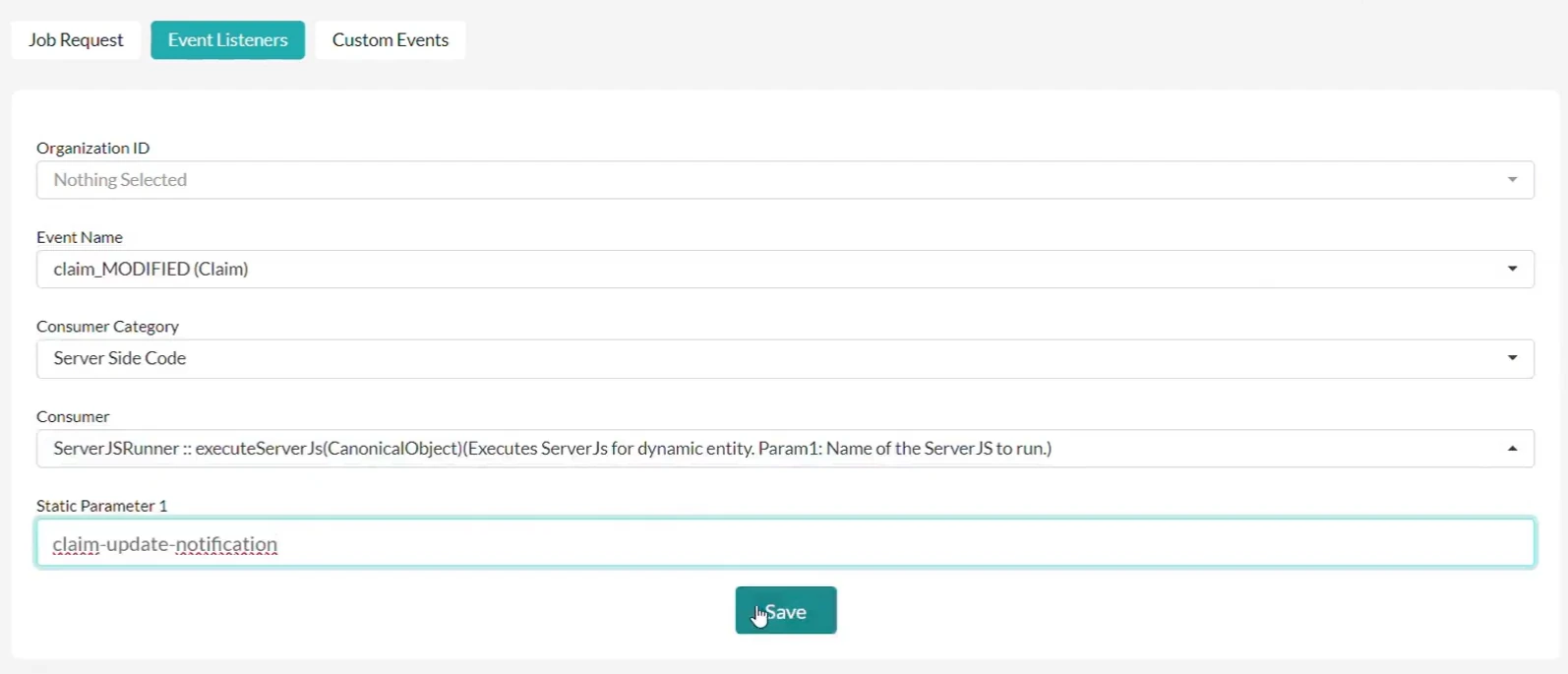
Once the script is ready, we configure an event listener.
This listener monitors changes to the claim's "assignedTo" attribute and triggers the custom notification whenever an update occurs.

To demonstrate the impact of this feature, we compare the system's behavior before and after implementing custom notifications.
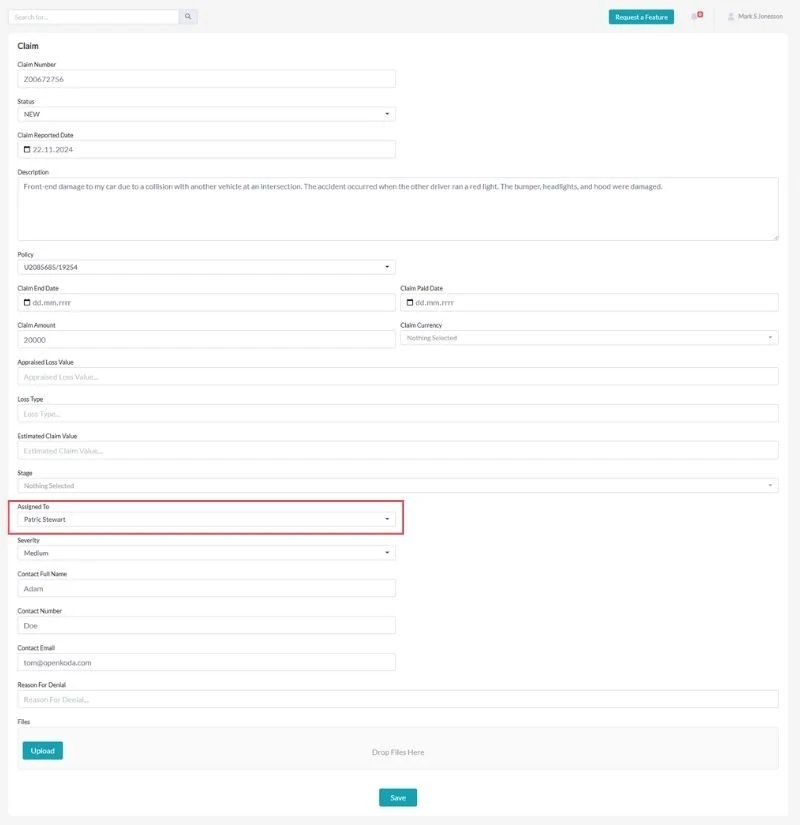
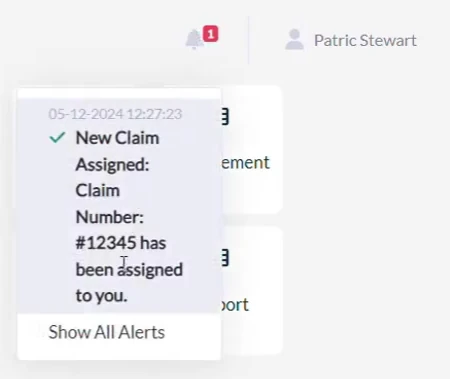
Before: The user Patrick Stewart has no notifications.
Action: Update the claim by changing its status and assigning it to Patrick.

After: The system now generates a notification for Patrick, ensuring they are immediately informed about the new assignment.
All in-app notifications are conveniently accessible within your Openkoda account.
Custom notifications foster collaboration and transparency. By keeping everyone informed, you enable your team to respond quickly to updates, enhancing overall business agility and service quality.
Custom notifications are a simple yet powerful way to improve communication within your organization. With Openkoda, setting up these notifications is seamless and flexible, allowing you to address changes in real-time without the need for manual updates.
Learn more about Openkoda features.
Openkoda's innovative tools are designed to streamline operations and provide practical solutions for insurance companies.
Book a personal demo today to see how Openkoda can support your business needs and drive efficiency.

Build a motor rating engine from four tables: derive the ages you do not store, combine the factors, add fees and tax, then price a real risk and reprice it.
Automate a claim acknowledgment end to end: a Word template with placeholders, the email that carries it, and a workflow that fires when the claim form arrives.
Build a billing desk board tile by tile, then a second one by describing it in a sentence, and make one the screen your team signs in to.
Book a live, personalized demo with our product team - tell us your use case and see the platform work with your data. No commitment.