UK MGA Insurance Market Report 2026
UK MGAs wrote about £7.2bn of premium in 2025, up a fifth. Lloyd's, the FCA, the PRA and the capital behind MGAs spent the same year deciding how much of it to trust.
What an insurance document management system does, how to choose one, and the key features to look for when digitizing your paperwork.

An insurance document management system is a specialized software solution designed to store, organize, retrieve, and share documents critical to the insurance business.
These systems serve as a central repository for policies, claims management, customer communications, compliance forms, and other essential paperwork, often digitizing and automating traditionally manual processes.
The value of these systems to insurance companies is self-evident.
With modern document management software, insurance companies can move from cluttered, error-prone filing systems to streamlined digital environments.
Such systems improve operational efficiency by automating repetitive tasks such as policy renewals, document versioning and claim approvals.
In an industry where timeliness and accuracy are paramount, insurance document management systems significantly improve customer service by reducing delays and ensuring error-free documentation.
Given the complexity of the insurance industry and the critical nature of managing large volumes of insurance documents, implementing document management software is an essential operational step.
Evaluate document management against the work your teams actually perform. A useful demonstration should follow a submission or policy change from incoming documents through review, approval, generation, and delivery.
Use this checklist to assess potential solutions:
Ask vendors to demonstrate these capabilities using representative files from your business. This will reveal more than a polished walkthrough using perfectly prepared sample documents.
Openkoda is a highly customizable insurance PAS with document management built into the policy lifecycle. Documents sit alongside the insurance records and transactions they relate to, giving underwriting, claims, and servicing teams the context they need. Its configuration options let insurers adapt document handling to their products and operational processes.

Relevant capabilities include:
So what features should well-designed document management software tailored to the insurance industry have?
Here are five essential functionalities to ensure your system effectively supports your operations, from managing documents to enhancing security and scalability.
A centralized document storage system consolidates all customer records, policies, and claims into a single repository.
This feature simplifies document management, reduces redundancy, and ensures that everyone in your insurance company has access to the latest information when they need it.
The ability to quickly locate and manage documents is critical in day to day operations of all insurance firms.
Advanced search tools with filters and tagging enable your team to retrieve specific client records or compliance documents in seconds, saving time and improving efficiency.
Role-based access ensures that employees have access to only the documents they need, minimizing risk and ensuring regulatory compliance.
For example, an underwriter can access only policy-related documents, while a claims adjuster can view claims files but not confidential HR records.
Your document management software should integrate cleanly with other tools you use, such as customer relationship management (CRM) platforms, embedded insurance software, and policy and claims management systems.
This ensures smooth workflows and reduces the need for duplicate document management tasks.
As your insurance company grows, your digital records system needs to scale with it.
Customization options allow you to tailor the software to meet your evolving needs, whether you need to add new workflows, manage larger volumes of documents, or incorporate advanced analytics.
Access to a multi-tenant database architecture makes it easier to maintain system performance over time.
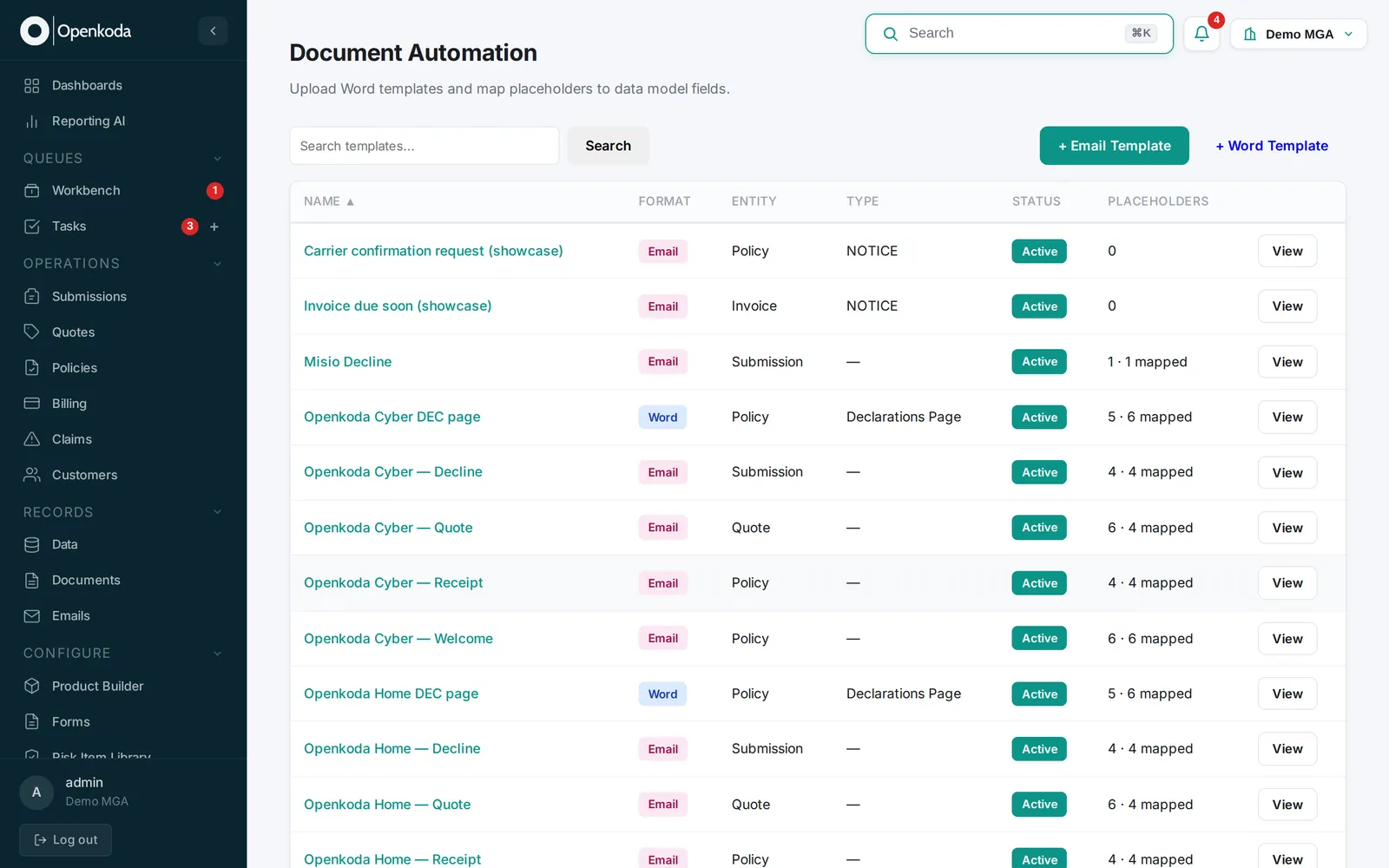
Managing documents is only one part of the process - creating them can often be just as time-consuming and prone to errors.
Fortunately, this is another area where the Openkoda platform excels.
With Openkoda, you can streamline and automate the entire workflow for generating insurance documents using customizable templates.
The process can be broken down into five simple steps:
The next step in insurance document management is making the information inside documents useful throughout the business. AI-assisted intake can turn incoming paperwork into structured case data, while connected workflows help teams review that information and act on it.
Openkoda’s Reporting AI makes operational data accessible through plain-language questions. Users can generate reports across policy administration, underwriting, claims, and billing without writing database queries. The system displays the query behind each result, allowing teams to check how the answer was produced.
For example, where required-document status is captured in the PAS as reportable data, an operations manager could ask:
Show applications submitted in the last 30 days that are still awaiting required documents, grouped by broker.
Reporting AI can turn that question into a query against the available records and return a report scoped to the organization’s data. The manager can inspect the query, save the report, add it to a dashboard, or export the results to Excel.
That creates a practical way to identify where incomplete documentation is holding up business and prioritize follow-up. Its usefulness depends on consistent status tracking: document intake supplies the information, workflows record progress, and reporting makes outstanding work visible.

UK MGAs wrote about £7.2bn of premium in 2025, up a fifth. Lloyd's, the FCA, the PRA and the capital behind MGAs spent the same year deciding how much of it to trust.

Surplus lines grew 10.4% in 2025 while filings outran premium in 2026. What specialty products ask of a PAS, and five tests to run before you buy one.
Six of the best policy management software systems for 2026, split by what they actually do: insurance policy administration, or internal policy governance.
Book a live, personalized demo with our product team - tell us your use case and see the platform work with your data. No commitment.